Beginners who want to develop offline
If you want to access source code, a local prototype and saved documentation without an internet connection, plan ahead for the files and tools you’ll need.


When developing an inventory management app, first check that the operating system and local SSD storage suit your tools and files. A particularly powerful graphics solution isn’t the main priority for this kind of work. If you also plan to use containers, check their specific requirements. When choosing between a compact design and a larger display, also consider the keyboard, screen space and where you’ll be working.
If you want to access source code, a local prototype and saved documentation without an internet connection, plan ahead for the files and tools you’ll need.
If you’ll be running containers or another development environment alongside your editor and browser, check the requirements of your specific tools for the operating system you’ve chosen.
If you work at a desk sometimes and on the move at others, weigh screen space against the size and weight of each model, as well as its charging accessories.
| Consideration | What to check before buying | Who it matters most to |
|---|---|---|
| Working offline | Check the operating system and available SSD space; save documentation, installation files and extensions locally in advance. | If I want to work on my project while travelling or without a connection, I need to make sure my documents and tools are available beforehand. Around 36% of consumers put offline access first. |
| Using tools side by side | Check the RAM, operating system and architecture against the requirements of the tools you plan to use. | If you use containers or other development environments as well as an editor and browser, make sure you account for their specific requirements. Around 29% of consumers prioritise tools used in parallel. |
| Workspace and portability | Compare the display size, weight and keyboard layout of the exact model configuration. | If I want to see code and documentation without an external monitor, but still take my laptop with me, I need to balance screen space against size. Around 21% of consumers prioritise workspace or portability. |
| Total cost and useful life | Check what’s included, especially the power adapter, as well as model-specific upgrade options and any optional warranty cover. | If you’re considering both the initial purchase and longer-term use, factor in accessories and possible upgrades. Around 14% of consumers put total cost and useful life first. |
Online documentation and extensions that haven’t been installed won’t automatically be available without preparation.
Download the content and tools you need in advance, then test your editor, documentation and project launch with the connection switched off.
Preparation takes time and may use additional local storage.
Specifications and keyboard layouts can vary between configurations. Lenovo lists the ThinkPad E14 Gen 6 (AMD), model 21M3002XMH, with an English EU keyboard.
Check the full model number, keyboard layout, RAM and SSD in the specific listing.
A power adapter may not be included, depending on the listing. An optional warranty is also different from your statutory rights if the product is faulty.
Check what’s included and read the terms of any optional warranty separately from your rights against the seller.
If a power adapter isn’t included, you may need to budget for a compatible charger.
The ThinkPad E14 Gen 6 (AMD), model 21M3002XMH, is a documented option if you’re looking for a compact Windows laptop with ports and upgrade options.
The Vivobook 16 M1607KA-MB053W is a documented Windows option for working on a larger built-in display.
The MacBook Air is worth considering if your chosen development tools are compatible with macOS.
This selection includes laptops for working with local project files and developing on the built-in display. Compare the exact specifications and check that the operating system, keyboard and included accessories suit the way you work.
 No image available
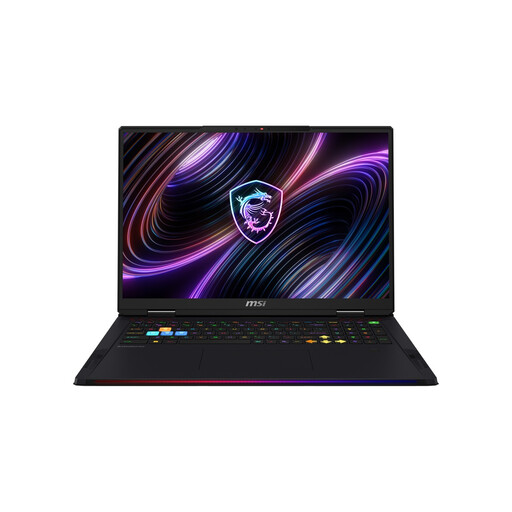
The 18-inch display gives you a large built-in workspace for code and documentation.
The product title lists 32 GB DDR5 RAM, a 2-TB SSD, Intel Core Ultra 9 290HX and NVIDIA GeForce RTX 5080.
The description lists a weight of 3.6 kg; bear this in mind if you’ll be carrying the laptop around often.
 No image available
The 16-inch display gives you a built-in workspace for code and documentation.
The product title lists 16 GB RAM, a 1-TB SSD, an R7 processor and RTX 5060.
The description lists a US keyboard layout. Before buying, check that it suits the way you type.
 No image available
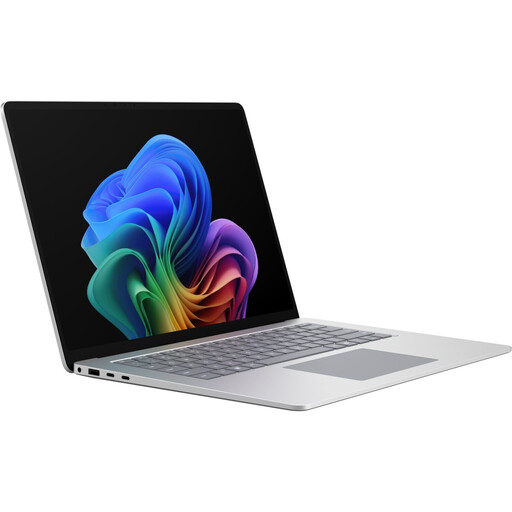
The 15-inch touchscreen gives you a larger built-in workspace for code and documentation.
The product title lists 16 GB RAM and a 512-GB SSD.
 No image available
The 16-inch touchscreen gives you a large built-in workspace for code and documentation.
The product title lists Intel Core Ultra 7 355, 16 GB LPDDR5X RAM and a 512-GB NVMe SSD.
The description lists a QWERTZ layout. Compare it with your preferred keyboard layout.
 No image available
The 11.6-inch touchscreen with a 360° hinge suits a compact working setup.
The product title lists 8 GB RAM and a 256-GB SSD. If you plan to use several development tools at once, check their specific requirements against the laptop’s specifications.
A simple local database approach can use SQLite without a separate database server. Save the documentation and extensions you need in advance. For a web app, you’ll need to build and test offline functionality separately, for example by caching resources locally. A laptop alone won’t make the app work offline.
Not necessarily: a simple local setup can work without a separate database server. If you want to use Docker Desktop, check the current requirements for your chosen operating system and installation method.
Download the documents and development tools you need in advance, then test a complete workflow without a connection. Visual Studio Code’s documentation explains how to download extensions as VSIX files; any other files you need will depend on your tools.
For consumer purchases, your statutory rights against the seller if the product is faulty are separate from any voluntary manufacturer’s or retailer’s warranty. Verbraucherzentrale explains that there is generally a two-year legal guarantee for faults that were already present when the product was handed over; additional warranties may have their own terms.
The European Commission gives 28 April 2026 as the start date for common charging requirements covering certain laptops. This doesn’t mean every older listing is subject to the same rules or that a power adapter must be included: the rules also provide for information about the charger and listings without one supplied. Check the contents, charging power and, where relevant, when the specific model was placed on the market.