
Lieferung heute & morgen

Qualitätsgarantie

Willkommens-Angebote freischalten: KOSTENLOSE Lieferung | Bis zu 80 % RABATT | Kostenlose 30-Tage-JoyPlus-Testphase
App herunterladen
When you’re buying a laptop, you’ll often start by comparing processors, discounts and brands. In practice, though, other details determine whether a device will suit your day-to-day needs in the long run. A budget laptop may be enough for basic office work, while a business laptop needs to meet different requirements, such as offering plenty of ports, security features and the ability to withstand frequent travel.
“Large storage” can refer either to RAM or to SSD capacity. They serve different purposes:
Manufacturers measure battery life under different conditions. Streaming, video calls, high screen brightness and demanding programmes use more power than basic word processing. So it’s worth checking:
According to the product descriptions, a charger is not included with several Apple models. You’ll need to have or buy a compatible USB-C PD charger separately.
A 13-inch laptop is usually easier to carry around. A 15-inch laptop or 16-inch laptop gives you more screen space for spreadsheets, programme windows and split-screen views. Other important details include:
A 16-inch laptop with WUXGA resolution may be more comfortable for office work than a smaller, higher-resolution model if you need to use several windows side by side.
For browsing the web, using Office, streaming and online meetings, a current mid-range processor with integrated graphics is usually enough. Developers, creatives and anyone using demanding applications should also consider the number of cores, graphics performance and cooling.
An AI laptop typically has an NPU for certain on-device AI tasks. The “TOPS” figure describes the unit’s theoretical computing power, but doesn’t automatically tell you which programmes will actually benefit from it. Compatible software, the operating system and your workflow all matter.
Before you buy, check that you can connect the devices you already own. Key features to look for include:
A business laptop such as a Lenovo ThinkPad or HP laptop often offers more connectivity options than particularly compact devices.
For business users, TPM 2.0, a fingerprint sensor, a camera cover and Windows Hello are useful security features. Also check that it has a German QWERTZ keyboard, particularly when buying an imported model.
If you plan to use the laptop for a long time, upgradeable RAM or additional SSD slots can be useful. If components are soldered in place, make sure you choose the right specification when you buy.
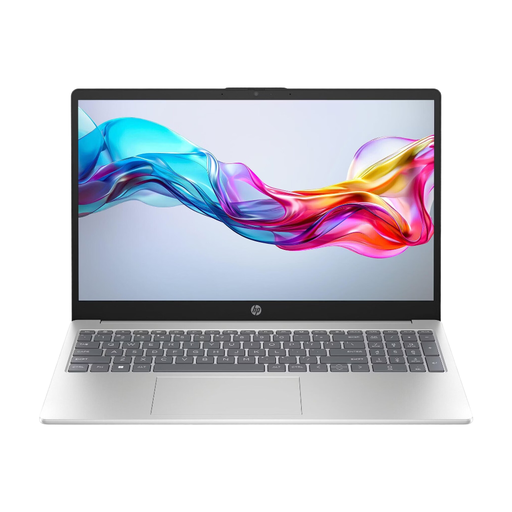
Why this product suits this user: This 15.6-inch laptop combines Windows 11 Home, 8 GB RAM and a 512 GB NVMe SSD, and weighs 1.6 kg. It’s well suited to browsing the web, using Office, streaming and typical university tasks.
The storage specifications are clearly listed: 8 GB RAM and 512 GB SSD are shown separately. This helps avoid confusing memory with file storage.
Full HD IPS display, Wi-Fi 6E, 512 GB NVMe SSD and three USB 3.0 ports.
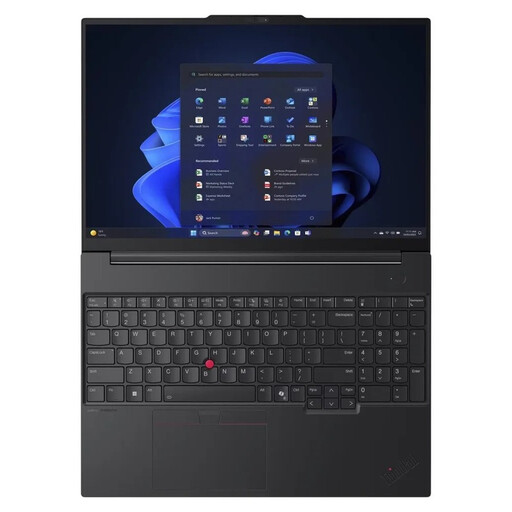
Why this product suits this user: This business laptop has 32 GB DDR5 RAM, a 1 TB SSD, Windows 11 Pro, a 16-inch WUXGA IPS display, a fingerprint sensor and TPM 2.0.
The specifications go beyond vague marketing claims: RAM, SSD, ports and security features are all listed clearly. The matte screen helps reduce distracting reflections in the office.
32 GB DDR5, 1 TB NVMe SSD, RJ45, USB4, German keyboard with number pad and a 180-degree hinge.
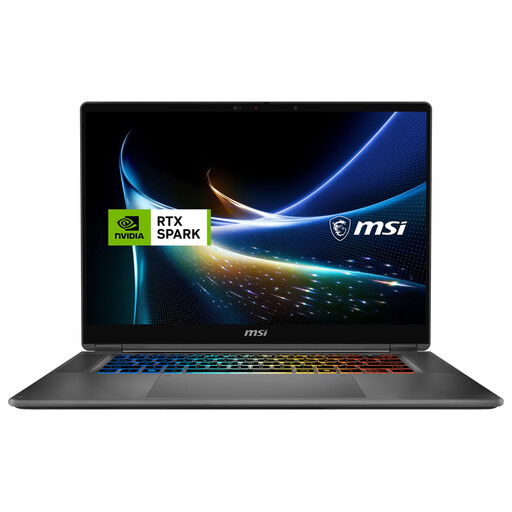
Why this product suits this user: This 2-in-1 is aimed at developers, creatives and anyone looking to combine a touchscreen and stylus input with plenty of processing power.
The display type, resolution, refresh rate, RAM and SSD capacity are all specified. This makes it easier to check whether the configuration suits your creative workflow.
16-inch touchscreen with 3,840 × 2,400 pixels, 120 Hz, 128 GB RAM, 2 TB SSD and a 360-degree hinge.
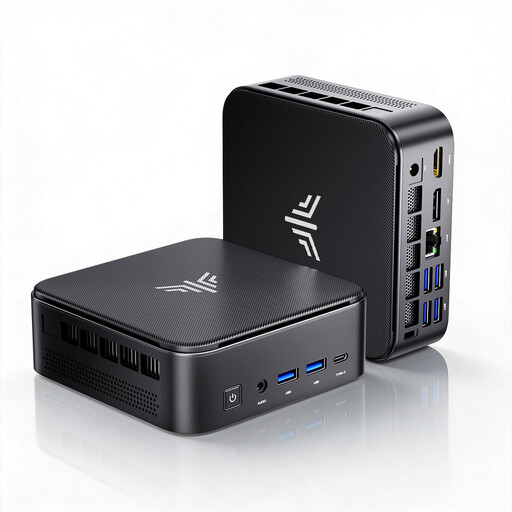
Why this product suits this user: If you already have a monitor, keyboard and mouse, this mini PC is a space-saving alternative to a laptop for working from home or in the office.
Rather than focusing only on its small size, the listing specifies the processor, RAM, SSD, upgrade options and display outputs. This makes it easier to plan a permanent workstation.
Ryzen 7 7735HS, 24 GB LPDDR5, 512 GB NVMe SSD, two M.2 slots and support for three 4K displays.
We’ve put together a complete, regularly updated list of products that meet these strict selection criteria and fully comply with the safety regulations in force in the EU.
8 GB RAM is generally enough for word processing, browsing, video calls and spreadsheets. 16 GB RAM gives you more headroom and is a good choice if you run lots of applications at once or plan to use the laptop for several years. For virtual machines, extensive development environments or creative software, 32 GB or more may be suitable.
It depends on the software you use, the smartphone ecosystem you’re part of and the connections you need. Windows 11 offers a wide choice of programmes and devices, including many business laptops with RJ45, USB-A and upgradeable storage. A MacBook may suit you if you prefer macOS and already use Apple devices. Before buying, check that your most important applications are compatible.
A mini PC is often lighter and takes up little space, but it doesn’t have a screen, keyboard or built-in battery. It can be a good option for a permanent workstation if you already have a monitor. If you regularly travel between home, university and the office, a laptop is usually more flexible.