For designing landing pages on a small desk, a laptop is a good fit if there’s still room for your input devices once it’s open. The dimensions of the specific model matter more than screen size alone. Figma lists Windows and macOS as supported desktop operating systems. If you also edit images in Photoshop, you’ll need to consider the requirements of your version and the laptop’s specifications. An external monitor is only a practical addition if you have space for it and the right connection.
Who is this workflow for?
Landing page designers with limited desk space
You need room for your mouse and hands alongside your open laptop. Measure the available space, and allow for cables and input devices too. The German Federal Institute for Occupational Safety and Health recommends arranging your desk, keyboard and screen to support a comfortable posture.
Visual designers
If you mainly assess layouts and images on the built-in display, compare its specifications and size with the space you have and the way you work.
Designers who also edit images
If you use Photoshop as well as a browser-based tool, check the requirements for your version of the software against the specifications of the specific laptop model. Adobe sets out its own technical requirements.
What should you consider when choosing?
First, measure the usable desk space. Then check the display, software and connections against the programmes and devices you actually use.
| Buying consideration |
What to check before buying |
Who it matters most to |
| Desk space and usability |
Compare the available desk width and depth with the dimensions of the specific model. Remember to allow room for cables and input devices. |
When I open my laptop on a small desk, I still want room to use it comfortably. That’s why around 29% of consumers put usable desk space first. |
| Assessing the display |
Check the display size and resolution of the exact model, and consider whether you want to work without an external monitor. |
When I assess designs mainly on the built-in screen, I pay attention to how it displays layouts and images. Around 22% of consumers prioritise the display. |
| Additional image editing |
Check which version of Photoshop you use and what it requires. Adobe lists 8 GB RAM as the minimum for Photoshop 27.x and recommends at least 16 GB. |
As soon as I regularly edit images as well as using a browser, I check the requirements of my software version. Around 21% of consumers put additional image editing first. |
| Workflow compatibility |
Check the operating system, required programmes and peripherals individually. If you plan to use an external monitor, make sure there’s a suitable video connection too. |
When my programmes and devices shape my workflow, I want to check they’re compatible before choosing. Around 14% of consumers prioritise workflow compatibility. |
| What’s included and accessories |
Check whether a power adapter is included with the exact model, and whether your existing chargers or connections are suitable. |
When I want to put together a complete setup, I check exactly which accessories are included. Around 14% of consumers put the items they need in the box first. |
Common assumptions to avoid when choosing
-
Assuming screen size tells you how much desk space you need
Whether your workspace will work also depends on the laptop’s dimensions, the space taken up by its open screen and the room you need for input devices.
Measure the usable space and compare it with the dimensions of the exact model before focusing on its screen size in inches.
-
Applying Photoshop requirements to all landing page design
Figma describes its application as primarily browser-based, while Adobe sets out separate requirements for Photoshop. The requirements of an additional desktop programme don’t automatically apply to design work done entirely in a browser.
Decide which programmes and versions you’ll actually use, then check their requirements before choosing your laptop configuration.
-
Assuming a power adapter is included
The ASUS Zenbook 14 OLED UX3405CA-QL205W and the Dell listing reviewed here both specify that a power adapter or charger is not included.
Check what comes in the box and the charging requirements for the specific configuration, as well as whether your existing adapter is compatible.
If you don’t already have a suitable power adapter, you’ll need to budget for a compatible USB-C adapter as well.
-
Assuming similar model names mean identical specifications
Models in the same product range can differ in their displays, storage and connections.
Compare the full model number and the details that matter to your workflow with those of the specific listing.
A look at laptop brands to consider
Apple
The 13-inch MacBook Air with M5 is a macOS option for a compact workspace.
- For the documented base specification, Apple lists 16 GB of unified memory and a 512 GB SSD. The display is 13.6 inches, and there are two Thunderbolt 4 ports.
- Check that your existing programmes and peripherals work with macOS and the available connections.
ASUS
The Zenbook 14 OLED UX3405CA-QL205W is a compact Windows model with an OLED touchscreen.
- For this configuration, ASUS lists dimensions of 31,24 × 22,01 cm, 32 GB RAM, HDMI 2.1 and two Thunderbolt 4 ports.
- ASUS says this model does not include a power adapter. These details apply to the UX3405CA-QL205W and not necessarily to other Zenbook 14 configurations.
Lenovo
The Yoga Slim 7 range includes compact Windows models, but you’ll need to check the specifications of each one.
- For the Yoga Slim 7 14ILL10 model family, Lenovo lists configurations with 16 or 32 GB of soldered RAM and video output via HDMI and Thunderbolt.
- The RAM cannot be upgraded in the models listed. Check the specifications against the full model number on the listing you’re considering.
Dell
The Dell 14 Plus DB14250 is available in the 14-inch configurations described here, which differ in their RAM and SSD specifications.
- Dell lists one configuration with 16 GB RAM and a 512 GB SSD, and another with 32 GB RAM and a 1 TB SSD.
- Dell notes that a charger is not included with the listing reviewed here. Check what comes in the box and the specifications of the model you choose.
HP
The OmniBook 5 Flip 14-fp0750ng is a Windows option with a touchscreen and several ways to use it.
- For this model, HP lists 16 GB RAM, a 512 GB SSD and a 1920 × 1200-pixel touchscreen.
- A convertible hinge doesn’t remove the need to check whether the different modes and the space the laptop takes up will suit your desk.
Joybuy laptops for landing page design
This Joybuy selection includes laptops for landing page design where you’ll need to weigh up the space they take up against display size. Check the dimensions, connections and requirements of any additional programmes for each model against your workspace.
 No image available
Lenovo Yoga Slim 7i Aura Edition, 14-inch 2.8K OLED, Core Ultra 7 355, 16 GB/1 TB SSD, Windows 11 Evo
The listed chassis dimensions of 31,2 × 22,1 cm make it easier to check against your available desk space.
Specifications include a 14-inch OLED display with 2880 × 1800 pixels, 16 GB RAM and a 1 TB SSD. Adobe recommends at least 16 GB RAM for Photoshop 27.x.
View at Joybuy
 No image available
HP OmniBook Ultra Flip 14-fh0670ng, Core Ultra 7 258V, 32 GB/1 TB SSD, 2.8K OLED, Windows 11 Home
The chassis dimensions of 31,37 × 21,62 cm give you a useful guide to how much desk space it needs.
This model is listed with a 14-inch OLED touchscreen with 2880 × 1800 pixels, 32 GB RAM, a 1 TB SSD and two Thunderbolt 4 ports. The listed modes are laptop, tablet, stand and tent.
View at Joybuy
 No image available
Apple MacBook Air 13-inch (M5, 2026), 10-core CPU/8-core GPU, 16 GB/512 GB SSD, Midnight, German QWERTZ keyboard
The listed chassis dimensions of 30,41 × 21,5 cm make it easy to compare the laptop’s footprint with your available desk space.
Specifications include a 13.6-inch display with 2560 × 1664 pixels, 16 GB of unified memory, a 512 GB SSD and two Thunderbolt 4 ports. The product description says a power adapter is not included.
View at Joybuy
 No image available
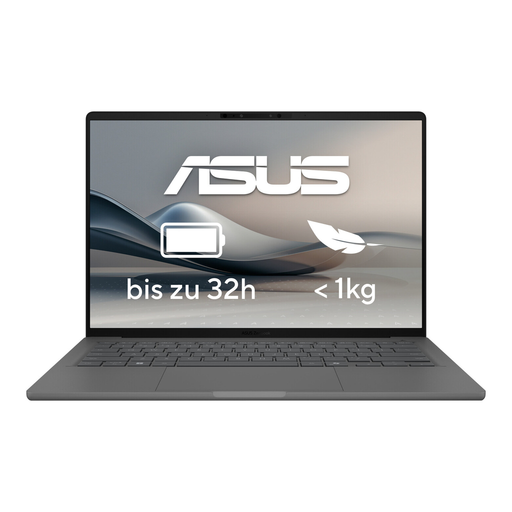
ASUS Zenbook A14 OLED UX3407RA-QD011W
The listed footprint of 31,0 × 22,0 cm helps you check whether the laptop will fit on your desk.
This model is listed with a 14-inch OLED display with 2880 × 1800 pixels, 16 GB RAM and a 512 GB SSD. The connections listed are Thunderbolt 4 and HDMI 2.1.
View at Joybuy
 No image available
Apple MacBook Air 15-inch (M5, 2026), 10-core CPU/10-core GPU, 16 GB/512 GB SSD, Midnight, German QWERTZ keyboard
Compare the listed chassis dimensions of 34,04 × 23,76 cm with your usable desk space before opting for the larger display.
Specifications include a 15.3-inch display with 2880 × 1864 pixels, 16 GB RAM, a 512 GB SSD and two Thunderbolt 4 ports. The product description says a power adapter is not included.
View at Joybuy
Frequently asked questions
Is a Windows laptop enough for Figma, or do I need a Mac?
You don’t need a Mac just for Figma: Figma describes its application as primarily browser-based and lists Windows and macOS among its supported desktop operating systems. Check the compatibility of any additional programmes and devices separately.
How do I measure whether a laptop will fit on my small desk?
Compare the usable width and depth of your desk with the dimensions of the full laptop model. Allow room for the open screen, cables and input devices too. The German Federal Institute for Occupational Safety and Health recommends arranging your desk, keyboard and screen to work together.
How much RAM do I need for Photoshop as well?
Adobe lists 8 GB RAM as the minimum for Photoshop 27.x and recommends at least 16 GB. Before buying, check the requirements of the version you actually plan to use. These figures don’t apply across the board to design work done entirely in a browser.
What should I look for in a power adapter?
Check whether a power adapter is included with the exact configuration, and whether your existing charger meets its connection and charging requirements. ASUS notes that the Zenbook 14 OLED UX3405CA-QL205W does not include a power adapter.


