If you mainly type on the train, a traditional laptop with a suitable keyboard, a manageable footprint and compatible study software is a sensible starting point. If you regularly make handwritten notes on slides, consider a convertible. Plan to work offline too: Deutsche Bahn points out that Wi-Fi isn’t available on all regional trains and connection speeds can vary. Compare manufacturers’ battery-life claims only under their respective test conditions, and check the exact specification, ports and what’s included before you buy.
Which laptop is right for you?
Frequent commuters who type their notes
If you mostly type on short or frequent journeys, check the space available, the keyboard and whether you can keep working without reliable train Wi-Fi. CHIP lists portability and battery life as factors to consider, while Deutsche Bahn warns that connections can vary.
Students working with slides and sketches
If you annotate slides or sketch regularly, distinguish between touchscreen controls and confirmed stylus support for the specific laptop version. CHIP and HP describe different device and specification options.
Students who need specific software
If your course requires particular programmes or devices, check their compatibility with the operating system and, where relevant, the processor architecture before comparing weight or advertised battery life. Microsoft points out that this doesn’t automatically mean a particular app or driver is supported.
What should you look for when buying?
Traditional laptop
A good fit if: you mainly type longer documents and work in a limited space.
Consider: Stylus input isn’t a given; screen size and ports depend on the specific model.
Touchscreen laptop
A good fit if: you want to control slides with a tap while continuing to type on a fixed keyboard.
Consider: A touchscreen alone doesn’t confirm stylus support or the ability to switch to tablet mode.
Convertible
A good fit if: handwritten annotations on slides are a regular part of how you take notes.
Consider: Check whether a suitable stylus is supported and included for the full model code.
| Consideration |
What to check before buying |
Who should consider it? |
| Space and typing |
Chassis dimensions, keyboard layout and touchpad; screen diagonal alone doesn’t tell you how much space the laptop needs. Deutsche Bahn says tables are available at many ICE seats. |
If you mainly type in a cramped seat, usable space and a well-suited keyboard matter. Around 31% of consumers say space and typing are their main considerations. |
| Battery and working offline |
Check the test conditions behind the battery-life claim, and make sure your notes app supports local storage and offline editing. Deutsche Bahn says Wi-Fi is available on all ICE trains, but only on some Intercity services and selected regional trains. |
If you want to edit notes on a journey without reliable Wi-Fi or a charging point, your app and files need to work offline. Around 25% of consumers prioritise battery capacity and offline working. |
| Budget and specification |
Compare RAM, SSD, ports, keyboard layout and what’s included for the specific version. |
If you’re looking for the right specification within your own budget, check exactly which components and accessories are included. Around 19% of consumers say budget and specification are their main considerations. |
| Study software |
Check the operating system and processor architecture against the requirements of your essential programmes, exam software and devices. |
If you need to use specific subject software or peripherals, check that they’re supported by the exact system version before buying. Around 13% of consumers put compatibility with essential software first. |
| Stylus and touch |
Check stylus support, which stylus is compatible and what’s included for the full model code; a touchscreen and a 360° hinge aren’t the same thing. |
If you regularly annotate lecture slides by hand, you need more than a simple touchscreen specification. Around 12% of consumers say stylus and touch support are their main considerations. |
Common buying misconceptions
-
Assuming advertised battery life equals guaranteed time for taking notes
Manufacturers’ claims are based on specific usage scenarios. Apple, for example, distinguishes between video streaming and wireless web browsing; neither automatically reflects how long you’ll be taking notes.
Compare the test conditions for each claim and allow for some extra battery if you won’t have access to reliable charging on your journey.
-
Assuming a touchscreen means stylus support or convertible mode
A touchscreen doesn’t confirm that a particular stylus will work or be included. Joybuy describes the HP OmniBook X Flip 14-fk0076ng as having a 360° hinge; the product page checked lists this version as currently unavailable.
Before buying, check stylus support and what’s included against the full model code.
If a compatible stylus isn’t included, you’ll need to buy one separately.
-
Assuming models with similar series names have the same specification
The Lenovo ThinkPad E14 Gen 7 comes in different Intel and AMD versions. ASUS says that a power adapter isn’t included with the ASUS Zenbook UX3405CA-QL205W; this doesn’t automatically apply to other versions.
Compare the model code, RAM, SSD, display, keyboard and included items for the specific version.
If the version you choose requires a power adapter that isn’t included, you’ll need to buy one separately.
-
Relying on train Wi-Fi for all your notes
Deutsche Bahn says Wi-Fi is available only on selected regional trains; connection speeds can also vary on board.
Make sure your slides and notes are available offline in your app, and check whether changes will sync later.
Key brands at a glance
Apple
MacBook Air as a traditional laptop; MacBook Neo as a distinct option with a different specification.
- For the 13-inch MacBook Air with M5 in its base configuration, Apple lists 16 GB of unified memory and a 512-GB SSD. The stated battery life of up to 15 hours of wireless web browsing is based on the manufacturer’s test conditions.
- Check that the software you need is available for macOS and that the ports meet your requirements.
Lenovo
The ThinkPad E14 Gen 7 is a 14-inch range, while the ThinkPad X13 Gen 6 is a compact laptop range.
- For the ThinkPad X13 Gen 6 version 21RK0042GE, Lenovo lists a matte 13.3-inch display and a German keyboard.
- The X13 specification doesn’t apply to E14 models; Lenovo doesn’t list a touchscreen for the X13 21RK0042GE.
Microsoft
The 13-inch Surface Laptop is for buyers looking for a compact Windows laptop with touchscreen controls.
- Microsoft lists a weight of 1.22 kg and a Snapdragon X Plus processor for the 13-inch version.
- Check that essential software and peripherals are supported on Windows on Arm. A touchscreen doesn’t confirm that a stylus is included.
HP
The OmniBook X Flip 14-FK0000 is a convertible range for buyers who want to position the screen in different ways.
- HP describes touchscreen and storage options across the range, depending on configuration. The OmniBook X Flip 14-fk0076ng is described as offering a 360° mode.
- Check whether a suitable stylus is supported and included with the specific version.
ASUS
The Zenbook 14 OLED is a 14-inch range; specifications vary by model.
- For the Zenbook UX3405CA-QL205W, ASUS lists a 14-inch touchscreen, 32 GB of onboard RAM, a 1-TB SSD and a weight of 1.28 kg.
- According to ASUS, a power adapter isn’t included with this specific version; don’t assume the same applies to other Zenbook models.
Laptops for taking lecture notes at Joybuy
This selection includes laptops for typing lecture notes on the go, including traditional models and a touchscreen option. Compare the screen and chassis dimensions with your seat, and check the specification of each version.
 No image available
Apple 13-inch MacBook Air (M5, 2026), 16 GB, 512 GB SSD, Silver, German QWERTZ keyboard
This 13-inch version is an option if you’re looking for a traditional laptop with a German keyboard for typing notes.
13.6-inch display, 1.23 kg, 16 GB memory and 512 GB SSD. The keyboard is backlit and has a German QWERTZ layout. Up to 18 hours of video streaming is the manufacturer’s claim for this usage scenario, not a guaranteed time for taking notes.
The product description says that a power adapter isn’t included.
View at Joybuy
 No image available
Apple 13-inch MacBook Neo A18 Pro, 8 GB, 512 GB SSD, Silver, German QWERTZ keyboard
This 13-inch version is worth considering if you’re looking for a German QWERTZ keyboard and locally available SSD storage for lecture notes.
1.23 kg, 8 GB memory and 512 GB SSD. Up to 11 hours of wireless web browsing is the manufacturer’s claim for this usage scenario; it isn’t a guaranteed time for taking notes.
The product description says that a USB-C power adapter of at least 20 W is required but isn’t included.
View at Joybuy
 No image available
ASUS Zenbook 14 UX3405CA-QD1303W, 14-inch, 16 GB, 1 TB SSD, Windows 11
This 14-inch version has touchscreen controls, so you can interact with slides on screen while continuing to type on a keyboard.
WUXGA OLED touchscreen, 1.22 kg, 16 GB RAM and 1 TB SSD. The product description lists a German keyboard and an included 65 W power adapter.
View at Joybuy
 No image available
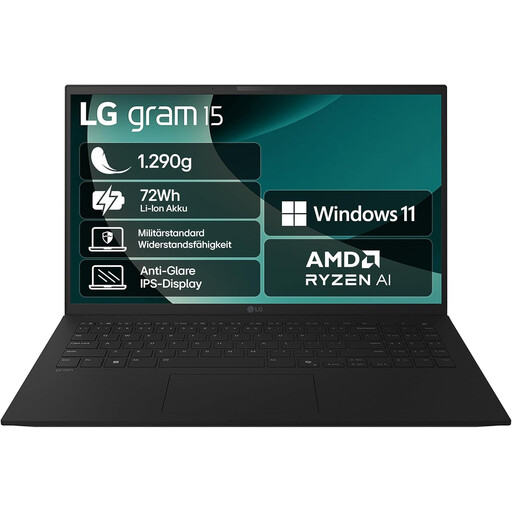
LG Gram laptop, 15-inch, AMD Ryzen AI 7 350, 16 GB RAM, 1 TB SSD
The larger display may give you more room to view slides; check that the chassis will fit in your train seat before you buy.
15.6-inch display, around 1.29 kg, anti-glare screen, 16 GB RAM and a 1-TB SSD version. The product description lists a German QWERTZ keyboard.
View at Joybuy
 No image available
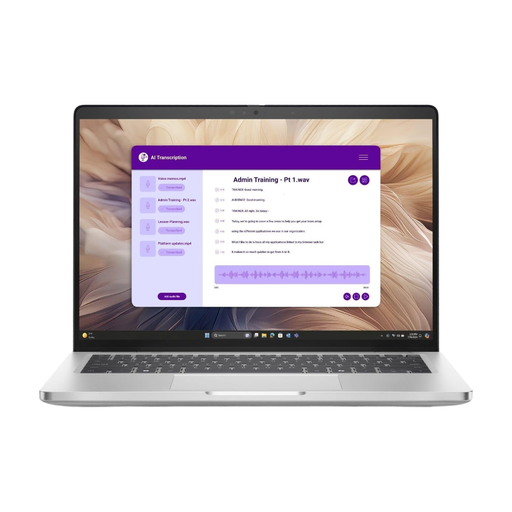
Dell Pro 14 Plus PB14250 U7-266V, 16 GB RAM, 512 GB SSD, Windows 11 Pro
This 14-inch version is an option for typed notes if you’re looking for Windows 11 Pro and the listed memory specification.
14-inch IPS display, 55-Wh battery, Intel Core Ultra 7 266V, 16 GB RAM and 512-GB SSD.
View at Joybuy
Frequently asked questions
Can I rely on Wi-Fi for taking lecture notes on the train?
Not on every service: Deutsche Bahn says Wi-Fi is available on all ICE trains, but only on some Intercity services and selected regional trains. Speeds can also vary on ICE trains, for example because of the mobile network connection and the number of passengers. Check whether your notes app can make documents available locally for your journey.
Do I need an especially large battery for ICE journeys?
Not just because there might not be a power socket: Deutsche Bahn says sockets are within reach and that there is generally one per pair of seats in second class. That doesn’t guarantee a socket on regional trains or at every specific seat. Compare battery-life claims based on their test conditions and plan around your journeys.
How can I prepare my notes for a journey without an internet connection?
Download the slides you need before you travel and check that you can edit files locally in your notes app. Once you’re back online, check that your changes have synced. Whether this works depends on your workflow and the app you use.
What are my rights if I buy a faulty laptop online?
For newly purchased faulty goods, the Verbraucherzentrale explains that statutory rights against the seller apply for two years from delivery or receipt. These are separate from a voluntary guarantee. For consumer purchases made at a distance, you generally have the right to cancel, usually within 14 days; exceptions and when the period starts depend on the contract.
Which markings should I check on a laptop listing for Germany?
For electrical products and devices with radio equipment that it monitors, the Bundesnetzagentur lists points to check including correct CE marking, manufacturer details, German-language instructions and conformity documents. This doesn’t mean that the authorities have approved any model mentioned here. Check the product identity and details of the responsible supplier on the specific listing.


