Planning at a small desk
If you need room for books, printouts or notes alongside your laptop, the device’s dimensions and a practical layout for your work materials matter. Measure the available space rather than relying on the screen size alone.


If you need space for books and notes as well as your laptop, a compact 13-inch device is an obvious choice. A 14-inch model gives you more screen space, provided its dimensions fit your desk. Also check that the specific configuration works with your school software and existing presentation equipment.
If you need room for books, printouts or notes alongside your laptop, the device’s dimensions and a practical layout for your work materials matter. Measure the available space rather than relying on the screen size alone.
If you read digital texts or image sources while working on a lesson plan, check that the display and your preferred window layout work for you.
If you regularly carry your laptop around, consider the weight of your complete setup and the ports you need for presentation equipment. The Federal Institute for Occupational Safety and Health highlights the weight of work equipment as a relevant factor when working in different locations frequently.
A good fit if: desk space and portability matter more to you than keeping several windows open side by side.
Consider: Check the actual dimensions, compatibility with your school software and connection to your existing presentation equipment.
A good fit if: you’d like a little more screen space and the specific laptop, along with your work materials, will fit on your desk.
Consider: Display finish, ports and specifications vary by model and configuration, so check the full specification of the one you’re considering.
| What matters when buying | What to check | Who is this important to? |
|---|---|---|
| Desk space and layout | Compare the laptop’s width and depth with the space you need for the work materials you actually use. | If I need books and notes on my small desk alongside my laptop, I measure the space needed for everything. Around 36% of consumers put available space first. |
| Readability while working | Consider screen size, resolution and whether a matte or glossy finish suits your working environment. | If I want to read digital sources and my lesson plan at the same time, I check the window layout and display on the specific device. Around 29% of consumers prioritise being able to read sources and lesson plans easily. |
| School software and ports | Check compatibility with approved applications and the ports on both the laptop and the presentation equipment. | If my school uses specific applications or a particular projector, I check both against the exact configuration before buying. Around 21% of consumers check school compatibility first. |
| Portability and power | Consider the weight of your complete setup, including the charger and adapters, and check the conditions behind any battery-life claims. | If I regularly carry my laptop between home and school, the weight of the whole setup matters to me. If I’ll be working away from a power socket, I also check the charging options. Around 14% of consumers put portability first. |
The diagonal measurement doesn’t tell you how much desk space the laptop takes up or how much room you’ll have left for books, a mouse and notes.
Compare the width and depth of the specific configuration with the available desk space and your planned layout.
Ports vary by model. Apple lists Thunderbolt 4 over USB-C for the MacBook Air with M5, while HDMI is listed for the documented Acer configuration.
Check the ports on the specific laptop and your school’s presentation equipment before buying.
Depending on the equipment you already have, you may need a suitable adapter or cable.
Apple’s figures distinguish between video streaming and wireless web browsing. They refer to those specific uses, not to how long the battery will last while you plan lessons.
Only compare figures based on the same testing conditions, and make sure you have a suitable way to charge the laptop when using it away from home.
A laptop being suitable for your work doesn’t mean you’re allowed to use a personal device to process pupils’ personal data for work.
Check the rules set by your school and federal state before working with this kind of data on a personal device.
The 13-inch MacBook Air with M5 is a compact macOS option, provided it works with the school software you need.
The ThinkPad E14 Gen 7 (Intel), 21SX000RGE, is a 14-inch Windows option for documents and lesson plans.
The Swift Go 14 OLED SFG14-63-R8G2, NX.KTSEG.00A, is a documented 14-inch configuration with stated dimensions.
HP offers 14-inch models in the OmniBook and EliteBook ranges with a variety of Windows specifications.
The Zenbook 14 OLED range is another 14-inch option if the display is important when working with sources.
The Joybuy products below include compact 13-inch devices and 14-inch models for working with sources and lesson plans. Compare the actual dimensions and check that the software and ports suit your school day.
 No image available
This 14-inch convertible is worth considering for working with sources and lesson plans, provided it fits your desk.
14 inches, OLED touchscreen with 2880 × 1800 pixels, Intel Core Ultra 7 258V, 32 GB RAM, 1 TB SSD and Windows 11 Home.
Check that it’s compatible with the school software you use.
 No image available
This 14-inch model is an option for planning lessons, provided its stated specifications meet the needs of your applications.
Intel N5095, 8 GB RAM, 256 GB SSD, FHD IPS display with 1920 × 1080 pixels and 1,39 kg.
The product description lists Mini HDMI. Check that it will connect to your existing presentation equipment, and make sure it’s compatible with your school software.
 No image available
This compact MacBook Air is worth considering if desk space is limited and the school software you need runs on macOS.
13.6-inch display with 2560 × 1664 pixels, 16 GB RAM, 512 GB SSD and two Thunderbolt 4/USB-C ports.
Stated dimensions are 30,41 × 21,5 cm and the weight is 1,23 kg. The product description says that a power adapter isn’t included. Check how it will connect to your presentation equipment, too.
 No image available
This 13-inch model could suit a limited workspace, provided the school software you need works with macOS.
Display with 2408 × 1506 pixels, 8 GB RAM, 256 GB SSD and German QWERTZ keyboard. Stated dimensions are 29,75 × 20,64 cm and the weight is 1,23 kg.
The product description says that a power adapter isn’t included. You’ll need a suitable USB-C power supply to charge it.
 No image available
This 14-inch model is worth considering for work if Windows 11 Pro suits the applications you need and its weight is manageable for where you’ll use it.
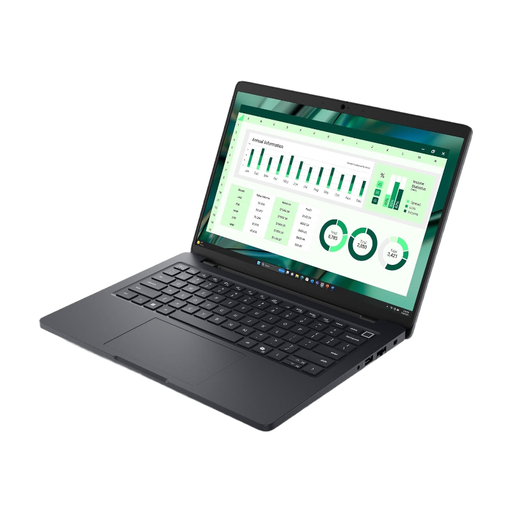
16 GB RAM, 512 GB SSD and FHD+ display. The product description lists a weight of 2,94 kg.
Check that it’s compatible with your school software, and bear the stated weight in mind if you’ll be carrying the laptop around regularly.
It depends on your font size and window layout. Compare how it looks with a 14-inch device, and check that the larger laptop’s dimensions fit your available desk space.
Plan for the screen, keyboard and, if needed, a mouse together, rather than measuring just the laptop’s width. The Federal Institute for Occupational Safety and Health recommends considering the task and work location together when choosing digital work equipment.
Check whether you’ll need an adapter for your school equipment and whether the specific offer includes a suitable power adapter. For consumer purchases, ordinary claims for defects under sales law generally become time-barred two years after delivery under § 438 BGB. According to the consumer advice centre, online purchases usually come with a 14-day right to cancel. This is separate from claims relating to faulty goods and from a voluntary manufacturer’s warranty.
There’s no single answer for all of Germany; the rules depend on the federal state and your school’s requirements. A 2020 decree from the Lower Saxony Ministry of Education and Cultural Affairs states that written approval from the headteacher is required for the processing described there on private IT systems. Before working with this kind of data on a personal device, check which rules apply in your situation.