Choose a laptop based on your engine, project size and required graphics features. For Unreal Engine on Windows, Epic Games recommends 32 GB of RAM and at least 8 GB of graphics memory, while requirements for Unity depend on project complexity. In a shared office, also consider how noisy the laptop is under your typical workload, as well as the screen size, power adapter and ports. Specifications alone don’t prove that a laptop will run quietly.
Which laptop is right for you?
Developers working on large 3D levels
If you work on complex scenes locally, check that the RAM, graphics memory and supported graphics features match the version of the engine you use. For Unreal Engine on Windows, Epic Games recommends 32 GB of RAM and at least 8 GB of graphics memory.
Level designers in a quiet team office
If you share your workspace, check how noisy the laptop is under the workload you actually use. A gaming label alone tells you nothing about noise levels; COMPUTER BILD has noted noise under load as a drawback on some tested devices.
Designers who move between desks
If you regularly change workspaces, you’ll need to balance screen size and device dimensions against the local 3D performance you need. Manufacturers’ specifications for individual configurations can help you compare models, but they don’t replace checking how much space you have available.
What should you look for when buying?
Match the specifications to your engine and the projects you actually work on. Then consider how much performance and workspace you need in a shared office.
| What matters when buying |
What to check |
Who should pay particular attention |
| Performance for large 3D projects |
Check the engine version, project size, RAM, graphics memory and supported graphics API for the exact configuration. |
If I work on large 3D levels locally, the specifications need to suit my engine. Around 33% of consumers put performance for demanding 3D projects first. |
| Fan noise in a shared office |
Look for independent noise measurements for the exact configuration and the performance mode you’ll use. |
If I work in a room with other people, I want to know how loud the laptop gets during builds and longer tasks. Around 27% of consumers are particularly concerned about being considerate of their office neighbours. |
| Specifications for simpler levels |
Compare your project size, renderer and target platform with the requirements of the engine version you use. |
If I mainly create simple 2D levels or prototypes, I don’t want to assume I need performance that my project doesn’t require. Around 20% of consumers base their choice mainly on projects of this kind. |
| Portability and workspace |
Consider screen size, room for the laptop and power adapter, and the monitor ports you need. |
If I regularly move between desks, I need a size that fits the space and gives me enough room for my editor windows. Around 20% of consumers give particular weight to working in different places. |
Common buying mistakes
-
Treating one engine’s recommendation as the minimum for every laptop
Unreal Engine’s recommendations differ from Godot’s minimum requirements for simple projects. Unity notes that larger and more complex projects need more memory.
First decide which engine version, project size and renderer you need. Then compare the specifications of the exact configuration.
-
Assuming a fast gaming GPU means quiet office performance
A performance-focused laptop won’t necessarily be quiet in a shared office. COMPUTER BILD has noted noise under load as a drawback on some tested models.
Look for independent measurements of the exact configuration and check which performance mode you plan to use while working.
-
Buying based on the model family rather than the configuration
Dell and MSI offer different RAM, GPU and screen options within the laptop families mentioned. The family name alone doesn’t tell you which specifications you’ll get.
Check the full model number and selected specifications on the product details page.
-
Confusing the warranty, statutory rights and right to cancel
Your statutory rights against the seller are different from a voluntary manufacturer’s warranty. The right to cancel relates to withdrawing from a qualifying contract.
Check who the seller is, what type of contract you’re entering into and the warranty terms. Consumer rights for private purchases can’t automatically be applied to a business purchase.
Key brands to consider
Lenovo
The Legion Pro 5 16, item number 83LT004NGE, is a performance-focused configuration with 32 GB of RAM, an RTX 5070 with 8 GB and a 16-inch matt display.
- The RAM and graphics memory figures listed can be compared with Epic’s recommendations for Unreal Engine on Windows.
- These specifications don’t necessarily apply to other Legion variants. The listed specifications don’t confirm how noisy this configuration is.
HP
According to HP, the OMEN Transcend 14-fb1790ng combines a 14-inch display with 32 GB of RAM and an RTX 5070 with 8 GB.
- The manufacturer’s specifications let you compare the size and components of this specific model.
- Manufacturer claims about creative performance don’t provide independent measurements of sustained performance or noise.
Dell Alienware
The Alienware 16X Aurora, model AC16251, is available with different GPU and RAM configurations.
- You can compare the available variants using their specific listed specifications.
- The selected base model has 16 GB of RAM, with 32 GB listed as an option. Check the configuration you actually choose.
MSI
The Katana 15 HX range includes different versions for the German market, with some models offering different displays and GPUs.
- The full model number helps you identify the exact variant.
- The listed variants have 16 GB of RAM. The range name alone doesn’t tell you whether a model has 32 GB of RAM or a particular display specification.
Medion
Erazer Beast models are listed as performance-focused options for comparing gaming laptops.
- COMPUTER BILD notes noise under load as a drawback on the Beast X40 and describes the Beast X30 as loud at full load.
- These noise comments relate to the tested devices and don’t confirm how other configurations will perform.
Joybuy laptops for level design
This Joybuy selection includes laptops for level design and workspaces you move between. Specifications vary by model, so match the RAM, graphics and display to your engine and project size.
 No image available
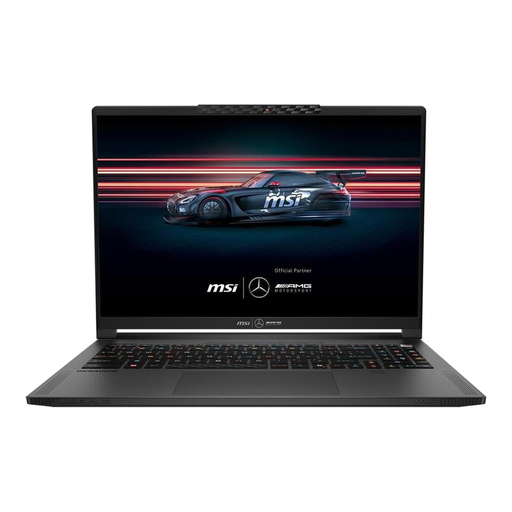
MSI Stealth A16 AI+ Mercedes-AMG Motorsport A3XWGG-052
The listed 32 GB of RAM matches Epic’s RAM recommendation for Unreal Engine on Windows. Also check how much graphics memory you need and how noisy the laptop gets under load.
16 inches, QHD+, Ryzen AI 9 370, 32 GB RAM, 2 TB SSD, RTX 5070, Windows 11.
View at Joybuy
 No image available
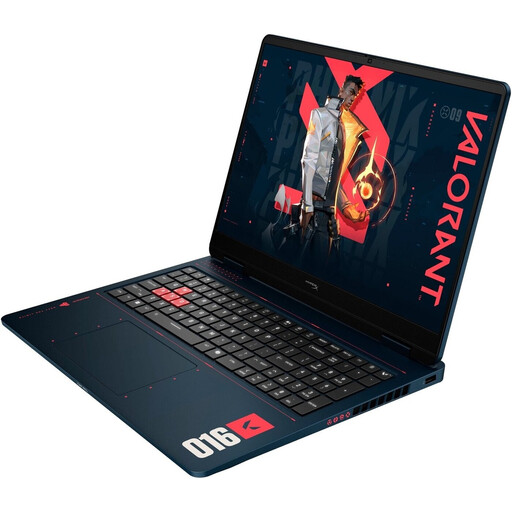
HP OMEN 16-ap1099ng
If you use Unreal Engine on Windows, note the difference between the listed 24 GB of RAM and Epic’s recommendation of 32 GB. Also check that the specific GPU configuration is right for your projects.
16 inches, 2,560 × 1,600 pixels, AMD Ryzen 9 8940HX, 24 GB RAM, 1 TB SSD, GeForce RTX 5070, Windows 11 Home.
View at Joybuy
 No image available
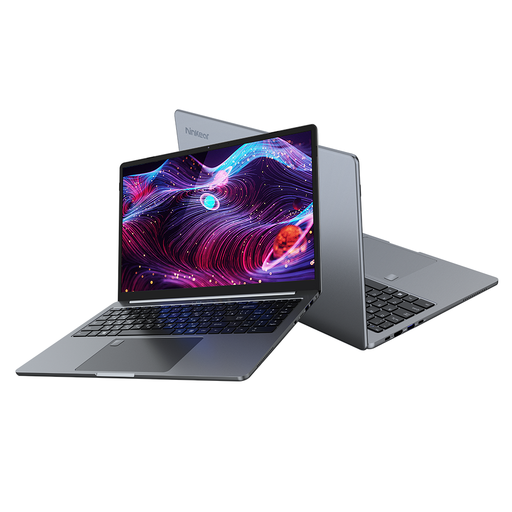
Ninkear A15 pro
The listed 16 GB of RAM may be a suitable option for simpler projects. Check the requirements of your engine and renderer before making a decision.
16 inches, FHD IPS, 16 GB DDR4, 1 TB SSD, 20 mm thick, 1.8 kg.
View at Joybuy
 No image available
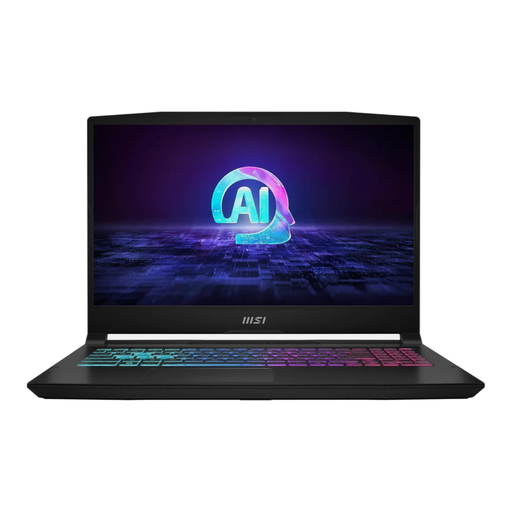
MSI Katana A15 AI B8VG-459
For demanding Unreal projects on Windows, compare the listed 16 GB of RAM with Epic’s recommendation of 32 GB, and check that the graphics are suitable for your engine version.
15.6 inches, FHD, AMD Ryzen 9 8945HS, 16 GB RAM, 1 TB SSD, NVIDIA GeForce RTX 4070, Windows 11 Home.
View at Joybuy
 No image available
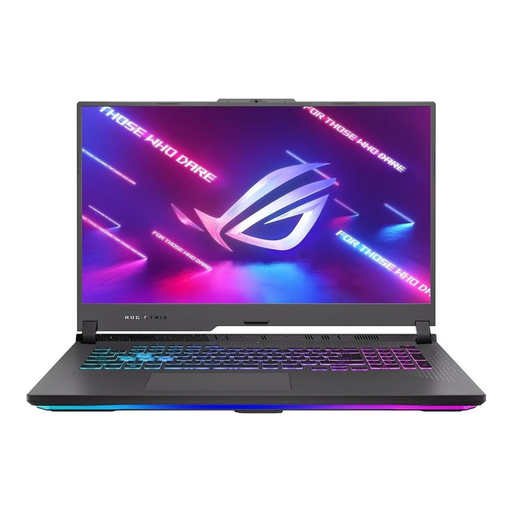
ASUS ROG Strix G17
The 17.3-inch display gives you a larger built-in workspace. For Unreal Engine on Windows, compare the listed 16 GB of RAM with Epic’s recommendation of 32 GB.
17.3 inches, FHD, 144 Hz, AMD Ryzen 9 7940HX, GeForce RTX 4060 with 8 GB, 16 GB RAM, 1 TB SSD, Windows 11.
View at Joybuy
Frequently asked questions
Is 8 GB of RAM enough for level design?
Not in every case. Unity Technologies lists 8 GB as the minimum for the editor, but notes that larger and more complex projects need more. Epic Games recommends 32 GB for Unreal Engine on Windows. Check these figures against your engine version and levels.
Do I need a dedicated graphics card for simple 2D levels?
Not necessarily. For simple editor projects, Godot gives examples of integrated graphics with suitable Vulkan or OpenGL support. These are minimum requirements for simple projects, not a guarantee of performance in larger 3D scenes.
How can I check whether a laptop will be too noisy in a shared office?
Compare independent noise measurements for the exact configuration and performance mode you’ll use. Look separately at idle, editor work and sustained load: a gaming label or list of technical specifications doesn’t prove that a laptop will be quiet.
What are my rights if a laptop bought online is faulty?
For a consumer purchase in Germany, statutory rights apply against the seller and are separate from a voluntary warranty. Online consumer contracts generally come with a right to cancel, usually within 14 days of receiving the goods; exceptions and the specific contract terms should be considered. These consumer rules can’t automatically be applied to a purchase made by a business.


