What should you consider when choosing?
Windows for Power BI Desktop
A good fit if: you need Power BI Desktop locally or another application specifically designed for Windows.
The trade-off: Your software determines the operating system, which limits your choice compared with cross-platform spreadsheet programmes.
Compact Windows laptop with an external monitor
A good fit if: you move between workspaces and want to connect an existing monitor at home.
The trade-off: The smaller built-in display gives you less screen space; check the monitor connection and whether you need any additional accessories.
macOS for approved spreadsheet workflows
A good fit if: your organisation approves a macOS workflow, such as one using LibreOffice Calc, and you don’t need Power BI Desktop locally.
The trade-off: Microsoft describes Power BI Desktop as a Windows application. Check that your required software is compatible before choosing macOS.
Start by checking which software you need and whether your organisation approves it, then consider the display and ports. The four priorities in the table can help you narrow down the right configuration for your working day.
| Priority |
What to look for when buying |
Who is it most relevant to? |
| Software and data processing |
Check the programmes and file formats you need, along with the approved operating system; compare the RAM and SSD in each specific configuration separately. |
If I use a particular analysis programme, I want to know that the operating system and configuration are suitable. Around 36% of consumers prioritise software and data processing. |
| Protecting loan data |
Check with your library whether data may be stored locally and how access, encryption and backups should be set up. |
If my analysis includes personal loan data, I need to check how I’m permitted to handle it securely before buying a device. Around 29% of consumers put data protection first. |
| Spreadsheets and home workspace |
Check the display size and resolution of the specific model, along with its monitor connection and the peripherals you already have. |
If I work with lengthy spreadsheets or reports at a permanent workstation, having the right amount of screen space matters to me. Around 21% of consumers prioritise the display and home workspace. |
| Moving between work locations |
Match the display size and ports you need to how often you travel and which devices you already own. |
If I regularly take my laptop between home and the library, I want to choose a size and ports that work well in both places. Around 14% of consumers prioritise moving between work locations. |
Joybuy laptops for analysing data at home
The following Windows laptops are options for running Windows software such as Power BI Desktop locally and working with spreadsheets at home. Whatever the model, check with your library that the device and data access are approved for your intended workflow.
 Image unavailable
Acer TravelMate TMP216-41-TCO, 16 inches
A Windows configuration for working with spreadsheets at a permanent home workstation and running local Windows analysis programmes.
- AMD Ryzen 3 PRO 7335U
- 16 GB DDR5 RAM and 512 GB SSD
- 16-inch WUXGA IPS display
- Windows 11 Pro Education, AMD Radeon 660M and HDMI 2.1
View at Joybuy
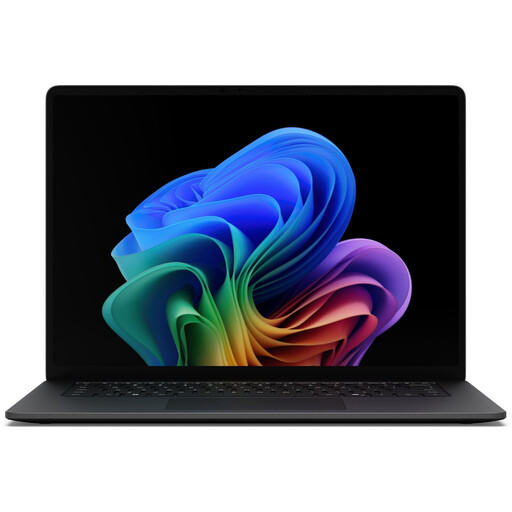 Image unavailable
Microsoft Surface Laptop 8, Core Ultra 7, 16 GB, 512 GB, Black
A Windows option for viewing longer spreadsheets and workflows that use a touchscreen and Thunderbolt 4.
- Intel Core Ultra 7
- 16 GB RAM and 512 GB SSD
- 15-inch touchscreen with a resolution of 3270 × 2180 pixels
- Windows 11 Professional and Thunderbolt 4
- Weight: 1.67 kg
View at Joybuy
 Image unavailable
Lenovo ThinkBook 16 Gen 9, Core Ultra 5 325
A Windows configuration with a large built-in display for working with spreadsheets at a permanent workstation.
- Intel Core Ultra 5 325
- 32 GB DDR5 RAM and 512 GB PCIe SSD
- 16-inch WUXGA display
- Windows 11 Pro, HDMI 2.1 and Thunderbolt 4
- Weight: 1.7 kg
View at Joybuy
 Image unavailable
Samsung Galaxy Book6 Enterprise Edition, 16 inches
A Windows option for working with spreadsheets on the built-in display. Check security requirements and set-up separately, whatever the device’s specifications.
- Intel Core Ultra 7 355
- 16 GB LPDDR5X RAM and 512 GB NVMe SSD
- 16-inch touchscreen
- Windows 11 Pro, TPM security chip, fingerprint reader and RJ45
View at Joybuy
 Image unavailable
HP ENVY x360 16-ac0473ng, Core Ultra 7 155U
A Windows convertible configuration for viewing larger spreadsheets at home and working in different locations.
- Intel Core Ultra 7 155U
- 16 GB RAM and 512 GB SSD
- 16-inch WUXGA IPS touchscreen
- Windows 11, Thunderbolt 4 and HDMI 2.1
- Weight: approx. 1.87 kg
View at Joybuy
Frequently asked questions
Do I need a Windows laptop for Power BI Desktop?
For the desktop application installed locally, yes: Microsoft describes Power BI Desktop as a Windows application. Before choosing an operating system, check whether your library workflow requires this programme or uses another approved tool.
How can I set up a secure home workspace for analysing data?
First, check with your organisation whether personal loan data may be stored locally and which access and backup methods are approved. The Federal Office for Information Security explains how encryption protects stored data if a device is lost, and why backups matter. A feature listed in a product description doesn’t confirm that these measures have been set up.
Do I need a particular laptop size to use a second screen?
No. What matters is whether the specific laptop works with your monitor and, if necessary, an adapter. Lenovo lists HDMI and USB-C for the ThinkPad E14 Gen 7 range; Apple lists two Thunderbolt 4 USB-C ports and support for external displays on the 15-inch MacBook Air with M5. Check the connections against the peripherals you already have.
What happens if the laptop develops a fault after purchase in Germany?
When you buy from a trader, European Union consumer information states that you are generally entitled to a legal guarantee of at least two years from the date you receive the goods. This is separate from a voluntary manufacturer’s warranty. Before buying, check who the seller is and what warranty terms apply.
Can I analyse personal loan data on my own laptop at home without further checks?
No. Buying a laptop doesn’t mean you’re permitted to process data on a personal device. Loan information may be personal data, and the organisation responsible must set appropriate safeguards. Check with your organisation whether your specific dataset, device and planned access have been approved.


