Students required to use specific analysis software
If you have to use a particular application, check its operating system and processor requirements before buying. Microsoft lists Power BI Desktop as a Windows application for x64 platforms.


Start by choosing a laptop that supports the analysis software you need. For CSV files in a suitable spreadsheet application, a macOS device may also be an option; for Power BI Desktop, if it’s required locally, Microsoft lists Windows and x64 as requirements. Then consider your day-to-day work: does a larger built-in display justify the extra desk space, or would a more compact device be better for carrying around and working in different places?
If you have to use a particular application, check its operating system and processor requirements before buying. Microsoft lists Power BI Desktop as a Windows application for x64 platforms.
When working with CSV files and spreadsheets, you need to be able to see your data, sources and results clearly on the available display. Microsoft explains how to import CSV files into Power Query.
If you regularly take your laptop with you, you’ll need to weigh screen size against the device’s dimensions, weight and battery life. These are among the factors highlighted by the IT Service Centre at the University of Kassel.
First, check which programmes you’ll actually need to use. Then weigh up screen size, desk space and portability based on where and how you’ll work with the loan data.
| Consideration | What to look for | Who should prioritise it? |
|---|---|---|
| Software compatibility | Check the programme, version and operating system; for Power BI Desktop, make sure you meet the listed Windows x64 requirements. | If you have to use a specific analysis application, it needs to run on your device. Around 36% of consumers are likely to prioritise software compatibility. |
| Workspace for spreadsheets | Consider the display size and resolution alongside your desk space and whether you’ll use an external monitor. | If you want to view spreadsheets and results side by side without an external monitor, the built-in screen size matters. Around 29% of consumers are likely to put this first when buying. |
| Purchase and included accessories | Check what equipment you already have, which ports you need and what’s included in the box, such as whether a power adapter is supplied. | If you want to analyse the data without paying for unnecessary extras, check exactly what’s included. Around 21% of consumers are likely to prioritise the purchase price and essential accessories. |
| Portability | Compare the weight of the specific model, including the charger you’ll need, and check the stated battery life. | If you regularly carry your laptop between home and campus, weight matters as well as screen size. Around 14% of consumers are likely to prioritise portability. |
A suitable display or specification won’t help if the application you need won’t run on the operating system. Microsoft lists Power BI Desktop as a Windows application for x64 platforms; CSV import is also supported in compatible versions of Excel for Mac.
First, check with your university or the assignment brief which programmes and versions are required. Then compare those details with the requirements of the specific device.
A model range may include different configurations. For example, Dell lists the XPS 13 DX13260 in versions with either 8 or 16 GB RAM, so make sure the model number matches the specification.
Check the full model number, memory, display, ports and included accessories for the specific offer you’re considering.
A power adapter isn’t listed as included with the Dell XPS 13 DX13260 configurations considered here. An adapter is listed for the HP OmniBook 5 Flip version considered here.
Check what’s included with the exact version you’ve selected and, if necessary, find out what charging requirements apply.
The IdeaPad Slim 5i Gen 10 83HR002PGE is an example of a compact, conventional Windows laptop configuration.
The Aspire Go 15 AG15-42P NX.J7WEG.007 is a larger, conventional Windows laptop configuration.
The OmniBook 5 Flip 14-fp0750ng is a convertible option if you’ll genuinely use the touchscreen or folding display.
A MacBook Air may suit workflows where the required programmes are available for macOS.
The XPS 13 DX13260 is a compact Windows option. Be sure to compare the configuration and what’s included in the box.
This selection includes larger, conventional laptops for working with spreadsheets at a desk, as well as more compact devices and a macOS option. If Power BI Desktop is required locally, bear in mind its listed Windows x64 requirements.
 No image available
For working with spreadsheets at a desk if you prefer a larger built-in display.
16-inch WUXGA IPS display in a 16:10 format; Windows 11 Pro; 32 GB RAM; 1 TB SSD; 1.7 kg.
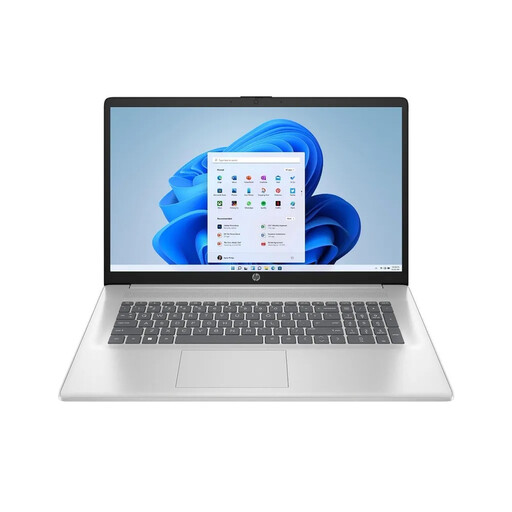 No image available
For a permanent workspace if a large built-in display matters more to you than a compact design.
17.3-inch Full HD IPS display with 1920 × 1080 pixels; Windows 11 Home; 16 GB RAM; 512-GB SSD; 2.07 kg.
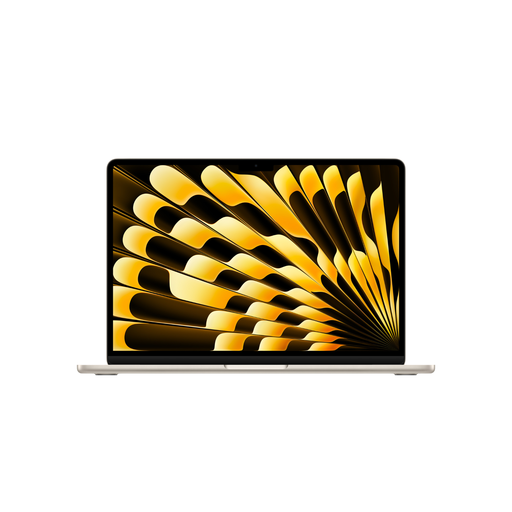 No image available
For working with spreadsheets if the software you need runs on macOS and CSV import is all you require.
15.3-inch display with 2880 × 1864 pixels; macOS; 16 GB unified memory; 512 GB SSD; 1.51 kg.
The product description states that the power adapter isn’t included. If Power BI Desktop is required locally, bear in mind that Microsoft describes it as a Windows application.
 No image available
For working with spreadsheets at a desk if you prefer a larger built-in display and Windows.
16-inch OLED WUXGA display with 1920 × 1200 pixels; Windows 11 Home; 16 GB RAM; 1 TB SSD; 1.69 kg.
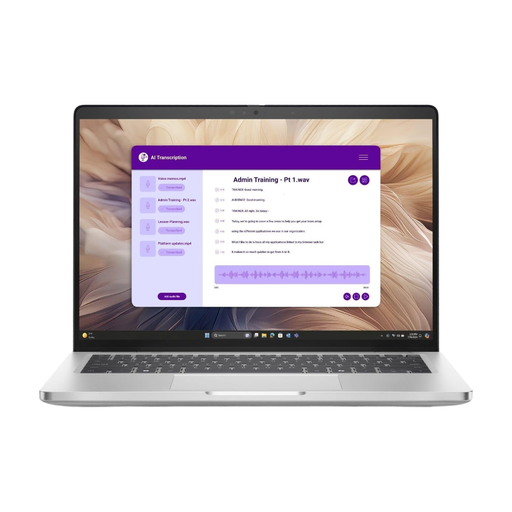 No image available
For students who prefer a more compact 14-inch laptop to carry between home and campus.
14-inch IPS display with 1920 × 1200 pixels; Windows 11 Pro; 16 GB RAM; 512-GB NVMe SSD.
For CSV files, Microsoft explains how to import them into compatible versions of Excel for Mac. However, if Power BI Desktop is required locally, you’ll need to meet Microsoft’s listed Windows and x64 requirements. Check which application you actually need before choosing an operating system.
Microsoft explains how to import a file in the “Text/CSV” format into Power Query. Before analysing the data, check that the separators, column names and data types have been recognised correctly.
Not necessarily. The University of Kassel doesn’t recommend replacing a working device solely because it doesn’t meet its suggested specifications. Microsoft describes Power BI Desktop as a free Windows application; whether you need this or any other software depends on the specific task.
When you buy from a trader, European Union consumer guidance says you have a legal right to a minimum two-year guarantee from the date you receive the goods. This is separate from any additional manufacturer’s warranty; if there’s a fault, you should generally contact the seller.
Not simply because you own a laptop. When processing personal data, you need to follow data protection principles and have an appropriate legal basis. Check with the library or university responsible for the data whether you’re allowed to use the specific data and your personal device for this purpose.