First, decide whether the laptop screen counts as one of your displays or whether you need two external monitors running at the same time. This determines the display support your particular laptop needs. Then choose a model based on your layout software’s requirements and the actual RAM and SSD configuration. For print approval, your workflow should include suitable output profiles and, where necessary, a proof. Adobe explains these steps, and a display feature alone is no guarantee that colours will match the print.
Who this laptop is for
Layout designers with a permanent dual-monitor desk
If you need two separate workspaces, check how many displays can be used at the same time before you buy, and whether the laptop screen needs to stay on as well. Apple notes that display limits vary by model.
Print designers who need colour approval
When preparing magazine pages for print, screen work is only part of the process. Colour profiles, output settings and, where necessary, a proof also matter. Adobe explains these steps in its print workflow.
Magazine teams working on the move
If you work on layouts while travelling and use extra screen space at your main desk, make sure the display and storage suit the software you actually use. Adobe lists the requirements for InDesign, while Apple outlines the ports and display limits for each Mac model.
What to consider when buying
Start by working out your exact screen setup. Then consider your software requirements and print workflow.
| What to consider |
What to check before buying |
Who will find this particularly important? |
| Screen setup and ports |
Note whether the laptop screen needs to remain active, along with the number of monitors, their inputs, resolutions and refresh rates. Check the specifications for the exact model and the dock connection you plan to use. |
If I want to use two external monitors as well as the laptop screen, I’ll first check how many independent displays the laptop supports. Around 36% of consumers put screen setup first. |
| Print colours |
Agree output requirements with the printer and check whether monitor profiling and a proof are planned for the specific print conditions. |
If printed magazine colours need to be assessed accurately, I’ll plan for profiles and, where necessary, a proof. Around 29% of consumers prioritise colour assessment for print. |
| RAM and SSD |
Check the requirements of all the software you use and the RAM and SSD configuration of the specific variant. Adobe recommends at least 8 GB of RAM for InDesign, with 16 GB recommended. |
If I use layout software and project files at the same time, I’ll make sure there’s enough RAM and local storage. Around 21% of consumers prioritise layout performance. |
| Portability and workspace costs |
Compare the screen size for working on the move with your existing workspace, and check which cables, adapters or dock you’ll need to connect everything. |
If I work in different locations, I want a portable setup that works with the equipment I already have. Around 14% of consumers pay particular attention to portability and workspace costs. |
Common buying mistakes
-
“Two screens” automatically means two external monitors as well as the laptop screen
The number of displays you can use at the same time depends on the specific model. A hub won’t automatically increase its maximum display count.
Before you buy, decide which displays need to be on at the same time and check support for the exact model.
-
A vivid display is already a print proof
Print workflows also take profiles and specific output conditions into account. A display feature alone doesn’t show how the colours will look in the final print.
Agree profile and proof requirements with the printer.
-
The model range tells you everything about the specifications
RAM, SSD and display specifications can vary within a range. The support for your planned monitor setup must also match the configuration you choose.
Compare the exact configuration ID, RAM, SSD, display and display support.
Key brands at a glance
Apple
The 15-inch MacBook Air (M4, 2025) is a documented macOS option for working on layouts while on the move. Apple says this model supports up to two external displays in addition to the laptop screen.
- Apple lists two Thunderbolt 4 ports and 16 GB of unified memory as standard.
- The display limits apply to the model specified and include resolution requirements. The documented standard configuration has a 256 GB SSD; these figures cannot be applied to other chip generations as a rule.
Lenovo
The ThinkPad P14s Gen 6 AMD is a range of portable Windows workstations. Lenovo lists a matte 14-inch display, 64 GB of RAM and a 2 TB SSD for the specific German configuration.
- These memory specifications are for a specifically documented configuration.
- These details alone don’t confirm whether two external monitors are supported at your chosen resolution. Check the specifications for the configuration you actually select.
Dell
Dell offers the Pro Max 16 Plus as a configurable Windows workstation for a larger, more desk-based laptop setup.
- Dell lists a 16-inch device with a range of configuration options.
- Check the display option, storage and monitor support for the configuration you choose. Dell notes that changes to the configuration may affect specifications.
Joybuy products
These laptops are described as suitable for layout work with external displays and for use on the move. Check that display support meets your specific setup and that the specifications match the variant you choose.
 No image available
Apple MacBook Air 15-inch (M5, 2026), 16 GB, 512 GB SSD, Midnight, German QWERTZ keyboard
For a workspace with external displays; the product description says it supports up to two external displays.
15.3-inch display; M5 with 10-core CPU and 10-core GPU; 16 GB RAM; 512 GB SSD; weight: 1.51 kg.
Before buying, check that display support for this specific variant matches the number and resolution of your monitors.
View at Joybuy
 No image available
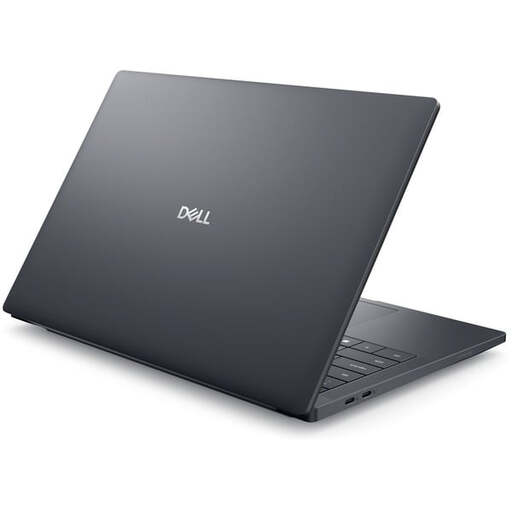
Dell Pro Max 14 Premium MA14250, 32 GB RAM, 1 TB SSD
For mobile layout work on Windows with several applications; this variant is listed with 32 GB of RAM and a 1 TB SSD.
14-inch FHD+ display; Intel Core Ultra 7 265H; RTX PRO 2000; Windows 11 Pro; Thunderbolt 5 and Thunderbolt 4 with DisplayPort.
The display is listed as having 100% sRGB and a brightness of 400 cd/m². These features don’t replace agreeing colour profiles and proofing requirements for the final print.
Check that the ports on your chosen configuration support the number and resolution of your external monitors.
View at Joybuy
Frequently asked questions
Can I assume that two USB-C ports mean I can use two external monitors?
No. Check the number of displays, resolutions and refresh rates supported by the manufacturer for the exact model. A hub won’t automatically increase the maximum number of supported displays.
How do I set up a second screen on a Mac?
First, check your Mac’s video port and supported display count, as well as the monitor’s inputs and cables. Connect the display to the power supply and your Mac, then arrange the screens in System Settings.
Is a display with a wide colour gamut enough for print approval?
No, not on its own. For print, Adobe recommends using suitable colour profiles and explains how to create a proof for specific output conditions.
What are my rights if a laptop I bought online is faulty?
If you buy as a consumer from a business seller in the EU, you’re generally entitled to a legal guarantee of at least two years from the date you receive the product. This is separate from any voluntary manufacturer’s warranty. Distance purchases under a consumer contract also generally come with a 14-day withdrawal period. These consumer rules shouldn’t be assumed to apply to purchases made for a business.


