What to look for when buying
First check the software and operating system, then the screen space you need, and finally whether portability or a monitor at your desk is likely to have the biggest influence on your decision.
| Priority |
What to check when buying |
Who this matters most to |
| Viewing pages and colour |
Compare the screen size, native resolution and colour gamut specifications for the exact model. For print projects, confirm the colour workflow and output specifications with your printer. |
If you want to assess pages, tool panels and images on your laptop at the same time, the built-in screen space is key. Around 33% of consumers prioritise this when choosing a laptop for magazine layout. |
| Software and multitasking |
Check the programme, version, operating system and processor architecture against the relevant requirements. For InDesign 21.3 or later, Adobe specifies at least 8 GB RAM for Windows and recommends 16 GB. |
If you switch between layout, image editing and other applications during your project, check that the full device configuration is compatible. Around 27% of consumers prioritise software compatibility and multitasking. |
| Total project costs |
Check whether you already have a licence for any software you need and whether you’ll need an external monitor or other accessories. |
If you want to weigh up the cost of the device, software and any extras together, first check what your course or project actually requires. Around 20% of consumers focus primarily on the total cost. |
| Portability |
Compare the dimensions, weight and power adapter for the exact model. If you plan to use an external monitor, check that the laptop has the connections you need. |
If you travel between your room and university, you’ll need to balance portability against the screen space available on the built-in display. Around 20% of consumers prioritise moving between work locations. |
Joybuy products for more screen space
The Joybuy products below offer larger built-in displays for layout work, including Windows laptops and MacBooks. For each model, check that the operating system and specifications meet the needs of your software and project.
 No image available
ASUS Zenbook S16 UM5606GA-SS335W
For layout work where you want a larger built-in screen and several programmes open at once.
16-inch OLED with 2880 × 1800 pixels; 32 GB RAM and 1 TB SSD; HDMI 2.1 and USB-C 4. According to the product title, no power adapter is included.
View at Joybuy
 No image available
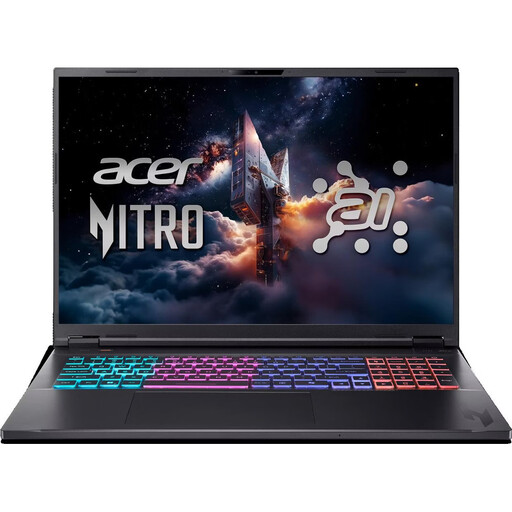
Acer Nitro 18 AI AN18-61-R40J
For layout work where you want to view pages directly on a large built-in display.
18-inch display with 2560 × 1600 pixels; Ryzen AI 7, 16 GB RAM and 1 TB SSD. The model described has an English international keyboard layout.
View at Joybuy
 No image available
MSI Crosshair 16 Max HX E2WGXK-023
For layout projects where a larger built-in screen and storage space for project files are important.
16-inch OLED with 2560 × 1600 pixels; Intel Core Ultra 9 275HX, 16 GB DDR5 and 1 TB SSD. The listed weight is 2.20 kg.
View at Joybuy
 No image available
Apple 15-Inch MacBook Air (M5, 2026), 16 GB, 512 GB SSD, German QWERTZ keyboard
For a compact macOS setup with a larger built-in display and the option to use external displays.
15.3-inch display with 2880 × 1864 pixels; 16 GB memory and 512 GB SSD. The listed weight is 1.51 kg, and product details describe support for external displays. According to the product details, no power adapter is included.
View at Joybuy
 No image available
Apple 16-Inch MacBook Pro (M5 Max, 2026), 36 GB, 2 TB SSD, German QWERTZ keyboard
For layout work where you want a large built-in screen and plenty of storage for project files.
16.2-inch display with 3456 × 2234 pixels; 36 GB memory and 2 TB SSD. The listed weight is 2.15 kg; according to the product details, no power adapter is included.
View at Joybuy
Frequently asked questions
Do I need Adobe InDesign or a particular processor for magazine layout?
No. A project doesn’t automatically require a particular programme. If your course or team requires InDesign, check the requirements for the version you’ll use and make sure it fits your shared workflow. For InDesign 21.3 or later, Adobe specifies at least 8 GB RAM for Windows and recommends 16 GB. This isn’t a general minimum requirement for all layout software.
How should I prepare a layout for collaborators or a printer?
For InDesign, Adobe recommends running a preflight check before packaging your files to catch issues such as missing fonts or links. Confirm PDF and colour requirements directly with your printer; no particular laptop can replace these checks.
What ongoing costs should I factor in when choosing a laptop for university?
Check whether your course provides a software licence and whether you’ll need an external monitor or accessories. Adobe’s student offer is a subscription with eligibility requirements, so read the terms to make sure they apply to your situation.
What are my rights if I buy a faulty laptop in Germany?
If a product is faulty, you generally have statutory rights against the seller for two years from the date you receive it. A voluntary guarantee is separate; the Verbraucherzentrale explains these statutory rights.
Can I cancel an online laptop purchase in Germany?
For a distance contract between a business and a consumer, you generally have a statutory right to cancel, with a 14-day cancellation period in most cases. Check the specific contract and any exceptions. This right is not the same as a retailer’s voluntary returns policy.


