What should you look for?
First, check that the laptop is compatible with your course platform and meets your institution’s requirements. Then weigh up portability, workspace and whether you can keep working when the connection is unreliable.
| Consideration |
What to check before buying |
Who should consider this? |
| Portability and space |
Compare the dimensions and weight of the exact configuration, as well as the screen size and space available to use it. |
If I take my laptop with me often and work in a cramped seat, a compact design matters. Around 31% of consumers prioritise portability and space. |
| Working without an internet connection or power socket |
Check whether offline work is permitted, how you can sync later and whether the battery will last for your typical journey. |
If you want to keep working when onboard Wi-Fi is unreliable, check whether your platform and institution’s rules allow offline work. Around 25% of consumers prioritise being independent of an internet connection and power socket. |
| Privacy |
Check with your institution what’s permitted for device access, access controls, screen locks, privacy screens and connection methods. |
If feedback could identify individuals, I need to consider prying eyes and protect access to the data. Around 25% of consumers prioritise privacy. |
| Readability and typing |
Check the screen size, finish and keyboard; if possible, try viewing your course platform on the display. |
For longer comments and spreadsheets, a comfortable workspace matters more to me than the smallest possible design. Around 19% of consumers prioritise readability and typing. |
Suitable products at Joybuy
This selection includes compact macOS and Windows laptops, as well as larger Windows devices for longer texts and more screen space. Before buying, check that the operating system and exact specification suit your course platform and meet your institution’s requirements.
 No image available
Apple 13-inch MacBook Air (M5, 2026), 16 GB, 512 GB SSD, Silver, German QWERTZ keyboard
The compact design could suit frequent travel, provided your course platform and institution’s rules allow macOS.
10-core CPU, 8-core GPU, 16 GB memory and 512 GB SSD.
A power adapter isn’t included and must be purchased separately.
View at Joybuy
 No image available
ASUS Zenbook 14 UX3405CA-QD1303W
The 14-inch configuration offers more room to work with longer texts; check that it fits your space on the train.
WUXGA OLED touchscreen, Core U7 255H, Intel ARC, 16 GB memory, 1 TB SSD and Windows 11.
View at Joybuy
 No image available
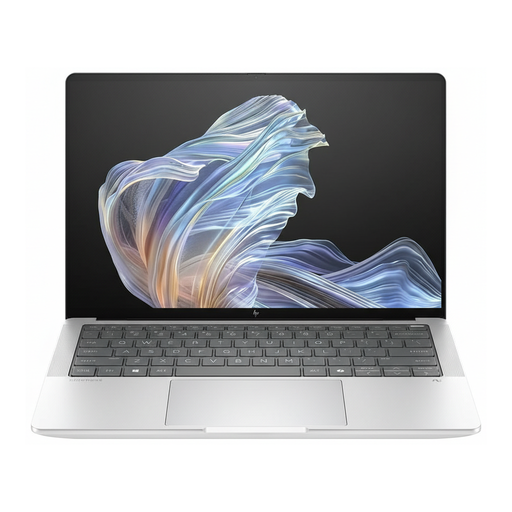
HP EliteBook Ultra G1a 14 (B66PTES)
This Windows 11 Pro configuration could suit you if your workflow requires Windows; it doesn’t confirm compatibility with any particular course platform.
14-inch display with 2.2K resolution, Snapdragon X Elite, 16 GB RAM and 512 GB SSD.
USB-C Power Delivery is listed in the product name.
View at Joybuy
 No image available
Microsoft Surface for Business, 8th Edition, Core Ultra 5 335
The larger display can make it easier to read longer feedback, but takes up more room on a cramped seat.
15-inch touchscreen with 3270 × 2180 pixels and 120 Hz, Windows 11 Pro, 16 GB RAM and 512 GB SSD.
Wi-Fi 7 and Bluetooth are listed in the product name.
View at Joybuy
 No image available
HP ProBook 4 G1a 16
The 16-inch display can make longer texts and spreadsheets easier to view, but takes up more room on the train than a smaller model.
AMD Ryzen 5 230, 16 GB DDR5 RAM, 512 GB SSD and anti-glare WUXGA IPS display.
Windows 11 Pro, AMD Radeon 760M and a weight of 1.75 kg are listed for this configuration.
View at Joybuy
Frequently asked questions
Can I mark coursework online on every train journey?
No. Don’t count on a connection that’s always available or consistently fast. Deutsche Bahn warns that Wi-Fi speeds can fluctuate, so check whether your course platform supports an offline workflow approved by your institution.
Will I always need my own power socket on an ICE train?
Not necessarily, as a power socket may be shared. Deutsche Bahn generally lists one socket per pair of seats in second class, and one per seat on selected train models. Plan your battery life around your usual journey and how you use your laptop.
Can I work on coursework feedback containing personal data on the train?
Check your institution’s requirements in advance; they can’t be taken as blanket approval for every device and workflow. Appropriate technical and organisational safeguards are important when handling personal data. Germany’s Federal Office for Information Security advises against accessing confidential data over public Wi-Fi networks. If access is unavoidable, follow your institution’s security procedures.
How can I get my laptop ready for a train journey?
Charge your laptop before travelling, check that you’re allowed to sign in and sync, and complete any necessary downloads beforehand if possible. Deutsche Bahn asks passengers to avoid bandwidth-heavy downloads and updates over onboard Wi-Fi.
What are my rights if a laptop bought online in Germany is faulty?
Your statutory rights against the seller are separate from any voluntary manufacturer’s warranty. The Verbraucherzentrale also explains that many online purchases by consumers are generally covered by a 14-day right to cancel; exceptions and the specific contract terms should be checked. Your rights regarding faulty goods are a separate matter.


