What should you consider before buying?
First, think about how you do most of your marking: by typing comments, adding handwritten annotations or using specific school software. This will help you work out which screen size, input method and desk setup will suit your small workspace.
| Consideration |
What to check before buying |
Who should pay particular attention? |
| Reading documents and writing detailed feedback |
Check the screen size, resolution and aspect ratio of the specific model, as well as the space available for the screen and input devices. |
If you want to keep lots of assignments and marking rubrics in view while typing comfortably, workspace is a priority. Around 36% of consumers put readability and workspace setup first. |
| School software and data processing |
Check the supported operating system and device approval, and ask your institution about the application and its rules for storage and synchronisation. |
If you work with assignments containing personal data in a specified portal, the entire process must comply with your institution’s rules. Around 29% of consumers prioritise school software and data protection. |
| Handwritten annotations |
Check stylus support and what’s included in the box for the full model number, and consider the freehand features available in the application you plan to use. |
If you regularly write directly on documents, the combination of stylus and compatible application matters. Around 21% of consumers prioritise freehand marking. |
| Portability and space |
Match the weight, screen size and ports of the specific model to your journeys and the desk space available. |
If you often need to put your device away or take it between workplaces, a smaller format may be important, although documents will appear smaller on screen. Around 14% of consumers prioritise compactness and portability. |
Joybuy products for marking digital assignments
The models below include traditional laptops with a larger built-in document view, as well as MacBook Air and MacBook Neo models for digital marking. For each device, check that your required school software is approved and that the laptop will fit on your desk.
 No image available
Acer TravelMate TMP216-41-TCO, 16-inch WUXGA, AMD Ryzen 3 PRO 7335U, 16 GB DDR5, 512 GB SSD
The 16-inch document view is worth considering if you want to read PDFs on a larger built-in screen.
Listed in the product title: 16-inch WUXGA, AMD Ryzen 3 PRO 7335U, 16 GB DDR5 and 512 GB SSD.
View at Joybuy
 No image available
HONOR MagicBook X16 AMD 2025, AMD R5 6600H, 16 GB RAM, 512 GB SSD, Cloud Gray, German keyboard
The 16-inch format is worth considering if you prefer a larger built-in display for reading digital assignments.
Listed in the product title: AMD R5 6600H, 16 GB RAM, 512 GB SSD and German keyboard layout.
View at Joybuy
 No image available
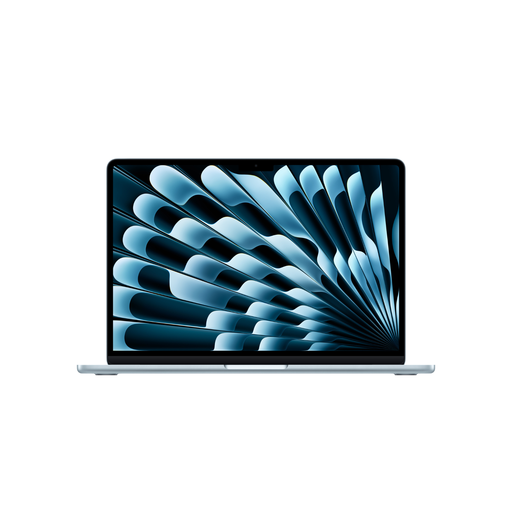
Apple 15-inch MacBook Air (M5, 2026), 10-core CPU, 10-core GPU, 16 GB, 512 GB SSD, Sky Blue, German QWERTZ layout
This model may suit you if you want a larger built-in display with macOS; check that your marking application is approved before buying.
Listed in the product title: 15 inches, M5, 10-core CPU, 10-core GPU, 16 GB, 512 GB SSD and German QWERTZ keyboard layout. According to the product details, a power adapter is not included.
View at Joybuy
 No image available
Apple 13-inch MacBook Air (M5, 2026), 10-core CPU, 8-core GPU, 16 GB, 512 GB SSD, Sky Blue, German QWERTZ layout
The smaller screen is an option if you’re looking for a more compact device for digital marking and your application is approved for macOS.
Listed in the product title: M5, 10-core CPU, 8-core GPU, 16 GB, 512 GB SSD and German QWERTZ keyboard layout. According to the product details, a power adapter is not included.
View at Joybuy
 No image available
Apple 13-inch MacBook Neo, A18 Pro chip, 6-core CPU, 5-core GPU, 8 GB, 512 GB SSD, Indigo, German QWERTZ layout
The 13-inch format may suit digital marking if the application you need is approved for macOS.
Listed in the product title: A18 Pro chip, 6-core CPU, 5-core GPU, 8 GB, 512 GB SSD and German QWERTZ keyboard layout. According to the product details, a USB-C power adapter is not included; you’ll need a power source of at least 20 W to charge it.
View at Joybuy
Frequently asked questions
Do I need a convertible for handwritten PDF marking?
A device specifically designed for stylus use is an obvious choice only if you want to write directly on the laptop. Microsoft Support describes freehand PDF features in Journal; even so, check that your approved application preserves annotations when you return the assignment. A touchscreen alone does not mean a stylus is included.
How should I set up my laptop for longer marking sessions?
Plan your screen, keyboard, mouse, seat and work surface together. The Federal Institute for Occupational Safety and Health recommends an ergonomic posture; at a fixed computer workstation, having a separate screen and keyboard is relevant. Also check that the laptop’s ports suit your workspace.
Can I mark assignments containing personal data on my personal laptop?
There’s no general answer without knowing your responsible institution’s requirements. The Hesse data protection authority explains that schools must ensure teachers process personal data in accordance with school requirements; the Rhineland-Palatinate data protection authority highlights data flows and storage locations. So check device approval, applications, storage and synchronisation with your institution.
Which return and fault rights should I distinguish when shopping online in Germany?
According to the Verbraucherzentrale, consumers who buy online generally have a 14-day right to cancel. The statutory warranty for faulty goods is separate and is not the same as a voluntary manufacturer’s guarantee. For the specific offer, also check the seller, what’s included and the returns conditions.


