Worksheet creators with limited desk space
If you write questions directly on your laptop, you may also need room for templates or paper beside it. Compare the footprint of the specific model with the free space on your desk.


A compact laptop is a good fit for creating maths worksheets on a small desk if there’s still room for paper and it works with the software and printer you need. Microsoft Support explains how to enter formulae in Word; LibreOffice Math lets you create and edit formulae, while GeoGebra offers tools for graphs and geometry. For longer sessions, the DGUV recommends using a separate keyboard and mouse where possible, as well as an external monitor if you can. You’ll also need enough desk space and suitable ports.
If you write questions directly on your laptop, you may also need room for templates or paper beside it. Compare the footprint of the specific model with the free space on your desk.
If you create mathematical expressions or diagrams, check that your preferred tools and file formats work on the system you choose. Microsoft Support, LibreOffice and GeoGebra describe tools for formulae, graphs and geometry.
For longer periods of document work, a compact footprint isn’t the only consideration: the display and input setup also need to suit the way you work. For longer sessions, the DGUV recommends using a separate keyboard and mouse where possible, as well as an external monitor if you can.
First, measure the space available for your laptop, paper and cables. Then check the software you’ll use for formulae and graphs, and make sure your printer’s connection and drivers are supported.
| What matters when buying | What to check | Who should pay particular attention? |
|---|---|---|
| Desk space and room for paperwork | Measure the width and depth of the available desk space, allowing for paper and cables. Compare it with the dimensions of the exact model. | If you need to keep paperwork beside your open laptop, its footprint is a key consideration. Around 36% of consumers would put this first. |
| Formulae and mathematical graphs | Try creating one of your own worksheets with the software you plan to use. Test entering formulae, importing graphs, exchanging files and printing. | If you add editable formulae or graphs to your questions, you’ll need a workflow that works with the programmes and file formats you use. Around 29% of consumers would prioritise working with formulae and graphs. |
| Ergonomics for longer writing sessions | Consider whether the built-in display is sufficient for your work, or whether you have room and suitable ports for a monitor, keyboard and mouse. For longer sessions, the DGUV recommends using separate input devices where possible, as well as an external monitor if you can. | For longer writing sessions, the display and typing position may matter more than the smallest form factor. Around 21% of consumers would give particular priority to ergonomic working at a larger desk. |
| Printer, ports and software | Make a note of your printer model, the connectors you need and any essential programmes. Check support for the operating system on the exact laptop model; with Windows on Arm, you’ll also need to check that the required device drivers are supported. | If you want to keep using your printer and existing accessories, their compatibility is key. Around 14% of consumers would put this existing workflow first. |
A smaller display can free up desk space, but it won’t automatically provide an ergonomic setup for longer sessions. An extra monitor and separate input devices also need room.
Compare the laptop’s actual dimensions with your desk, allowing for paper, cables and any accessories you plan to use.
The fact that many Windows applications can run doesn’t mean every printer driver will be supported. Microsoft highlights the importance of having suitable drivers for peripherals.
Before buying, check support for your specific printer model and any essential school software on the operating system in question.
The HP ProBook variant reviewed lists HDMI, USB-A and two USB-C ports. Apple lists two Thunderbolt 4 ports with USB-C connectors for the MacBook Air M5. That doesn’t mean your existing accessories will necessarily work with both laptops.
Check the connectors on your existing devices against the ports on the exact laptop model.
The ProBook 4 G1a 14, variant AD2M8ET#ABD, is a compact Windows option with a range of port types.
The 13-inch MacBook Air with M5 is a compact macOS option, provided it works with the software and accessories you need.
The Zenbook 14 OLED UX3405 is a 14-inch option to consider when comparing specific display configurations.
The 13-inch Surface Laptop is a compact Windows on Arm option with a touchscreen.
The ThinkPad E14 Gen 7 AMD is another 14-inch Windows model family worth considering for its ports and configurations.
This selection includes compact 13- and 14-inch laptops. Compare their listed dimensions and specifications with your workspace and workflow.
 No image available
The listed dimensions make it easy to check whether there’s enough room on your desk for the laptop and your paperwork.
14-inch OLED display; dimensions: 31,2 × 22,1 cm; Core Ultra 7 355; 16 GB RAM; 1 TB SSD; Windows 11 Evo.
 No image available
If you’re considering a 14-inch laptop with touchscreen controls, compare its listed dimensions with the space you have available.
14-inch touchscreen; dimensions: 313,7 × 216,2 mm; 2.8K OLED; Windows 11 Home.
 No image available
The 14-inch screen size gives you a useful starting point for checking how well the laptop will fit your small workspace.
FHD display; N5095 processor up to 2,9 GHz; 256 GB SSD, expandable to up to 1 TB; USB 3.0 and Type-C.
 No image available
If you’d prefer a smaller display for a limited workspace, compare the stated dimensions with the desk space you have available.
13,6-inch display; dimensions: 30,41 × 21,5 cm; weight: 1,23 kg; two Thunderbolt 4 ports with USB-C connectors. According to the product details, a power adapter isn’t included and must be purchased separately.
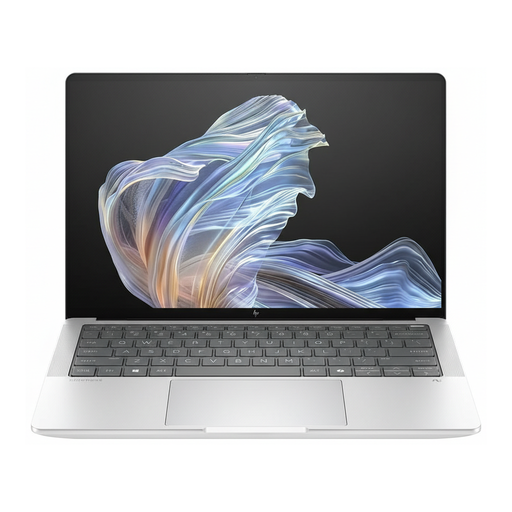 No image available
If you want to connect existing devices, compare the listed ports with the connectors on your accessories.
14-inch display; dimensions: 313,7 × 217,3 mm; 2.2K display; Windows 11 Pro; USB-C, USB-A and HDMI.
No, not if you’d rather type formulae. Word has a formula editor, and LibreOffice Math lets you add formulae to documents, so a pen isn’t essential.
First, check what will fit on your desk. For longer sessions, the DGUV recommends using a separate keyboard and mouse where possible, as well as an external monitor if you can. Make sure you allow enough room for them.
Check that your specific printer works with the operating system and required drivers, then print a test page to check the results. Microsoft notes that driver support may vary on Windows on Arm devices.
For consumer purchases, the Verbraucherzentrale explains that you have statutory rights against the seller for two years from delivery or receipt. A voluntary guarantee is separate; consumer rules shouldn’t automatically be assumed to apply to business purchases.