Choose a laptop that runs the meeting-minutes software you need, then check that its keyboard, display and dimensions suit your seat. For longer journeys, consider whether you can work offline and whether the battery will last for your actual workflow: Deutsche Bahn notes that Wi-Fi speeds can vary and that power sockets differ between ICE train types. If your minutes contain confidential information, you should also follow your organisation’s IT policies and protect your screen from prying eyes.
Who is a laptop for taking minutes on the train suitable for?
People taking minutes on long train journeys
When the connection is unreliable or you have to share a power socket, your app’s offline features and a suitable battery reserve matter. Deutsche Bahn notes that Wi-Fi speeds depend on the connection to mobile networks and the number of other passengers. The availability of power sockets also varies between ICE train types.
People taking minutes with limited space
If you write at your seat and regularly carry your laptop with you, consider the screen size, laptop dimensions and keyboard together. Lenovo lists a matte 14-inch display and backlit German keyboard for the specific ThinkPad X1 Carbon Gen 13 21NX008PGE configuration. The German keyboard layout is also a specific option to look for with the MacBook Air M5.
People taking minutes containing confidential information
For work-related or sensitive information, your device, software and storage need to comply with your organisation’s policies. The German Federal Office for Information Security notes that working remotely does not provide the same IT security infrastructure as an office. Deutsche Bahn also recommends using a VPN connection on its public ICE Wi-Fi.
What should you look for when buying?
If you edit meeting minutes on the train, let software compatibility, space at your seat and the requirements for handling confidential information guide your choice. Deutsche Bahn describes Wi-Fi speeds as variable and notes that power sockets differ between ICE train types. The German Federal Office for Information Security recommends protective measures for working remotely.
| Consideration |
What to check before buying |
Who is it most relevant to? |
| Offline work and battery life |
Offline editing and local saving in the specific app; battery tests based on similar usage. |
If I need to keep working when the Wi-Fi is unreliable, I need offline features and a suitable battery reserve. Around 33% of consumers say this is their main concern. |
| Space and typing comfort |
Laptop dimensions and screen size; keyboard layout and screen finish for the specific version. |
If I’m writing longer texts at a train table, the keyboard and screen need to work well for me without the laptop taking up too much space. Around 27% of consumers prioritise space and typing comfort. |
| Confidential minutes |
Approval of the device, software and storage; protection against access and other passengers seeing the screen. |
If I’m working with work-related or sensitive information, my working practices must comply with my organisation’s policies, and other people must not be able to see what’s on screen. Around 20% of consumers say confidentiality is their main concern. |
| Purchase cost |
Configuration and what’s included, including the ports and power adapter you need; service terms for the specific version. |
When choosing a laptop for taking minutes, I want to pay only for features that suit my apps and workflow. Around 20% of consumers prioritise purchase cost. |
Avoid common buying mistakes
-
Assuming the advertised video playback time matches how long you’ll be typing
Apple gives separate figures for video streaming and wireless web browsing, while Samsung bases its battery life figures on video playback. These figures don’t show how long your laptop will last while you’re taking minutes.
Compare battery life only when the test methods are similar, and allow some extra capacity for your actual journey.
-
Choosing a large screen without considering your seat
Deutsche Bahn says that tables are available at many, but not all, ICE seats. A larger screen also means a larger laptop.
Compare the laptop’s dimensions with your usual train seat before choosing a 16-inch model instead of a more compact one.
-
Assuming Wi-Fi protection or a screen lock offers complete protection
A secure network connection and protection against access to an unattended device won’t stop other passengers from seeing your screen.
Follow your organisation’s policies, lock your device when you leave it unattended and be mindful of who can see your screen.
Key brands to consider
Apple
The MacBook Air and MacBook Neo are compact macOS options. Check the specific configuration and software compatibility separately.
- For its listed 13-inch MacBook Air M5 configuration, Apple specifies 16 GB of memory and a 512 GB SSD.
- For the MacBook Neo, Apple specifies 8 GB of memory and 256 GB of storage in the base configuration. Check your apps, ports and keyboard layout; battery life figures are based on defined usage types.
Lenovo
The ThinkPad X1 Carbon Gen 13 is an example of a lightweight 14-inch Windows business laptop.
- For the 21NX008PGE configuration, Lenovo specifies a matte 14-inch display and a backlit German keyboard.
- These features apply to the configuration listed. Check them again for the version you’re considering.
Dell
The Latitude 5455 is a 14-inch Windows on Arm business laptop for consumers who can check their software environment in advance.
- Dell specifies a Snapdragon processor and Windows 11 Pro on Arm for this model.
- Don’t assume that required apps and peripherals will be compatible just because the laptop runs Windows. Dell notes that specifications vary by configuration.
HP
The EliteBook 840 G11 is a 14-inch business laptop range with Windows configurations to compare.
- The specifically listed A26QBEA#ABD offer includes 32 GB of memory, a 1 TB SSD and a 14-inch display.
- These specifications apply to this offer. Weight and battery life figures are provided by the manufacturer and may not apply to every EliteBook configuration.
Samsung
The Galaxy Book6 Pro is available in 14-inch and 16-inch versions, which may suit the space available at your train table differently.
- Samsung specifies 78.07 Wh for the 16-inch model and 67.18 Wh for the 14-inch model.
- Samsung’s battery life figure is based on video playback. Also take care not to confuse model numbers or specifications for different screen sizes.
Joybuy products for taking minutes on the train
This selection includes compact macOS laptops and a 14-inch Windows business laptop for writing on the move.
 No image available
Apple MacBook Air M5, 13-inch, 16 GB, 512 GB SSD, Silver
The 13.6-inch size and listed weight of 1.23 kg make it worth considering if space is limited and you’ll be carrying it around frequently.
10-core CPU, 8-core GPU, 16 GB of memory and a 512 GB SSD; backlit German QWERTZ keyboard. Power adapter not included.
Joybuy
 No image available
Apple MacBook Air M5, 13-inch, 16 GB, 1 TB SSD, Midnight
The 13.6-inch size and listed weight of 1.23 kg make it worth considering if space is limited and you’ll be carrying it around frequently.
10-core CPU, 10-core GPU, 16 GB of memory and a 1 TB SSD; backlit German QWERTZ keyboard. Power adapter not included.
Joybuy
 No image available
Apple MacBook Neo A18 Pro, 8 GB, 256 GB SSD, without Touch ID, Silver
The 13-inch size is worth considering if you write in a confined space and want a compact macOS laptop.
6-core CPU, 5-core GPU, 8 GB of memory and a 256 GB SSD; German QWERTZ keyboard. Power adapter not included; charging requires a USB-C power source of at least 20 W.
Joybuy
 No image available
Apple MacBook Neo A18 Pro, 8 GB, 512 GB SSD, Indigo
The 13-inch size is worth considering if you write in a confined space and want a compact macOS laptop.
6-core CPU, 5-core GPU, 8 GB of memory and a 512 GB SSD; German QWERTZ keyboard and Touch ID. Power adapter not included; charging requires a USB-C power source of at least 20 W.
Joybuy
 No image available
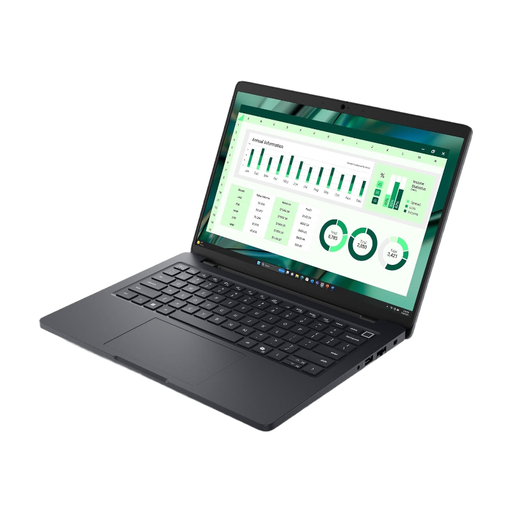
Dell Pro Max 14 MC14250 U7-265H, 16 GB
If you need Windows 11 Pro and a 14-inch business laptop, check software compatibility and weight carefully.
14-inch FHD+ display, 16 GB of memory, 512 GB SSD and backlit keyboard; IR camera, fingerprint reader and Smart Card support are listed. At the stated weight of 2.94 kg, it may be cumbersome to carry.
Joybuy
Frequently asked questions
Can I reliably work on meeting minutes in the ICE using cloud services only?
Don’t assume the connection will always be the same speed: according to Deutsche Bahn, Wi-Fi speeds depend, among other things, on the connection to mobile networks and the number of other passengers. Check whether your specific app supports offline editing and later syncing.
Do I always need my own power adapter and a free socket on the train?
Not every seat has its own power socket. Deutsche Bahn says that second-class ICE carriages have one socket per pair of seats, while selected train types have one per seat. Check your laptop’s charging port and start longer journeys with plenty of battery life. This information about ICE trains may not apply to other types of train.
How should I set up my laptop for taking minutes at work?
First, check with your organisation which devices, apps and storage locations are approved. The German Federal Office for Information Security recommends protective measures for working remotely and locking your device when you’re away. Deutsche Bahn recommends a VPN connection for public ICE Wi-Fi; this does not replace your organisation’s IT policies.
What are my rights if I buy a faulty laptop?
For consumer purchases from a business seller, EU consumer information states that the statutory guarantee is generally at least two years from receipt of the goods. This is separate from any additional manufacturer’s warranty. This consumer rule does not apply to purchases from private individuals.
How can I protect my laptop in everyday use?
Install available security updates and lock your laptop before leaving your seat. The German Federal Office for Information Security recommends basic protective measures for computers and mobile devices. If you’re using a work device, you must also follow your IT department’s policies.


