Joybuy product selection
This selection features Windows laptops for working with spreadsheets, documents and meeting minutes.
 No image available
Acer TravelMate TMP216-41-TCO, 16-inch, 16 GB DDR5, 512 GB SSD
A Windows option for working with spreadsheets and documents, with ports for your existing peripherals.
16-inch WUXGA display, 16 GB DDR5, 512 GB SSD and Windows 11 Pro Education. The description also lists USB-A, HDMI and RJ-45.
View at Joybuy
 No image available
Lenovo ThinkPad E16 Gen 3 21ST, 16-inch, 32 GB RAM, 1 TB SSD
A Windows configuration for comparing spreadsheets and storing work files locally.
16-inch WUXGA IPS display, 32 GB RAM, 1 TB SSD and Windows 11 Pro. The description also lists USB-A, USB-C, HDMI and RJ-45.
View at Joybuy
 No image available
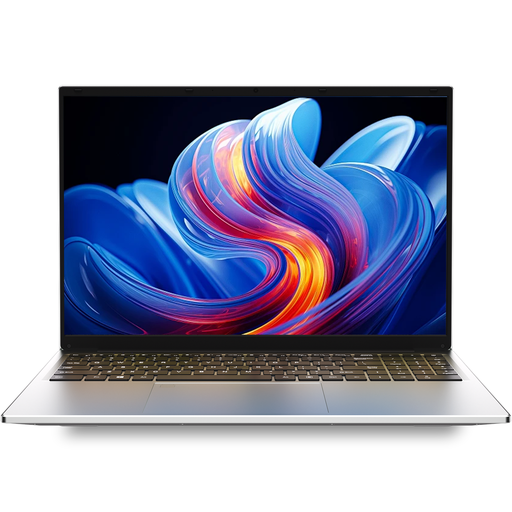
Auusda T161N, 16 GB DDR4, 1 TB SSD
The listed suitability for document editing makes this a possible option to compare with your workflow.
16-inch FHD IPS display, 16 GB DDR4 and 1 TB SSD. The description also lists a numeric keypad, USB-C, USB-A and mini-HDMI.
View at Joybuy
 No image available
Blackview AceBook 10, 18.5-inch, 16 GB RAM, 512 GB SSD
The large screen may be useful for working with extensive spreadsheets; check that the form factor suits your workspace.
18.5-inch Full HD IPS display, 16 GB DDR4, 512 GB SSD and Windows 11 Pro. The description lists three USB-A ports, USB-C and HDMI.
View at Joybuy
 No image available
Samsung Galaxy Book6 Enterprise Edition, 14-inch
An enterprise version for document work, if the specific configuration suits your software and port requirements.
The product name lists a 512 GB NVMe SSD, Windows 11 Pro and RJ45. Check that the storage capacity is sufficient for your local files.
View at Joybuy
Frequently asked questions
Can the laptop reliably detect duplicate entries in meeting minutes by itself?
Not through its hardware alone. In Excel, the results depend on the columns selected for comparison. So check the date, meeting ID and, where relevant, version details before removing entries. Automatic removal is no substitute for reviewing the content.
What do I need for old minutes that have only been scanned?
First, check whether you can select and search text in the PDF. Adobe describes an OCR feature that can turn text in images into searchable text. Before using it, check that the application is compatible with your system and that you’re allowed to use it for these documents.
How can I organise files without losing the original entries?
Keep an unchanged copy of the original and back up the files you edit. Microsoft distinguishes between temporarily filtering data and permanently removing duplicate values; the Federal Office for Information Security recommends backing up important files.
What extra costs and service details should I check before buying?
Check whether a power adapter is included, whether you’ll need any adapters and the terms of use for your OCR and spreadsheet software. No power adapter is listed for the documented Dell configuration. The Joybuy listing reviewed for the 13-inch MacBook Air with M5 also doesn’t mention an included power adapter. These details don’t necessarily apply to other versions or offers.
Are there any specific legal requirements in Germany for laptops used for club meeting minutes?
Official data protection information doesn’t establish a general requirement to use a particular laptop brand or RAM capacity. If minutes contain personal data, you must follow the relevant data protection principles and take appropriate safeguards for the specific processing. Check the requirements with the responsible organisation; a manufacturer’s claim about security features doesn’t, by itself, demonstrate lawful processing.


