Who is a compact laptop for debugging best suited to?

Developers with limited desk space

If you need room for a phone alongside your laptop and input devices, compare the dimensions of the specific model with the space you have available. The configurations featured here have 13 to 13.6-inch displays, but that alone doesn’t guarantee that the laptop and phone will fit on your desk.

Developers debugging Safari on iPhone

If you need to investigate bugs in Safari on a real iPhone, plan to use WebKit’s documented Web Inspector workflow: this requires a Mac, with the iPhone connected.

Android and browser testers

For responsive layouts, Chrome offers a viewport simulation, which Google describes as an approximation. For testing on a real Android device, Google documents remote debugging from Windows, macOS or Linux.

What should you look for when buying?

Compact Windows laptop

A good fit if: You mainly test responsive layouts and websites on a real Android device.

Bear in mind: Chrome’s device simulation is only an approximation; for Safari bugs on iPhone, WebKit’s documented workflow requires a Mac.

Compact MacBook

A good fit if: You need to use Web Inspector for Safari on a connected iPhone.

Bear in mind: Check that the specific model has enough ports for your phone, cable and other accessories, and whether a power adapter is included.

What matters What to look for when buying Who it matters most to
Desk space and working view Compare the dimensions of the specific laptop with your available desk space, and check how you arrange your editor and DevTools windows. Apple Germany lists the MacBook Air at 30.41 × 21.5 cm; Lenovo Germany lists the ThinkPad X13 Gen 7 with a 13.3-inch display. If I need room for my phone on my small desk too, I compare the laptop’s dimensions and how I arrange my windows. Around 36% of consumers prioritise desk space and their working view.
Testing Safari on iPhone Decide whether a responsive simulation is enough or whether you need to investigate Safari on a real iPhone. WebKit’s Web Inspector documentation requires a Mac and a connected iPhone. If I need to reproduce a Safari bug on a real iPhone, the right Inspector workflow is essential. Around 29% of consumers prioritise debugging Safari on iPhone.
Using code and DevTools side by side Check the specifications of the exact configuration and how you arrange your windows. The configurations listed differ in memory and SSD capacity; these specifications don’t indicate debugging speed. If I use my editor, browser and DevTools at the same time, I check that my working view is practical on the display. Around 21% of consumers prioritise working on several development tools at once.
Ports and what’s included Check the ports against your phone, cable and any accessories you may need, and see whether a power adapter is included. Apple lists two Thunderbolt 4 ports for the MacBook Air; HP lists the power adapter for the EliteBook configuration described separately. If I want to charge my phone and laptop or connect other accessories, I check the ports and what’s included with the specific configuration. Around 14% of consumers focus mainly on ports and potential additional costs.

Avoid common buying mistakes

  • Assuming a device preset in DevTools is the same as testing on a phone

    Google describes Chrome’s Device Mode as an approximation. The code doesn’t run on mobile hardware.

    Use viewport simulation for an initial layout check, then test on a real target device if the bug only occurs there.

  • Choosing a Windows laptop for the documented iPhone Safari Inspector workflow

    WebKit’s documented workflow for Safari and Web Inspector on a connected iPhone uses a Mac.

    Before choosing an operating system, check whether investigating Safari bugs on a real iPhone is part of your work.

  • Comparing only the laptop, not what comes with it

    The Air and EliteBook configurations described either don’t list a power adapter as included or sell it separately.

    Check what comes with the exact configuration, and compare it with the chargers and ports you already have or need.

Compact laptop brands for debugging

Apple

The specific MacBook Air with M5 described here is a compact macOS option for WebKit’s documented Web Inspector workflow for Safari on iPhone.

  • Apple lists a 13.6-inch display, 16 GB of unified memory and two Thunderbolt 4 ports for this Air configuration.
  • You may need to plan ahead if you use several peripherals. The Joybuy configuration described here is listed without a power adapter.

Lenovo

The ThinkPad X13 Gen 7 with an Intel processor is a compact Windows configuration for browser and Android debugging.

  • For part number 21YHCTO1WWDE3, Lenovo Germany lists a matte 13.3-inch WUXGA display, 32 GB of soldered memory, a 1 TB SSD and a German keyboard.
  • These specifications apply to the configuration listed, not automatically to other X13 models. The documented Web Inspector workflow for Safari on iPhone requires a Mac.

HP

The EliteBook 8 G2i 13 described here is another compact Windows configuration. Check its specific specifications against your own workflow.

  • For DK4U7AT#ABD, HP lists a 13.3-inch WUXGA display, 16 GB of memory, a 512 GB SSD and a weight of 1.3 kg.
  • HP says the power adapter is sold separately. These specifications don’t indicate the ports or debugging performance of other EliteBook configurations.

Laptops at Joybuy

This selection includes Windows laptops for Android and browser testing, as well as MacBooks for the Web Inspector workflow for Safari on iPhone.

Lenovo Yoga Slim 7i Aura Edition, 14-inch, 2.8K OLED

Lenovo Yoga Slim 7i Aura Edition, 14-inch, 2.8K OLED, Core Ultra 7 355, 16 GB/1 TB SSD

This Windows configuration could suit Android remote debugging; check that the 14-inch laptop fits on your desk.

2.8K OLED display, 16 GB of memory, 1 TB SSD and German keyboard layout.

Listed dimensions: 31.2 × 22.1 cm; weight: 1.14 kg.

View at Joybuy

Microsoft Surface Pro 11 for Business, 13-inch OLED, Platinum

Microsoft Surface Pro 11 for Business, 13-inch OLED, Core Ultra 7 266V, 16 GB/512 GB SSD, Windows 11 Pro, Platinum

This Windows 2-in-1 could suit Android remote debugging; check that the display format works for your setup.

OLED display with 2880 × 1920 pixels, 16 GB of memory, 512 GB SSD and two Thunderbolt 4 ports.

Listed dimensions: 287 × 209 × 9.3 mm; weight: 0.872 kg.

View at Joybuy

Apple 13-inch MacBook Air with M5, Midnight, German QWERTZ keyboard

Apple 13-inch MacBook Air (M5, 10-core CPU, 8-core GPU, 16 GB/512 GB SSD, Midnight, German QWERTZ keyboard)

As a MacBook, this configuration is suitable for WebKit’s documented Web Inspector workflow with a connected iPhone.

13.6-inch display with 2560 × 1664 pixels, 16 GB of memory, 512 GB SSD and two Thunderbolt 4 ports.

Listed dimensions: 30.41 × 21.5 cm; weight: 1.23 kg. The product description says that a power adapter is not included.

View at Joybuy

Apple 13-inch MacBook Neo with A18 Pro, Silver, German QWERTZ keyboard

Apple 13-inch MacBook Neo (A18 Pro, 6-core CPU, 5-core GPU, 8 GB/256 GB SSD, without Touch ID, Silver, German QWERTZ keyboard)

As a MacBook, this configuration could suit WebKit’s documented Web Inspector workflow with an iPhone.

13-inch display with 2408 × 1506 pixels, 8 GB of memory, 256 GB SSD and two USB-C ports.

Listed dimensions: 29.75 × 20.64 cm; weight: 1.23 kg. The product description says that a power adapter is not included; a USB-C power supply of at least 20 W is required for charging.

View at Joybuy
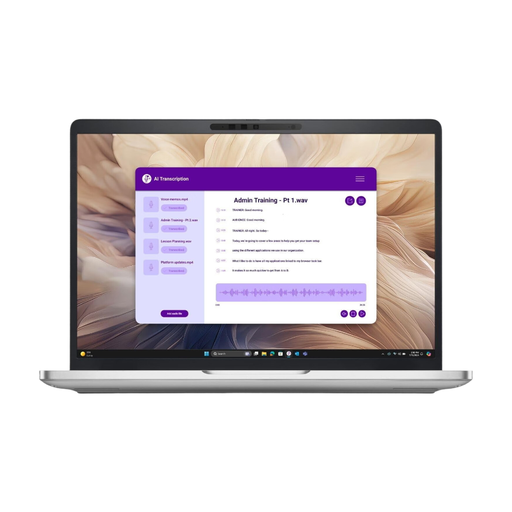
Dell Pro 13 Plus PB13250 U7-268V, 32 GB

Dell Pro 13 Plus PB13250 U7-268V, 32 GB/512 GB SSD

This Windows configuration could suit Android remote debugging; compare the display and laptop dimensions with the space you have available.

13.3-inch IPS display with 1920 × 1200 pixels, 32 GB of DDR5 memory and a 512 GB NVMe SSD.

Listed weight: 2.42 kg.

View at Joybuy

Frequently asked questions

Is Chrome’s mobile view enough for testing?

Chrome Device Mode is a useful first step for checking viewports and breakpoints. Google describes it as an approximation, not as running on a real mobile device; if you encounter device-specific bugs, test on the phone as well.

How do I debug a website on an Android phone?

Google documents remote debugging from Windows, macOS or Linux. To get started, enable USB debugging on your Android device, connect it to your computer, then detect and authorise it in Chrome’s device inspection tool.

What do I need to debug Safari on an iPhone?

WebKit’s instructions call for a Mac with Web Inspector enabled and a connected iPhone. You can connect by cable or use wireless debugging if it’s set up accordingly.

How should I set up a laptop on a very small desk?

Measure the available desk space, including room for your phone, and check the dimensions of the specific laptop model. Apple recommends using Mac laptops on a stable, well-ventilated work surface and advises against placing them on soft surfaces.

What costs and consumer rights should I know about when buying online in Germany?

First, check whether the power adapter and any required adapters are included. The German consumer advice centre explains that consumers generally have a 14-day right to cancel an online purchase from the date they receive the goods, subject to statutory exceptions. This is separate from the seller’s statutory liability for defects; the European Union’s Your Europe website states that new goods are covered by a minimum period of two years. These consumer rights do not apply to every business purchase.