Multi-camera editors
You want to synchronise different views of your layout and edit them on a timeline. Adobe describes multi-camera sequences as a workflow for synchronising and editing footage from several cameras.


Choose a laptop based on your recording format, editing software and the number of angles you’ll actually edit at the same time – not just the number of video tracks. Then compare its memory, graphics, codec support, storage, display and ports with your footage. Proxies can make editing easier for suitable clips, but they take time to create and need extra storage.
You want to synchronise different views of your layout and edit them on a timeline. Adobe describes multi-camera sequences as a workflow for synchronising and editing footage from several cameras.
You work with high-resolution footage or often use colour correction and effects. The right specifications also depend on your editing software and recording format; Adobe has different recommendations for HD and 4K in Premiere on Windows.
You review and edit footage in different locations, so you’ll need to consider the display, media transfer and available ports. PC-WELT also lists screen quality and the number of ports as factors when choosing a video editing laptop.
First, decide which footage and editing software you’ll actually use. Then you can make a more informed comparison of performance, portability and storage needs.
| Buying priority | What to check before buying | Who should consider this? |
|---|---|---|
| Editing multiple angles | Test how your editing software handles previews, synchronisation and the effects you want to use, with sample footage and the exact configuration you’re considering. | If I combine several camera angles of my layout, I want a timeline that’s easy to work with. Around 36% of consumers put smooth editing of multiple angles first. |
| Resolution, codec and effects | Compare your recording format and software recommendations with the RAM and GPU specifications of the exact model. For Premiere on Windows, Adobe recommends 16 GB RAM for HD and at least 32 GB for 4K, as well as 8 GB of graphics memory. | If I edit 4K footage or use effects, I want to match the specifications to my formats rather than choosing a model just because its name sounds powerful. Around 29% of consumers prioritise resolution, codec and effects. |
| Display and ports | Check the display on the exact model and compare its ports with your memory cards, external monitor and existing drives. | If I want to review and edit footage on my laptop while out and about, I need a workspace that suits me and connections for my recording devices. For around 21% of consumers, checking footage on the move and having the right ports are priorities. |
| Project and backup storage | Allow space for original files, proxies if needed, and the cache. Also consider backup media and what’s included with the specific offer. | If I want to keep projects and backups, I need to factor storage requirements and any extra accessories into my choice. Around 14% of consumers prioritise project storage and ongoing costs. |
For Premiere on Windows, Adobe recommends 16 GB RAM for HD and at least 32 GB for 4K. Recommendations for one resolution can’t automatically be applied to every project or editing programme.
Start by checking the resolution, software and footage you’ll actually be working with.
The display and ports also affect how you work with a timeline and connect storage devices or monitors.
Check that the screen and available ports suit your camera cards, drives and monitors.
A listed laptop configuration may have different memory from a similarly named offer. In the example described, the RAM and SSD specifications differ significantly.
Check the full model name and configuration before applying test results to a specific device.
Original footage, proxy files and other project files all need storage space. Lenovo recommends fast internal SSDs for current projects and suggests external storage for archiving and backups.
Work out how much space a typical project needs and allow for separate backups.
The ProArt P16 range is designed for creative work, with an OLED display and RTX graphics; specifications vary by model.
MacBook Pro models with M5 Pro are a macOS option. Apple documents hardware-accelerated H.264, HEVC and ProRes support for the chip.
Lenovo describes the ThinkPad T1g Gen 8 as a performance-focused laptop range with GeForce RTX graphics.
The Pro Max 16 range is a configurable Windows workstation line for buyers who want to choose their operating system and specifications.
The ZBook Ultra G1a is a compact workstation option. For the German model considered here, HP lists 64 GB RAM and a 1-TB SSD.
The Joybuy models below cover mobile editing, with MacBook Pro variants featuring M5 Pro and Windows laptops with GeForce graphics.
 No image available
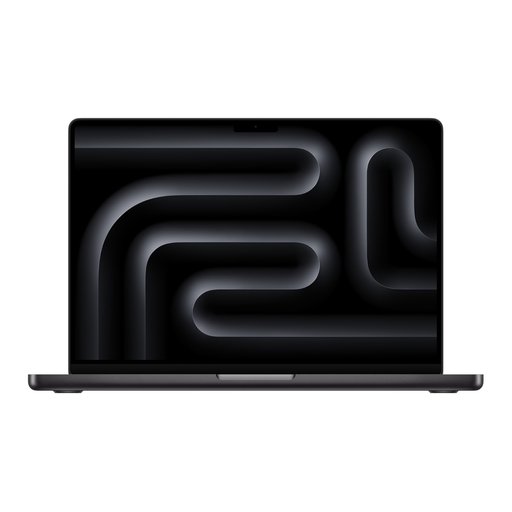
If you edit compatible H.264, HEVC or ProRes footage, Apple documents hardware acceleration for these formats on the M5 Pro. This doesn’t guarantee a particular level of performance for your multitrack project.
Listed configuration: 18-Core CPU, 20-core GPU, 24GB RAM and 1TB SSD.
 No image available
If you edit compatible H.264, HEVC or ProRes files on the move, Apple lists hardware acceleration for these formats on the M5 Pro. Also check that the specific configuration suits your project.
Listed configuration: 18-Core CPU, 20-core GPU, 24GB RAM and 2TB SSD.
 No image available
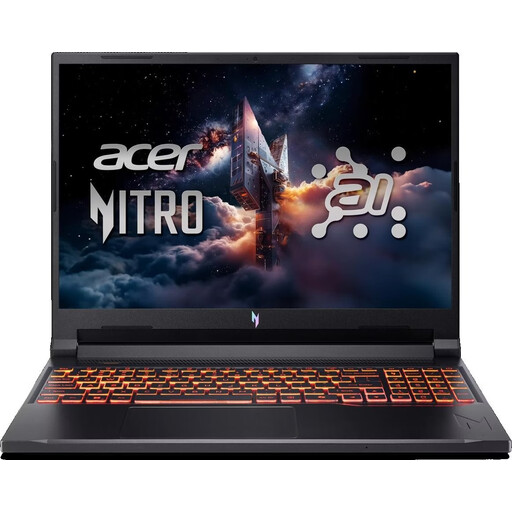
This Windows laptop configuration is an option if you can compare its specifications with your editing software’s requirements and test your projects before buying.
Listed configuration: RTX 5050 with 8GB graphics memory, 16GB DDR5 and 512GB SSD.
For Premiere on Windows, Adobe recommends 16 GB RAM for HD and at least 32 GB for 4K; the listed 16 GB is below the 4K recommendation. The product name specifies a US keyboard.
 No image available
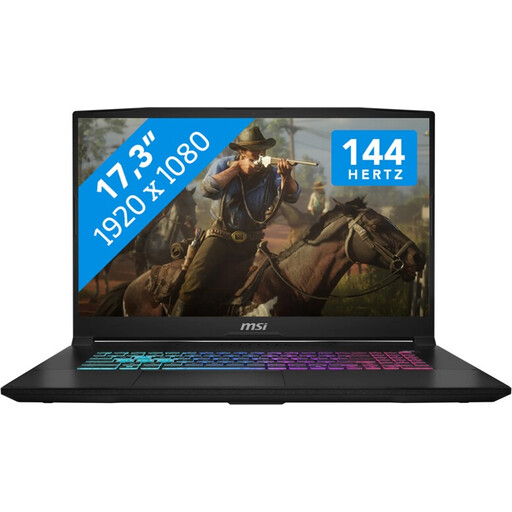
The 17,3-Zoll FHD configuration gives you a generous built-in screen for editing directly on the laptop; assess the display for yourself based on how you work.
Listed configuration: GeForce RTX 4060 with 8GB graphics memory, 16GB RAM and 1TB SSD.
For Premiere on Windows, Adobe recommends 16 GB RAM for HD and at least 32 GB for 4K; the listed 16 GB is below the 4K recommendation.
 No image available
The listed 17,3-Zoll FHD configuration is an option if you prefer a larger built-in workspace. Compare its performance with your own video footage.
Listed configuration: GeForce RTX 5060 with 8GB GDDR6, 16GB RAM and 1TB SSD.
For Premiere on Windows, Adobe recommends 16 GB RAM for HD and at least 32 GB for 4K; the listed 16 GB is below the 4K recommendation.
No. The number of angles alone doesn’t determine which configuration is right for you. Check the resolution, codec, effects and editing software with your footage. Adobe describes multi-camera sequences and proxy files for suitable clips in Premiere; this doesn’t guarantee smooth playback on a specific laptop.
In Premiere, you can create smaller editing copies of suitable video clips and work with these instead of the high-resolution originals. Allow for storage space and keep the original media available; Adobe notes some limitations, including clips with subtitles and unavailable media.
Allow space for original footage, proxies if needed, the cache and separate backups. Lenovo recommends fast internal SSDs for current projects and suggests external storage for archiving and backups; your exact needs will depend on your files.
According to the Verbraucherzentrale, consumers can assert their statutory warranty rights against the seller if a product is faulty within two years of delivery or receipt. This statutory warranty is separate from a voluntary guarantee. For online purchases, you also generally have a 14-day right to cancel, subject to the relevant conditions.
No. The RAM figures mentioned are software recommendations, not legal requirements for buyers. For Premiere on Windows, Adobe recommends 16 GB for HD and at least 32 GB for 4K; choose a configuration to suit your editing software and project.