For editing village history films with multiple tracks, choose a laptop that suits your editing software and source resolution, and check the exact specification. Don’t decide based on the product range or graphics card name alone. For Premiere on Windows, Adobe recommends at least 32 GB of RAM and 8 GB of graphics memory for 4K and above. Lighter proxy files can make it easier to edit high-resolution footage, but they need extra storage space.
Which laptop is right for you?
Editing multiple tracks of high-resolution footage
If you’re combining lots of clips, choose a specification to suit your editing software and resolution. For Premiere on Windows, Adobe recommends 16 GB of RAM for HD and at least 32 GB for 4K and above.
Film archive and working files
You’ll need to plan for original footage, project files, cache and any proxy copies. The Federal Office for Information Security recommends backing up important data regularly.
Editing at different workstations
Check that the display and ports work with the cards, drives and monitors you actually use. For the 16-inch MacBook Pro with M5 Pro, Apple lists SDXC, HDMI and Thunderbolt 5, among other features.
What should you look for when buying?
Start with your editing software and source footage. Then decide whether performance, archive space, the screen, ports or software compatibility matters most for your workflow.
| What matters |
What to check before buying |
Who is it important for? |
| Performance for multiple tracks |
Check your editing software and source resolution, along with the RAM and graphics memory in the exact configuration. For Premiere on Windows, Adobe recommends at least 32 GB of RAM and 8 GB of graphics memory for 4K and above. |
If I’m editing multiple tracks, I want to plan for previews and exports that suit the resolution and footage. Around 31% of consumers prioritise performance for multi-track previews. |
| Archive and working files |
Consider the size of your projects and media, the space needed for cache and proxies, and the ports available for external drives. An internal SSD is no substitute for an independent backup. |
I want room for original films, project files and working copies, and to keep important footage backed up. Around 25% of consumers prioritise archive space and data backups. |
| Checking footage on the screen |
Match the screen size and resolution to your actual workspace. If you use an external monitor, check that it has a compatible connection too. |
If I’m working with the preview and timeline on my laptop, I want enough screen space to arrange both comfortably. Around 19% of consumers prioritise checking footage on the display. |
| Ports and portability |
Check the ports on the exact model against your cards, drives and monitors. Weigh up the laptop’s weight and size against the screen space you need. |
If I edit in different places, I want to connect my existing devices without a needlessly complicated setup. Around 13% of consumers prioritise ports and moving between workstations. |
| Editing software compatibility |
Before buying, check that the software and version you use are compatible with the operating system on the exact model. Final Cut Pro is available for Mac. |
If I want to keep using my current editing software, it needs to work with my laptop’s operating system. Around 12% of consumers prioritise software compatibility. |
Common buying mistakes
-
Assuming every configuration in a range is the same
RAM, graphics and SSD specifications can vary between models in the same product range. The model name alone won’t tell you whether the specification suits your editing software and footage.
Compare the full model number and the specification sheet for the version you’re ordering against your software’s requirements.
An unsuitable configuration could mean changing your workflow or buying another laptop.
-
Confusing an internal SSD with a backup
Original films and project files may be irreplaceable. The Federal Office for Information Security recommends regularly backing up important data.
Allow storage space for originals, cache and proxies, keep independent backups, and check that you can restore files from them.
You may need an external storage device to keep separate backups.
-
Assuming a similar model name means the specification is the same
Notebookcheck’s list, published on 1 October 2026, includes a MacBook Pro test configuration with 64 GB of RAM and a 4096-GB SSD. Models with similar names may have different specifications.
Check the RAM, SSD capacity and what’s included for the exact model. A similar product name doesn’t mean the configuration is identical.
Brands to consider
ASUS
ASUS’s ProArt P16 range is aimed at creative professionals. The German ASUS eShop lists Windows, 32 GB of RAM, a 1-TB SSD and an RTX 4060 Laptop GPU with 8 GB of graphics memory for one specific configuration.
- These details give you specific points to check for a Windows configuration.
- They don’t necessarily apply to other P16 models. Check the full model number and SSD capacity.
Apple
The MacBook Pro is a macOS option if it’s compatible with the editing software you use. For the 16-inch model with M5 Pro, Apple lists hardware acceleration for media formats, as well as SDXC, HDMI and Thunderbolt 5 ports.
- The ports listed by Apple may be useful for cards and external devices.
- The chip, memory and SSD depend on the configuration. Final Cut Pro must be compatible with the Mac platform.
Lenovo
Lenovo’s ThinkPad T1g Gen 8 is a 16-inch business laptop range with GeForce RTX graphics options.
- Lenovo says the range has upgradeable memory.
- Details for the range don’t confirm the specification or performance of every individual model.
HP
HP’s ZBook mobile workstations are designed for creative and computing tasks. The German ZBook X G2i overview lists 1080p video editing as one of the intended uses.
- The manufacturer’s description gives you an indication of what the range is designed for.
- A range’s intended uses and maximum specifications don’t confirm the specification of an individual listing or its suitability for every 4K multi-track project.
Dell
Dell’s German Pro Max 16 page lists configurations with professional NVIDIA graphics options and different memory capacities.
- The product range offers different configuration options that you can compare with your editing software’s requirements.
- Check the specification of each model individually. Details for the product range don’t necessarily apply to every listing.
Joybuy products for video editing
The models below include Windows laptops with dedicated graphics, as well as MacBook Pro configurations. Compare them against your editing software, footage, preferred screen size and storage needs.
 No image available
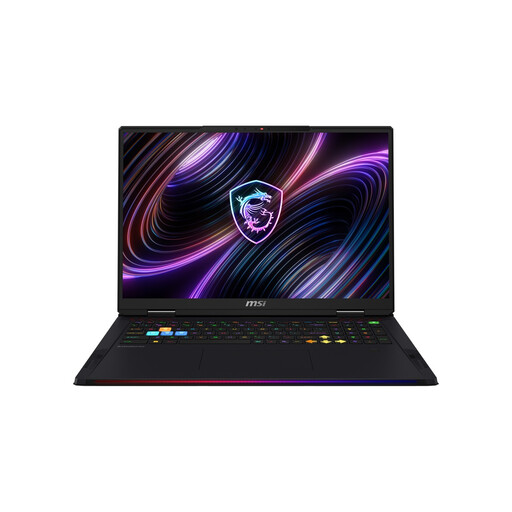
MSI Raider 18 Max HX A2WI-1075
For a Windows editing setup with a large display and dedicated graphics. Check that the exact specification suits your editing software and source footage.
18-inch Mini LED display with WQUXGA resolution, Intel Core Ultra 9 290HX, NVIDIA GeForce RTX 5080, 32 GB DDR5 RAM, 2-TB SSD and Windows 11 Home.
View at Joybuy
 No image available
Apple 16-inch MacBook Pro with M5 Max, 48 GB, 2 TB
For a macOS setup if your editing software is compatible. Check what’s included, as the product description says that a power adapter isn’t included.
M5 Max chip, 48 GB of memory, 2-TB SSD and German QWERTZ keyboard layout. The description lists SDXC, HDMI and Thunderbolt 5.
View at Joybuy
 No image available
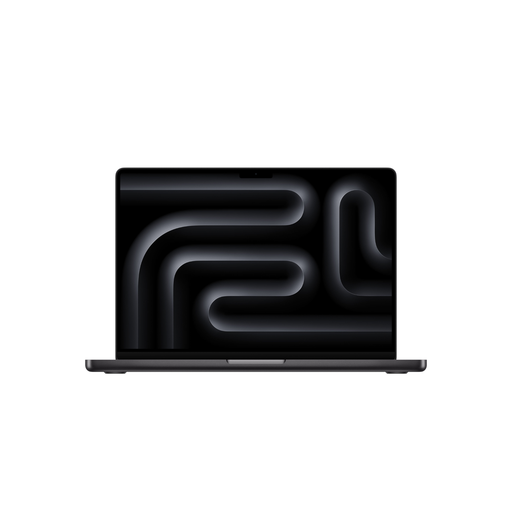
Apple 16-inch MacBook Pro with M5 Pro, 24 GB, 1 TB
A macOS option for editing software that’s compatible with the platform. Check what’s included, as the product description says that a power adapter isn’t included.
M5 Pro chip, 24 GB of memory, 1-TB SSD and German QWERTZ keyboard layout. The description lists SDXC, HDMI and Thunderbolt 5.
View at Joybuy
 No image available
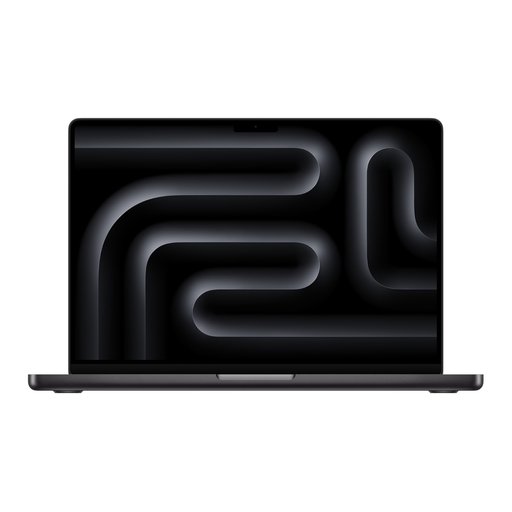
Apple 14-inch MacBook Pro with M5 Pro, 24 GB, 2 TB
For a macOS editing setup with a more compact display than the 16-inch models listed here. Check what’s included, as the product description says that a power adapter isn’t included.
M5 Pro chip, 24 GB of memory, 2-TB SSD and German QWERTZ keyboard layout. The description lists SDXC, HDMI and Thunderbolt 5.
View at Joybuy
 No image available
MSI Raider 18 HX A2WH-1088
For Premiere on Windows at 4K and above, Adobe recommends at least 32 GB of RAM and 8 GB of graphics memory. The product description lists 32 GB of RAM and 12 GB of graphics memory. Its stated weight may make it less convenient to carry.
18-inch QHD+ display, Intel Core Ultra 9 275HX, NVIDIA GeForce RTX 5070 Ti with 12 GB of graphics memory, 32 GB DDR5 RAM, 1-TB SSD and Windows 11 Home. The description gives the weight as 3.6 kg.
The description lists HDMI and an SD card reader.
View at Joybuy
Frequently asked questions
Do I need a laptop with 32 GB of RAM to edit multiple video tracks?
No, it depends on factors including your editing software and resolution. For Premiere on Windows, Adobe recommends 16 GB of RAM for HD and at least 32 GB for 4K and above. Check the requirements for your specific project too.
What can I do if previews stutter with high-resolution footage?
In Premiere, you can edit using lighter proxy files and switch back to the original media for the final export. Allow storage space for both sets of files, and back up important original footage and project files regularly. The Federal Office for Information Security recommends backing up data regularly.
Are a manufacturer’s guarantee and your statutory rights the same thing?
No. The consumer advice centre distinguishes between your statutory rights against the seller and an additional, voluntary guarantee subject to its own terms. If a product is faulty, the first step may be repair or replacement.
Can I return a laptop bought online in Germany?
Consumers generally have a statutory 14-day right to cancel an online order, starting from the day they receive it. Exceptions and the terms of the specific purchase may apply. The consumer advice centre explains this period in its information dated 5 August 2026. Cancelling an order is separate from dealing with a faulty device.


