Multi-camera editors
If you want to synchronise footage of the same celebration and switch between different angles, start by checking the editing software, playback and memory. Adobe and Apple Support provide guidance on multi-camera workflows.


The right choice depends on your editing software, resolution and how many angles you want to play back at once. For Adobe Premiere on Windows, Adobe recommends 16 GB of RAM for HD and 32 GB or more for 4K; these figures don’t guarantee smooth multi-camera editing. A Mac with compatible editing software or a Windows laptop with a dedicated GPU could both be suitable. Check the exact specification, ports and footage for your project.
If you want to synchronise footage of the same celebration and switch between different angles, start by checking the editing software, playback and memory. Adobe and Apple Support provide guidance on multi-camera workflows.
If you manage lots of original clips, music and working copies, SSD capacity, straightforward importing and backups are important considerations. Adobe also describes proxy workflows, which involve additional working copies.
If you edit away from a permanent workspace, weigh up portability and software compatibility against the demands of your actual project. Apple provides the technical specifications for its MacBook Pro models.
A good fit if: you want to use macOS and, for example, switch between synchronised camera angles in Final Cut Pro. Apple Support explains the multi-camera workflow.
Keep in mind: Media Engine specifications don’t show how many tracks your particular project will play back smoothly. Check the storage and ports, too.
A good fit if: you prefer Windows and need a specification suited to your editing software, 4K footage or planned effects. For Premiere on Windows, Adobe recommends at least 32 GB of RAM and 8 GB of GPU memory for 4K.
Keep in mind: specifications and ports vary by full model number; the model name alone doesn’t confirm the RAM or GPU.
| What matters | What to check before buying | Who it matters most to |
|---|---|---|
| Smooth editing across multiple tracks | Match your editing software to the resolution, codec and number of angles you’ll view at once. For Premiere on Windows, Adobe recommends 16 GB of RAM for HD and 32 GB or more for 4K, as well as 8 GB of GPU memory. | If I want to synchronise several camera angles and switch between them while editing, the specification needs to suit that exact workflow. Around 28% of consumers prioritise playback across multiple tracks. |
| Space for original footage and working copies | Check SSD capacity, ports for external drives and where you plan to store original footage, project files and proxies. Adobe describes proxies as additional, lower-resolution working copies. | If I organise lots of original clips and project files, I also want to leave enough room for possible proxies. Around 22% of consumers prioritise file management and storage space. |
| Editing on the move | Compare the weight, screen size and ports of the exact configuration with the places where you plan to edit. | If I take my laptop between different workspaces, its specification needs to suit how I plan to carry it. Around 17% of consumers prioritise portability. |
| Checking image quality | Check the screen size, resolution and stated colour gamut coverage of the exact variant. Adobe recommends taking the sequence’s colour management into account. | If I want to assess the preview and timeline directly on my laptop, display quality matters to me. Around 17% of consumers prioritise image quality. |
| A suitable specification, not the maximum | Check your software requirements and the accessories you’ll need before choosing a specific configuration. Software recommendations don’t guarantee smooth multi-camera editing. | If I only edit family videos occasionally, I want to work out what I actually need before paying for more performance than necessary. Around 16% of consumers prioritise an overall specification that suits their needs. |
Creator and premium ranges are available in different configurations. A similar model name alone doesn’t tell you how much RAM it has, which GPU is fitted or what ports are included.
Compare the full model number, RAM, GPU, SSD and ports with the details of the specific product.
Proxy files are additional working copies alongside the high-resolution original footage, so they need their own storage space.
Allow for your original footage, project files, cache and any working copies, and keep importing and backups organised.
Requirements depend on factors including editing software, resolution and effects. A powerful configuration isn’t necessarily needed for every occasional family project.
First, check your software and source footage, then compare the specific laptop’s specification with the demands of your project.
MacBook Pro is for anyone who wants to use macOS and, potentially, Final Cut Pro. Apple provides information on multi-camera editing and the technical specifications of individual models.
The ProArt P16 range includes Windows laptops for creators in a variety of configurations, including models with a large screen and dedicated NVIDIA graphics.
The OMEN Transcend 16 u1776ng is a Windows model with a dedicated GPU whose specifications can be compared.
The Yoga Pro 9i Gen 10 Aura Edition is a 16-inch creator range for anyone interested in a larger Windows display.
The XPS 16 range is another premium Windows option, where the exact graphics variant matters.
This selection includes MacBook Pro and Windows laptops for editing family videos with multiple tracks. Compare each model’s editing software compatibility and specification with your footage and planned workflow.
 No image available
The 1-TB SSD and 24 GB of unified memory are worth considering if you edit project files locally and prefer a large screen.
The configuration described weighs 2.14 kg. According to the product description, a power adapter is not included.
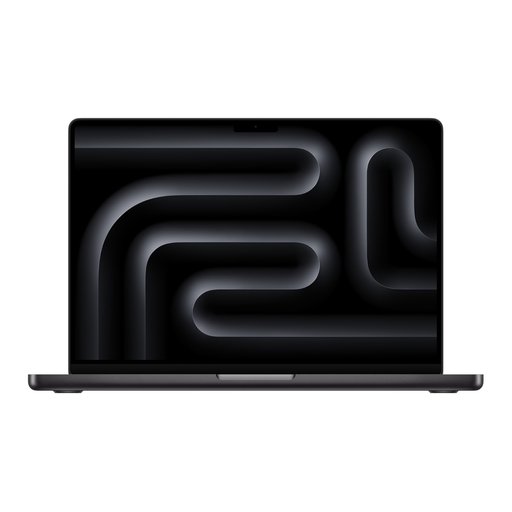 No image available
The 2-TB SSD provides local storage for original footage and project files. Check that the specific configuration is compatible with your editing software.
The description gives the weight as 1.60 kg. According to the product description, a power adapter is not included.
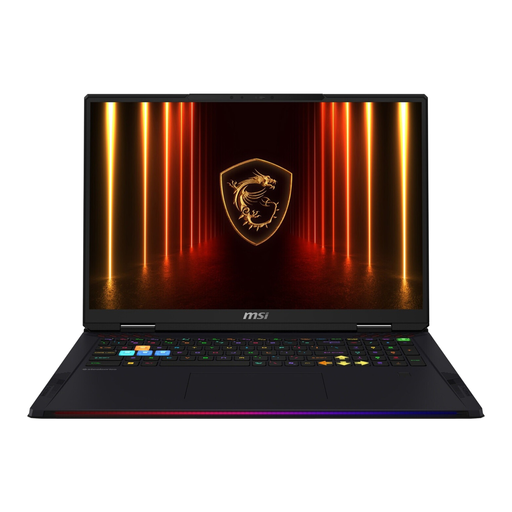 No image available
The 4-TB SSD and stated RTX 5090 with 24 GB of graphics memory are worth considering if you need plenty of local storage or a specification suited to graphics-intensive effects.
According to the description, this 18-inch laptop weighs 3.6 kg, making it less convenient to carry around frequently.
 No image available
This Windows laptop combines an RTX 5070 with 12 GB of GPU memory and a 1-TB SSD. Check the requirements of your editing software and footage.
For Premiere on Windows, Adobe recommends 32 GB of RAM or more for 4K and above; this configuration has 16 GB.
 No image available
The dedicated RTX 4070 is listed with 8 GB of GPU memory, while the 1-TB SSD provides local space for project and media files.
For Premiere on Windows, Adobe recommends 32 GB of RAM or more for 4K and above; this configuration has 16 GB.
No. The number of tracks alone doesn’t determine how much memory you need. For Premiere on Windows, Adobe recommends 16 GB of RAM for HD and 32 GB or more for 4K and above. Also check your editing software, source footage and how many angles you’ll play back at once.
With suitable editing software, you can synchronise footage of the same event and edit it as a multi-camera sequence. Apple Support recommends using well-recorded audio to synchronise clips in Final Cut Pro; check which synchronisation options your software offers.
A proxy workflow uses lower-resolution working copies while you edit. Keep the original files and allow storage space for the additional copies; proxies don’t replace your editing software’s requirements.
For a standard online consumer purchase, you generally have a 14-day right to cancel from the day you receive the goods, as Your Europe explains. Check the terms of your specific contract; the right to cancel and your warranty rights are different.
For a consumer purchase, your statutory rights apply against the seller and are separate from any voluntary guarantee. If a product is faulty, you may first be entitled to a repair or replacement; the Verbraucherzentrale explains the difference.