Who is a compact laptop suitable for?

Working with sheet music at a small desk

If you edit sheet music and text in a limited space, you’ll need to balance the laptop’s footprint against how clearly you can view the score. The Federal Institute for Occupational Safety and Health emphasises that software on portable devices should present information clearly and legibly.

Teachers who need to share or print their work

If you want to share or print worksheets, check that the file formats and connections work with the devices you actually use. The MuseScore Studio Handbook explains how to export to PDF and print sheet music.

Making corrections directly on screen

If you want to review drafts using touch or a pen, the input options and what’s included with the specific convertible configuration are key. HP lists these features for individual OmniBook Ultra Flip configurations.

What to look for when buying

Traditional 13-inch laptop

A good fit if: having more desk space and being able to carry your laptop around matter more than getting the largest possible view of your score.

The trade-off: You may need to zoom in more often on a smaller screen. Also check that the specific configuration has the connections you need.

Traditional 14-inch laptop

A good fit if: you want to view the score and controls side by side for longer, and the laptop fits on your desk.

The trade-off: A larger screen diagonal doesn’t automatically mean better readability. Check the laptop’s dimensions and display scaling too.

14-inch convertible

A good fit if: you regularly want to review or mark up worksheets directly on a touchscreen.

The trade-off: A touchscreen alone doesn’t tell you whether the laptop supports a pen or includes one. Check these details against the full model number.

What matters What to check when buying Who is this especially important to?
Desk space and portability Compare the laptop’s width and depth with the space available; leave room for cables and input devices. If I need space for paper and a mouse alongside my laptop, its actual footprint matters to me. Around 27 % of consumers share this priority.
A clear view of sheet music and pages View a typical page in your intended software and at your chosen scaling; check the display format for the specific configuration. I want to be able to see the score and tools without constantly changing the view. Around 27 % of consumers prioritise a clear, readable page view.
Notation software and input Check that your chosen application supports the operating system; only treat pen input as essential if it’s part of your workflow. If my workflow depends on a particular notation app or input method, I check this before choosing a laptop. Around 20 % of consumers have this priority.
Printing, sharing and connecting devices Check PDF export and how you’ll transfer files; make sure the connections are compatible with your printer, monitor or existing adapter. It matters to me that a finished sheet can reach the printer or be shared in the way I need. Around 13 % of consumers prioritise this way of outputting and connecting.
Comfort during longer sessions Consider how long you’ll be working and the space available for the screen, keyboard or mouse. If I’m working on pages and small musical symbols for a long time, the whole desk setup needs to be practical. Around 13 % of consumers prioritise comfort during longer sessions.

Avoiding common buying mistakes

  • Choosing by screen size alone, rather than footprint and readability

    Neither a smaller laptop nor a higher pixel count guarantees that the score will be easy to use at your desk.

    Measure the available space and check a typical page in your chosen software and display scaling.

  • Assuming a touchscreen comes with a pen

    What’s included and which input options are available can vary between configurations in the same model family.

    Check pen support and what’s in the box against the full model number.

  • Overlooking the power adapter and connections on a specific configuration

    Check what’s included and which connections are available on the individual configuration. ASUS explicitly states that the Zenbook 14 OLED UX3405CA-QL205W does not come with a power adapter.

    Check the included accessories, charging requirements and ports against the equipment you already have.

Key brands at a glance

Apple

The 13-inch MacBook Air with M5 is a macOS option if you’re looking for a compact screen for a small workspace.

  • Apple lists a 13.6-inch display and two Thunderbolt 4 ports for this model.
  • If you already have HDMI accessories, you’ll need to check the right connection separately. The battery life quoted by the manufacturer isn’t a measure of how long it lasts while creating worksheets.

Lenovo

The ThinkPad X13 Gen 6 Intel is a 13.3-inch option with ports to support a workflow involving peripherals.

  • Lenovo’s platform specifications list HDMI, USB-A and two Thunderbolt 4 ports.
  • The operating system, display and other features depend on the configuration. The platform specifications don’t confirm the availability of a particular configuration.

ASUS

The Zenbook 14 OLED UX3405CA-QL205W is a specifically documented 14-inch Windows configuration, letting you weigh up screen space against desk space.

  • ASUS lists a resolution of 1920 × 1200 pixels, dimensions of 31,24 × 22,01 cm, HDMI and two Thunderbolt 4 ports.
  • ASUS states that this configuration doesn’t include a power adapter. This doesn’t necessarily apply to other Zenbook models.

HP

The OmniBook Ultra Flip 14-fh0797ng is a convertible option for workflows involving touch or pen input.

  • HP lists a 14-inch touchscreen, a pen and an HDMI adapter as included with this configuration.
  • These details apply to the configuration named here; check the features and included accessories for other variants individually.

Acer

The Swift 14 AI SF14-51 is a compact 14-inch alternative, assessed here based on one specific tested configuration.

  • COMPUTER BILD praised the display and battery life of the model it tested in June 2026.
  • The review cited limited SSD storage and soldered memory as drawbacks; this assessment doesn’t apply to every Acer configuration.

Joybuy product options

The models below include compact 13- and 14-inch laptops, as well as a 14-inch convertible. Compare their dimensions, connections and input options with your workspace and notation workflow.

HP OmniBook Ultra 14-kd0072ngx, 14-inch OLED laptop

HP OmniBook Ultra 14-kd0072ngx

A traditional 14-inch Windows option for creating a worksheet with MuseScore Studio.

14-inch OLED touchscreen with 2880 × 1800 pixels; dimensions 311,1 × 215,6 mm; weight 1,27 kg; Windows 11 Home.

View at Joybuy

HP OmniBook Ultra Flip 14-fh0670ng, convertible laptop with touchscreen

HP OmniBook Ultra Flip 14-fh0670ng

This convertible configuration is a good choice if you want to review or mark up worksheets directly on screen.

14-inch touchscreen with 2880 × 1800 pixels; pen and HDMI adapter listed as included; dimensions 313,7 × 216,2 mm; weight 1,34 kg; Windows 11 Home.

View at Joybuy
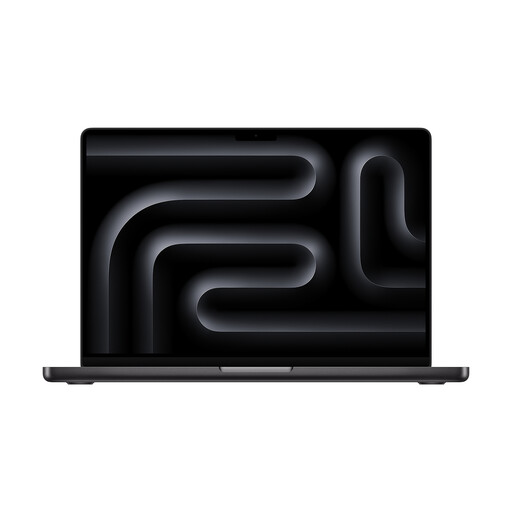
Apple 14-inch MacBook Pro with M5, 24 GB and 1 TB SSD

Apple 14-inch MacBook Pro (M5, 24 GB, 1 TB SSD)

A macOS option if you prefer a 14-inch view for music notation work.

14-inch Liquid Retina XDR display; HDMI port; macOS. According to the product description, a power adapter is not included.

View at Joybuy
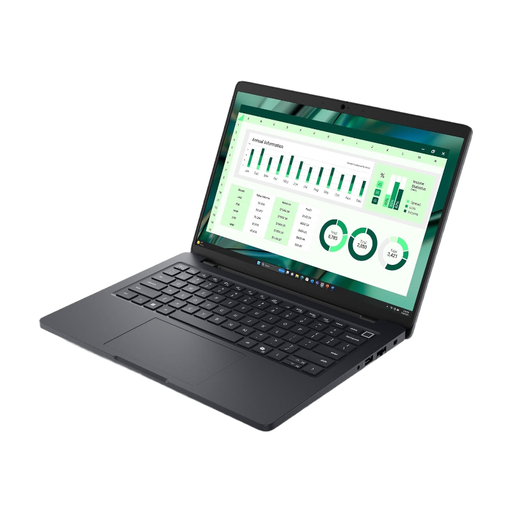
Dell Pro Max 14 MC14250 U7-265H, 16 GB

Dell Pro Max 14 MC14250 U7-265H (16 GB)

A traditional 14-inch Windows option if you want to use notation software on a laptop.

14-inch FHD+ display; 512 GB SSD; Windows 11 Pro.

View at Joybuy

Apple MacBook Air 13-inch with M5, 16 GB and 512 GB SSD, German QWERTZ Keyboard

Apple MacBook Air 13-inch (M5, 2026, 16 GB, 512 GB SSD, German QWERTZ Keyboard)

A compact macOS option if you want to keep as much desk space free as possible.

13,6-inch display; dimensions 30,41 × 21,5 cm; weight 1,23 kg; macOS. According to the product description, a power adapter is not included.

View at Joybuy

Frequently asked questions

Do I need a Mac or Windows laptop to work with sheet music on worksheets?

No, not just to use MuseScore Studio: the MuseScore Studio Handbook lists Windows, macOS and Linux as supported operating systems. If you use another application or specific add-ons, check the requirements for the version you have.

How can I share or print finished sheet music?

The MuseScore Studio Handbook explains how to export to PDF; you can then print the PDF too. For your workflow, also check how the laptop connects to the printer you use.

What can make longer sessions at a small desk more comfortable?

Check readability at your usual zoom level and plan your whole desk setup. The Federal Institute for Occupational Safety and Health highlights the importance of clear, legible software and describes external monitors and input devices as a way to get more out of a laptop. Whether they’ll fit on your desk depends on the space available.

What are my rights when buying a laptop online in Germany?

For a standard online purchase from a trader, you generally have 14 days from delivery to withdraw from the contract; exceptions and potential return costs apply. Your Europe explains the withdrawal rules. If the product is faulty, statutory consumer rights against the seller are separate from any voluntary manufacturer’s guarantee, as the Verbraucherzentrale also explains.

Can I simply copy someone else’s sheet music into worksheets?

No. The fact that a worksheet is intended for teaching doesn’t automatically mean you have permission. Section 60a of the German Copyright Act (UrhG) sets out conditions and specific exceptions for graphic reproductions of musical works. VG Musikedition also explains a limited agreement for schools, which does not apply to music schools or certain extracurricular groups. Check the rights for the specific material and how you plan to use it. If you write the music yourself, you won’t need to check the rights to someone else’s material.