What should you look for when buying?
First, work out what’s most likely to limit your productivity in a café: little table space, lots of typing, checking images or a set software workflow.
| Priority |
What to check before buying |
Who is it most important for? |
| Portability and working without a socket |
Check the dimensions and weight of the exact configuration, battery test conditions and what’s included in the box. |
If I often change where I work and can’t always find a socket, portability and charging needs matter to me. Around 25% of consumers put portability and working without a socket first. |
| Typing comfort and readability |
Compare the keyboard layout, backlighting and screen size of the exact configuration. |
For longer pieces and proofreading, I want to type comfortably and read the text easily. Around 20% of consumers prioritise writing and reading. |
| Checking layouts and images |
Check the panel type, resolution and stated colour gamut of the exact configuration; a colour-gamut specification alone doesn’t guarantee accurate colour reproduction. |
If I want to assess images and page layouts on the built-in display, I pay particular attention to its specifications. Around 20% of consumers put checking layouts and images first. |
| Software and file backups |
Check the supported operating systems and browsers, as well as the conditions for automatic saving. |
If my team specifies particular editorial tools and storage locations, my laptop needs to work with them. Around 20% of consumers prioritise their software workflow. |
| Purchase price and accessories |
Consider the exact configuration, included power adapter and any software you actually need. |
If I want to keep costs down, I compare only suitable configurations and factor in any accessories I need. Around 15% of consumers put upfront and ongoing costs first. |
Joybuy products for working in a café
This selection includes compact 14-inch laptops with OLED displays, a 13-inch MacBook Air and a 16-inch device with a larger screen for checking layouts.
 No image available
HP OmniBook Ultra Flip 14-fh0670ng, 2-in-1, 14-inch, 2.8K OLED
The 14-inch size and OLED display could be useful when working on newsletter layouts on your laptop.
Intel Core Ultra 7 258V, 32 GB RAM, 1 TB SSD, Windows 11 Home and Eclipse Gray.
View at Joybuy
 No image available
Apple 13-inch MacBook Air (M5, 2026), 24 GB, 1 TB SSD, German QWERTZ keyboard
This 13-inch configuration could be a good choice for writing newsletter copy at a smaller café table, if your workflow is compatible with macOS.
10-core CPU, 10-core GPU, 24 GB memory, 1 TB SSD and Silver. According to the product listing, a power adapter isn’t included; you’ll need to supply a compatible USB-C power adapter separately.
View at Joybuy
 No image available
ASUS Zenbook 14 UX3405CA-QD1303W, WUXGA OLED, 16 GB, 1 TB
The 14-inch OLED touchscreen is useful for previewing newsletter layouts on a compact Windows laptop.
Intel Core Ultra 7 255H, Intel ARC, 16 GB RAM, 1 TB SSD and Windows 11.
View at Joybuy
 No image available
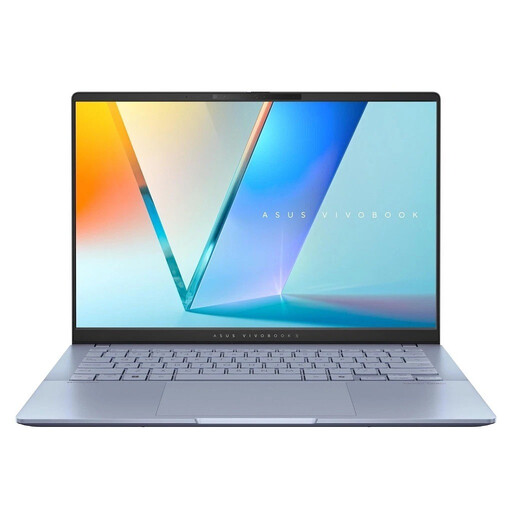
ASUS Vivobook S 14 OLED, 14-inch, Ultra 7 256V, 16 GB, 1 TB
The 14-inch OLED display gives you a built-in screen for previewing newsletter copy and layouts.
WUXGA, Intel Ultra 7 256V, 16 GB RAM, 1 TB SSD, Windows 11 and model number S5406SA-QD006W.
View at Joybuy
 No image available
ASUS Zenbook S16 UM5606GA-SS335W, 16-inch, WQXGA OLED, 32 GB, 1 TB
The 16-inch display gives you more room to check layouts, but takes up more space on a small café table.
AMD Ryzen AI 9 465, 32 GB RAM, 1 TB SSD and Windows 11. The product name indicates that a power adapter isn’t included.
View at Joybuy
Frequently asked questions
Do I need a specific operating system to use Figma for newsletter design?
Not just for Figma: the provider describes the software as primarily browser-based and also offers desktop apps for macOS and Windows. Check the latest browser and operating system requirements, along with those of the other tools in your workflow.
How do I set up automatic saving when editing?
For Microsoft 365 AutoSave to work, the file must be stored in a supported location such as OneDrive or SharePoint. Microsoft says the feature is enabled by default for these locations. Check its status in the application you’re using, and don’t assume the same applies to other programmes or files stored locally.
Can I work with sensitive newsletter data over café Wi-Fi?
The Federal Office for Information Security (BSI) recommends avoiding access to sensitive data over public Wi-Fi wherever possible. If you have no alternative, it recommends using a VPN where possible; also follow your organisation’s security rules.
What should I check about the power adapter and accessories?
Check what’s included with the exact configuration. ASUS says that the Zenbook 14 OLED UX3405CA-QL205W doesn’t come with a power adapter and needs a compatible USB-C power adapter of at least 45 W and no more than 65 W. This doesn’t apply to all Zenbook models.
What return and faulty-goods rights apply to private online purchases in Germany?
According to the Verbraucherzentrale, online orders generally come with a 14-day cancellation period from the date you receive your goods; you need to meet the relevant conditions and notify the seller of your cancellation. Your statutory rights for faulty goods apply against the seller independently of any voluntary warranty. The Verbraucherzentrale explains that new computers come with a two-year statutory warranty period.


