Newsletter writers on the go
If you regularly take your laptop to the library, look for a keyboard you enjoy typing on, a screen that’s easy to read and a battery that lets you get your work done without needing a power socket.


For writing and straightforward online layouts, you’ll want a comfortable keyboard, an easy-to-read display and a size that’s convenient to carry to the library. If you’re working on more complex page layouts, also check that your specific software is compatible. A larger display makes it easier to see everything at a glance, but takes up more room on your desk.
If you regularly take your laptop to the library, look for a keyboard you enjoy typing on, a screen that’s easy to read and a battery that lets you get your work done without needing a power socket.
If you often check images and page layouts, consider the available screen space and whether the layout software you actually use is compatible.
If you mainly want to get the essential tasks done, compare the specific specifications, what’s included and any software or accessories you’ll need, rather than choosing by product range alone.
First, decide whether you’ll mainly be writing or regularly reviewing more complex layouts. Then compare the specific keyboard, usable screen space, software requirements and what’s included.
| What matters | What to check before buying | Who should pay particular attention? |
|---|---|---|
| Typing comfort and readability | Keyboard layout and feel; the screen size, resolution, finish and scaling of the specific model. | If I’m editing longer texts, a suitable keyboard and easy-to-read text matter more to me than having the smallest possible device. Around 29% of consumers put typing comfort and readability first. |
| Portability and working without a power socket | The dimensions and weight of the specific model; the conditions behind the manufacturer’s battery life claims. | If I regularly take my laptop with me and can’t always count on having a power socket, I pay particular attention to its size and how long the battery actually lasts for my use. Around 23% of consumers prioritise portability and working without a power socket. |
| Layout space and software | The programs and file formats you need; then the operating system, processor architecture, RAM and screen resolution of the configuration. | If I also check layouts as well as text, I need enough screen space for my work and a device that runs the specific software I use. Around 18% of consumers put layout space and software compatibility first. |
| Quiet working | Noise measurements for the exact model under comparable conditions; keyboard noise and feel. | If I’m working somewhere quiet, I want to disturb others as little as possible, so I pay attention to fan and keyboard noise. Around 18% of consumers prioritise working as unobtrusively as possible. |
| Upfront and ongoing costs | What’s included with the exact model and any accessories you’ll need; software costs and warranty terms, if applicable. | If I only want to pay for what I need, I check whether the accessories and specifications in the specific offer suit me. Around 12% of consumers put total costs and what’s included first. |
Manufacturer battery life claims won’t necessarily reflect your own use of a browser, open images and chosen screen brightness.
Compare the test conditions and, if battery life is important, look for independent tests of the exact model under similar conditions.
Keyboard layout, storage and what’s included can vary between specific configurations. For example, a checked Dell 14 Plus offer page notes that no charger is included.
Check the model number, keyboard, RAM, SSD and what’s included with the specific offer.
If a charger you need isn’t included, you’ll have to buy a suitable one separately.
Adobe InDesign’s requirements depend on the version and platform. A general review doesn’t automatically confirm that your specific software and workflow will be supported.
First decide which program you’ll use, then check its requirements against the configuration you’re considering.
The ThinkPad E14 is an example of a 14-inch Windows laptop for work; the ThinkPad X9 15 Aura Edition is a larger alternative with more space for layouts.
The MacBook Neo for compact, straightforward workflows; the MacBook Air M5 for buyers who need a different storage and display configuration and want to use macOS.
The Dell 14 Plus is another Windows option for writing and working on layouts on the go.
The OmniBook 5 is an example of a 14-inch Windows laptop powered by Snapdragon.
This selection includes compact and larger laptops for writing newsletter copy and checking layouts. Keyboard, screen space, weight and what’s included vary by configuration.
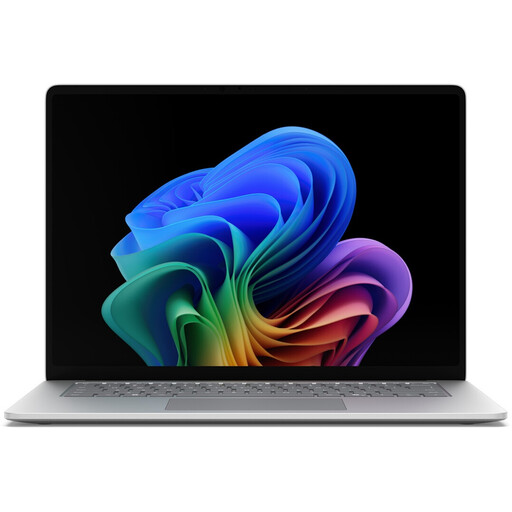 Image unavailable
For checking layouts on a larger touchscreen; bear in mind the 15-inch size when carrying it and finding space at a library desk.
Intel Core Ultra 5 335; Windows 11 Pro; 16 GB RAM; 512 GB SSD; touchscreen with 3270 × 2180 pixels and 120 Hz; 1,67 kg. A power adapter is included, according to the product description.
 Image unavailable
For writing with the occasional layout check, if you’d like a 14-inch convertible with a touchscreen.
Intel Core Ultra 7 258V; Windows 11 Home; 32 GB RAM; 1 TB SSD; 14-inch OLED touchscreen with 2880 × 1800 pixels; 1,34 kg. A 65 W power adapter is included, according to the product description.
 Image unavailable
For writing longer texts with a German keyboard layout and regularly taking your laptop to the library.
13,6-inch display with 2560 × 1664 pixels; 16 GB RAM; 512 GB SSD; German QWERTZ keyboard; 1,23 kg. The power adapter isn’t included, according to the product description.
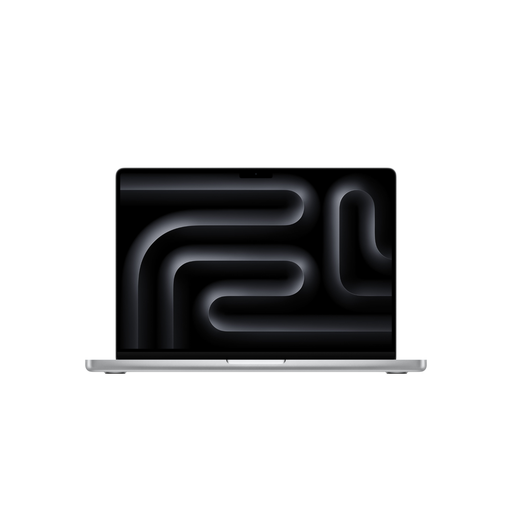 Image unavailable
For layout work with a German keyboard layout and a 14-inch display; check in advance that the specific configuration suits your programs.
14,2-inch display with 3024 × 1964 pixels; 24 GB RAM; 2 TB SSD; German QWERTZ keyboard. The power adapter isn’t included, according to the product description.
 Image unavailable
For checking layouts on a larger screen and switching between laptop and touchscreen use; bear the 16-inch size in mind when carrying it.
Intel Core Ultra 7 155U; Windows 11 Home; 16 GB RAM; 512 GB SSD; WUXGA IPS touchscreen with 1920 × 1200 pixels; German QWERTZ keyboard; around 1,87 kg. Described as offering laptop, tablet, stand and tent modes.
Only if InDesign is part of your actual workflow. For InDesign 21.3 and later on Windows, Adobe lists 8 GB RAM as the minimum and recommends 16 GB. These figures aren’t general minimum requirements for a workflow that’s entirely browser-based.
Install any software and updates you need before your visit, if possible, and check whether you’ll need an internet connection to sign in or activate your licence. Adobe says InDesign needs internet access for activation and subscription validation; check separately whether Wi-Fi or a power socket will be available at the particular library desk.
Germany’s Federal Office for Information Security recommends avoiding access to confidential data over someone else’s Wi-Fi where possible and, if you do need to, using a VPN where available. This is security advice, not a reason to choose a particular laptop model.
Check what’s included with the exact offer before you decide. For example, one Dell 14 Plus offer page shown doesn’t list a charger; other offers and model versions may differ.
When you buy from a business as a consumer in the EU, you’re generally entitled to a legal guarantee of at least two years from the date you receive the goods, as explained by Your Europe. Distance sales generally come with a 14-day right to cancel; the legal requirements and exceptions apply. This doesn’t cover purchases from private individuals or any voluntary retailer or manufacturer’s warranty.