If you mainly edit text in a confined space on the train, prioritise portability, a comfortable keyboard and an offline workflow. For longer journeys, battery life away from a socket becomes more important. If you work with images and layouts, also check the exact display configuration and whether your software is compatible.
Which priorities suit you?
Editorial teams with limited table space
If you mainly write and edit at the fold-down table, choose a laptop that fits comfortably there. Deutsche Bahn describes a range of table layouts, while Notebookcheck includes compact devices in its mobility comparison.
Editorial teams on long journeys
If you work for extended periods while travelling, don’t rely solely on finding a free socket or having a reliable connection. Deutsche Bahn outlines the availability of power sockets for different seating arrangements, as well as public Wi-Fi on trains.
Editorial teams working with layouts and approvals
If you switch between drafts, images and previews, or edit shared files, check the display configuration, software and offline access set-up. Google Docs Help and Microsoft Support explain the available options for offline files and syncing.
What should you look for when buying?
First, consider how much space your device can take up at your seat and how long you need to work without a socket. Then, tailor offline access, the display and data protection to your newsletter workflow.
| Consideration |
What to check before buying |
Who it matters most to |
| Portability at your seat |
Compare the device’s dimensions and weight, as well as its keyboard and footprint when open. |
If I mainly write text at the fold-down table, I want a device that doesn’t take up much space. Around 25 % of consumers say portability is their top priority. |
| Working without reliable power |
Check the stated battery life and the test conditions. For longer journeys, also consider independent tests of the same configuration and its charging requirements. |
On longer journeys, I don’t want to depend on a socket being free. Around 25 % of consumers put battery life at the top of their list. |
| Editing drafts without a reliable connection |
Make the files you need available offline in the programme and account you actually use, then test them without a network connection before travelling. |
If the connection drops while I’m travelling, I want to be able to carry on editing my prepared draft. Around 19 % of consumers say offline work is their top priority. |
| Viewing text and layouts clearly |
Check the display size, resolution and finish against the newsletter and layout software you use. |
When switching between a draft and preview, I want a screen that suits my work. Around 19 % of consumers prioritise being able to view text and layouts clearly. |
| Protecting confidential content |
Follow your organisation’s requirements and, if needed, prepare your workflow for offline use. |
If I’m working on confidential drafts or mailing lists while travelling, I want to be careful when using public networks. Around 12 % of consumers prioritise data protection on the move. |
Laptop buying pitfalls for train journeys
-
Assuming the manufacturer’s maximum battery life reflects your own working time
Apple quotes battery life of up to 18 hours for the MacBook Air. This is the manufacturer’s figure and won’t necessarily reflect a newsletter workflow; workload and display settings also make a difference.
Only compare battery life figures when the test conditions are stated, and allow for some extra capacity on longer journeys.
-
Assuming every configuration comes with a power adapter
No power adapter is listed for the ASUS Zenbook UX3405CA-QL205W. Dell also states that the charger is not included with the configuration described.
Check what’s included and the charging power specified for the exact configuration you’re buying.
-
Waiting until you’re offline to open a cloud file
Offline access depends on the application you use, the set-up steps required and whether the files you need are available on your device. Having a train connection doesn’t remove the need to prepare in advance.
Google explains the set-up steps and requirements for using offline mode on a computer. Make your draft and any images you need available offline before setting off, then test access without a network connection.
Key brands at a glance
The features mentioned apply to specific product ranges or configurations. Before buying, check the specifications for the exact model and make sure it works with your newsletter workflow.
Apple
The MacBook Air 13 M5 is a compact macOS option if the tools you use are compatible with macOS.
- For the 13.6-inch model in the base configuration described, Apple lists 16 GB of unified memory and a 512-GB SSD.
- Apple’s figure of up to 18 hours of battery life is not a measured result for working on the train. Also check that your software is compatible and that the keyboard layout suits you.
Lenovo
The ThinkPad X1 Carbon is available in 14-inch Windows configurations. The exact specification matters if you’re looking for a matte display.
- For model 21NX008PGE, Lenovo lists a matte WUXGA IPS display without touch functionality, 16 GB of soldered memory and a 512-GB SSD.
- Specifications and availability can vary by configuration. Check the model number, display and keyboard layout for the exact version you’re considering.
ASUS
The Zenbook 14 OLED UX3405CA-QL205W is a Windows option if you’re specifically looking for an OLED touchscreen.
- ASUS lists a weight of 1,28 kg, 32 GB of memory and a 1-TB SSD for this configuration.
- ASUS states that a power adapter is not included. Before buying, also check which compatible USB-C adapter is recommended.
Dell
The Dell 14 Plus DB14250 is a 14-inch Windows option for a workflow that includes drafting and previewing.
- One configuration described by Dell has 16 GB of memory, a 512-GB SSD and a QHD+ display without touch functionality.
- Configurations with the same model number can differ. Dell notes that the charger is not included with the configuration mentioned.
HP
The 13-inch EliteBooks are Windows business laptops worth considering if you’re looking for a configuration with Windows 11 Pro.
- For example, HP lists Windows 11 Pro, 16 GB of memory and a 512-GB SSD for the EliteBook 6 G1i with a 13.3-inch display.
- Don’t take these specifications to mean a particular battery life or performance for newsletter work. Check the exact configuration and your software requirements.
Joybuy products for working on newsletters on the train
The Joybuy products below include 13- and 14-inch options for a compact set-up, as well as a 16-inch device with a larger screen for drafting and previewing. Compare the size with the space available at your seat, and check that the specifications suit your workflow.
 No image available
Ruzava 14-inch laptop, N5095, 8 GB RAM, 256 GB SSD
The 14-inch format and stated weight of 1,39 kg make it a suitable choice for a mobile writing set-up.
FHD display; 256 GB SSD, expandable up to 1 TB according to the product name. The product description states battery life of up to 7 hours. This is the supplier’s figure, not a measured result for newsletter work.
View at Joybuy
 No image available
Apple MacBook Air 13-inch (M5, 2026), 16 GB, 512 GB SSD
The 13,6-inch display and stated weight of 1,23 kg make it a good fit for a compact writing set-up, provided your newsletter tools work with macOS.
10-core CPU, 8-core GPU, 16 GB memory, 512 GB SSD and German QWERTZ keyboard layout. The description states up to 18 hours of video playback; this is not a guaranteed battery life for editing. According to the product details, a power adapter is not included.
View at Joybuy
 No image available
Apple MacBook Neo 13-inch (A18 Pro), 8 GB, 512 GB SSD
The 13-inch format and stated weight of 1,23 kg make it a good fit for compact mobile use.
6-core CPU, 5-core GPU, 8 GB memory, 512 GB SSD and German QWERTZ keyboard layout. The product description states up to 16 hours of video playback; this is the supplier’s figure. According to the product details, a power adapter is not included; charging requires a suitable USB-C PD power source of at least 20 W.
View at Joybuy
 No image available
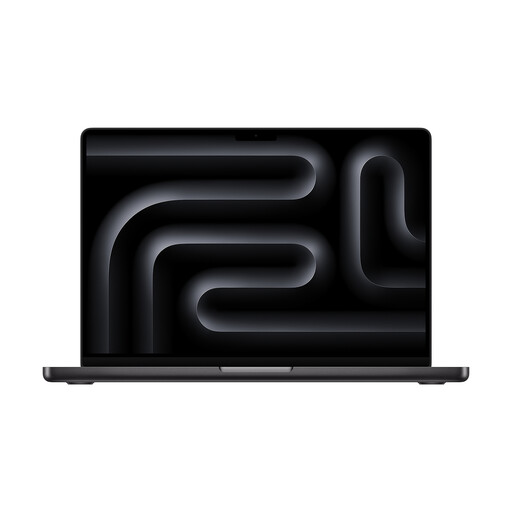
Apple MacBook Pro 14-inch (M5), 24 GB, 1 TB SSD
The 14-inch display gives you more screen space than the 13-inch options when switching between a draft and preview.
10-core CPU, 10-core GPU, 24 GB memory and 1 TB SSD. According to the product description, a power adapter must be purchased separately.
View at Joybuy
 No image available
Acer TravelMate TMP216-41-TCO, 16-inch, Ryzen 3 PRO 7335U
The 16-inch display gives you more screen space for drafting and previewing, but is less suited to tight seating than a more compact format.
WUXGA IPS display, 16 GB DDR5, 512 GB SSD, AMD Radeon 660M and Windows 11 Pro Education.
View at Joybuy
Frequently asked questions
Can I edit a newsletter draft without train Wi-Fi?
Yes, as long as you’ve set up the application and file you need for offline use beforehand. Google Docs Help explains how to use offline mode on a computer. For shared Microsoft files, make sure syncing or local access is set up correctly.
Do I need my own charging socket on an ICE train?
Don’t count on having a socket to yourself: Deutsche Bahn lists one socket per pair of seats in second class, and one per seat on selected train types. Also check whether your laptop comes with a suitable power adapter.
How should I handle confidential newsletter data on the train?
According to Deutsche Bahn, ICE and IC Wi-Fi is a public network. The Federal Office for Information Security recommends avoiding access to confidential data over public Wi-Fi where possible and, if you have no alternative, using a VPN if you can. Also follow your organisation’s requirements.
What rights apply when buying a laptop online from a trader?
For a typical online consumer purchase in the EU, you generally have 14 days from delivery to cancel. Exceptions and return costs may apply. Your Europe also states that you have at least two years of legal protection for faulty goods. The consumer advice centre distinguishes this statutory protection from a voluntary manufacturer’s warranty.


