Learners who code offline
You want to develop a timer locally and access language or web documentation you’ve saved in advance, even without an internet connection. Check that your tools and reference materials are set up for this workflow.


Choose a laptop that runs your specific development environment and lets you open documentation you’ve saved in advance without an internet connection. If you often move between locations, a more compact device may suit you; if you regularly keep code and documentation open side by side, a larger display can be more practical. Advertised video playback times don’t automatically tell you how long the laptop will last while you’re coding.
You want to develop a timer locally and access language or web documentation you’ve saved in advance, even without an internet connection. Check that your tools and reference materials are set up for this workflow.
You code in different study locations and are weighing up a smaller chassis against more screen space for your code and documentation.
You want to pay for the features your specific timer project needs, rather than spending more simply because a model sits higher in a product range.
First, work out which development tools and documentation need to work offline. Then compare the exact specification with your needs for portability and space to keep multiple windows open.
| Consideration | What to check | Who is this important to? |
|---|---|---|
| Offline tools | Install your editor, language and extensions in advance; download the documentation you need and check that you can open it without a network connection. | If I want to develop the timer without the internet and use saved reference materials, my tools need to work offline. For around 33% of consumers, offline compatibility is the top priority. |
| Specification and cost | Check the RAM, SSD and ports on the exact model against the software you actually need; check what’s included in the box. | If I only want to pay for the features my project needs, I compare suitable configurations rather than model names. Around 27% of consumers prioritise a specification that fits their budget. |
| Portability | Compare the size and weight of the exact model; assess battery life only in the context of the stated test conditions. | If I often take my laptop between study locations, a handy size and the ability to work without a power socket matter to me. Around 20% of consumers prioritise portability. |
| Space for multiple windows | Check the display size and exact screen specification, especially if you’ll have your editor and documentation open at the same time. | If I want to view code and locally saved documents side by side, enough screen space matters more to me than having the smallest possible device. Around 20% of consumers prioritise space for working across multiple windows. |
Simply having an online tab open doesn’t guarantee you’ll be able to access it without a connection. The Python Software Foundation offers documentation to download; Mozilla describes MDN Offline as a feature of MDN Plus.
Download the materials you need in advance and test that you can access them with your network switched off.
Apple quotes up to 18 hours of video streaming for the MacBook Air; Samsung quotes up to 25 hours of video playback for the Galaxy Book6. These manufacturer figures refer to video playback, not the same kind of workload involving an editor, documentation and tests.
Only compare battery figures when the test conditions are clear, and don’t treat video playback figures as a guaranteed runtime for your work.
Microsoft documents the emulation of many x86 and x64 applications on Windows on Arm. However, Microsoft says that the drivers you need must be available as native Arm64 versions; emulation can also affect performance.
Before buying, check that the specific editors, extensions, compilers and drivers you plan to use are supported.
For the MacBook Air model listed here, the product details on Joybuy state that no power adapter is included. This may not apply to other models.
Check the specific listing to see whether a suitable power adapter is included.
The 13-inch MacBook Air with M5 is a compact macOS option if your development tools run on this platform.
The IdeaPad Slim 5i Gen 10, part number 83HS002EGE, is a 16-inch Windows option with an Intel processor and more room for your work windows.
The Galaxy Book6 NP740VJK-KG7DE is a compact Windows option with an Intel processor and a 14-inch display.
The Vivobook S16 S3607QA combines a 16-inch format with Windows on a Snapdragon X processor. It’s worth considering if you’ve checked that the tools and drivers you need are compatible.
This selection includes laptops for locally installed development tools and reference materials saved in advance, from compact devices to larger displays for working across multiple windows.
 No image available
If you want to work on code and documentation on a larger display, the 16-inch format is worth considering.
The product title lists an AMD Ryzen 5 6600H, 16 GB RAM, a 512 GB SSD and a German keyboard.
 No image available
If you often change study locations and your tools run on macOS, its compact design could be a worthwhile trade-off compared with a larger display.
The product details list an M5 with a 10-core CPU and 8-core GPU, 16 GB of memory and a 512 GB SSD. No power adapter is included with this model.
 No image available
If you’re looking for a Windows laptop to take between study locations, the 14-inch format and compatibility with the specific programmes you need are important points to check.
The product details list an OLED display, an Intel Core Ultra 7 255H, 16 GB RAM, a 1 TB SSD, Windows 11 and a German keyboard.
 No image available
If you want to view code and documentation side by side on a larger Windows display, the 16-inch format is worth considering.
The product description lists an Intel Core Ultra 7 155U, 16 GB RAM, a 512 GB SSD, Windows 11 Home, a WUXGA IPS display and a German QWERTZ keyboard.
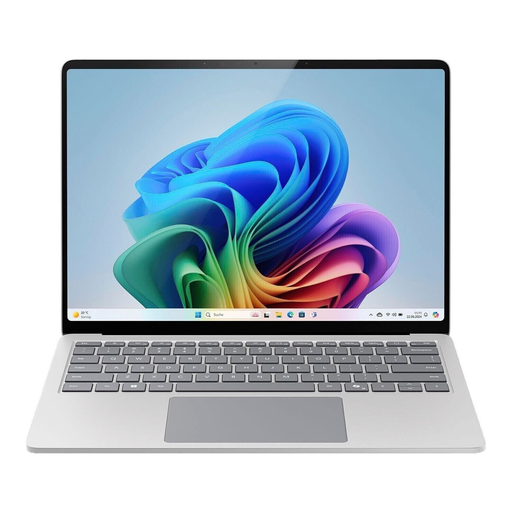 No image available
If you use Windows and want to view multiple files or documentation side by side, the 15-inch display is worth considering.
The product details list an Intel Core Ultra 5 236V, 16 GB RAM, a 512 GB SSD, Windows 11 Pro and a 3:2 display.
Don’t rely on it: download the content you need in advance or use documentation that’s explicitly available offline. The Python Software Foundation offers documentation to download; Mozilla describes MDN Offline as a feature of MDN Plus. Test your materials with your network switched off.
Before buying, check that your specific editors, extensions, compilers and drivers work with the architecture. Microsoft documents the emulation of many x86 and x64 applications, but says that any drivers you need must be native Arm64 versions; emulation can affect performance.
Install your editor and the runtime you need, download the relevant documentation and test a complete edit-and-run workflow without a connection. This will show whether your specific setup works offline.
The project alone doesn’t point to a single set specification for a particular CPU brand or graphics card. What matters is whether your specific editor, programming language and any extensions you need will run on the operating system and processor architecture.
For consumer purchases in the EU, there’s a statutory minimum two-year legal guarantee from the date you receive the goods, as explained by Your Europe; this isn’t the same as a voluntary manufacturer’s warranty. In Germany, distance sales generally come with a 14-day right to cancel. The Federal Ministry of Justice lists statutory exceptions that should be considered in each case.