Who is this selection for?

Offline developers

If you want to open your recipe organiser and saved references without an internet connection, download the content you need in advance and test it offline. MDN Web Docs explains how service workers cache app files; DevDocs offers an offline documentation feature.

Local app tinkerers

If you use code, a browser preview and development tools at the same time, check that your specific tools are supported by the operating system, and check the memory and SSD in your chosen configuration. Microsoft documents the requirements for Visual Studio Code.

Developers on the move

If you often change where you work, weigh up screen space, ports and overall size. Manufacturers’ battery-life figures are based on specific usage conditions and don’t automatically tell you how long your development workflow will run away from a power socket.

What should you look for when buying?

Windows laptop

A good fit if: your locally used tools support Windows and you want to choose between specific Intel or AMD configurations.

Things to weigh up: Storage, ports and whether a power adapter is included vary by exact model.

MacBook with macOS

A good fit if: your planned development tools support macOS and you’re looking for a compact device.

Things to weigh up: Check tool compatibility and ports. Apple’s figure of up to 18 hours is based on video streaming, not programming.

Linux laptop

A good fit if: your required tools support Linux and you’re happy to handle the setup yourself.

Things to weigh up: Check support for your extensions, other project tools and hardware, as well as your editor.

Chromebook with ChromeOS

A good fit if: the Linux development environment and your locally stored tools are available on the specific device.

Things to weigh up: Google notes that Linux may be disabled on managed devices; you’ll need internet access for the initial setup.

Priority What to check when buying Who is it especially important to?
Using documentation and projects offline Download the references and dependencies you need in advance; open your project and local test page without a network connection. If I need to access recipes, code and references without a connection, an offline workflow comes first for me. Around 33% of consumers make offline access their top priority for this task.
Local development workflow Check that the operating system and processor architecture work with all your planned tools; with Windows on Arm, check driver requirements too. If I want my editor, browser and other tools to work together locally, compatibility is my main concern. Around 27% of consumers put their local development environment first.
Working on code and recipes comfortably Check the display size and resolution of the specific model; consider the keyboard layout and monitor connection if needed. If I want to work comfortably on code, previews and recipe content, having a suitable workspace matters to me. Around 20% of consumers prioritise readability and a clear workspace.
Working away from a power socket Check the dimensions and ports; consider battery-life figures in light of the stated usage conditions. If I often work in different places, I want the weight and ports to suit the way I actually work. Around 13% of consumers put portability first.
What’s included and the total cost Check the power adapter and exact configuration; also plan for a suitable way to keep separate backups. If I want to know what I’ll need for a complete, usable workspace before buying, I pay particular attention to what’s included and any accessories I’ll need. Around 7% of consumers prioritise the overall picture.

Common buying and usage mistakes

  • Assuming ‘offline’ means references are automatically available

    Installing an editor or browser doesn’t automatically make documentation pages available if they haven’t been saved locally first.

    Download the references you need in advance and open important pages with your network switched off.

    Downloading, updating and checking the content you need locally takes extra time.

  • Taking a manufacturer’s battery-life figure as programming time

    Apple quotes up to 18 hours of video streaming for the MacBook Air reviewed. This figure doesn’t describe battery life while developing.

    Compare battery-life figures only in the context of their stated usage conditions, and test your own setup on battery power.

  • Assuming what’s included based on the model range

    Dell lists the Dell 14 configuration reviewed as not including a power adapter; HP says the ProBook version reviewed comes with a power adapter.

    Check what’s included with the exact model before buying.

    You may need to budget for a suitable power adapter separately for the Dell configuration reviewed.

  • Keeping just one copy of your recipe project

    If your laptop is damaged or lost, your local project and recipe files could be affected too.

    Plan to make regular, separate backups and test that you can restore your files. Germany’s Federal Office for Information Security recommends backing up data regularly.

    Keeping a separate backup may require an additional storage device.

Key brands to consider

Dell

The Dell 14 DC14250 is an example of a compact Windows configuration for local development tools.

  • For the configuration shown, Dell lists 16 GB RAM, a 512 GB SSD and a 14-inch display with a resolution of 1920 × 1200 pixels.
  • This configuration is sold without a power adapter. These details don’t apply to all Dell laptops.

Lenovo

The ThinkPad E14 Gen 7 AMD is a Windows option where you should check the ports and upgrade options against the exact model.

  • For model 21T00022GE, Lenovo lists 16 GB RAM, a 512 GB SSD and a German keyboard.
  • Upgrade options across the model range don’t necessarily mean every version you order will have the same features.

Apple

The 13-inch MacBook Air with M5 reviewed is a macOS alternative for a compact development workspace.

  • For the base configuration, Apple lists 16 GB of unified memory, a 512 GB SSD and two Thunderbolt 4 ports.
  • The figure of up to 18 hours is for video streaming. Check tool compatibility and ports separately.

HP

The ProBook 4 G1a 14 is an example of a Windows business configuration with a larger local SSD.

  • For model CB4M5EA#ABD, HP lists 16 GB RAM, a 1 TB SSD, HDMI, USB-A, two USB-C ports and an included power adapter.
  • These details apply to this specific model and may not apply to other HP versions.

Joybuy laptops for local development

This selection features Windows laptops for locally installed development tools and saved project and documentation files. Check your tools’ compatibility especially carefully if the configuration has a Snapdragon processor.

Lenovo Yoga Slim 7i Aura Edition, 14-inch OLED, 16 GB RAM and 1 TB SSD

Lenovo Yoga Slim 7i Aura Edition 14-inch

Could suit a local Windows workflow if your development tools support this specific configuration.

14-inch OLED display, Intel Core Ultra 7 355, 16 GB RAM, 1 TB SSD and Windows 11.

View at Joybuy

Acer Nitro V 16 AI, 16-inch, 16 GB RAM and 1 TB SSD

Acer Nitro V 16 AI ANV16-42-R1HB

The 16-inch display could be useful if you like to work with several windows open side by side.

16-inch display, 2560 × 1600 pixels, AMD Ryzen 7, 16 GB RAM, 1 TB SSD and Windows 11 Home; stated weight: 2.44 kg.

View at Joybuy

Lenovo ThinkPad E16 Gen 3, 16-inch, 32 GB RAM and 1 TB SSD

Lenovo ThinkPad E16 Gen 3 21ST

A Windows configuration with a larger display and plenty of stated memory for a local development workspace.

16-inch WUXGA display, AMD Ryzen 7 250, 32 GB RAM, 1 TB SSD and Windows 11 Pro; stated weight: 1.71 kg.

View at Joybuy
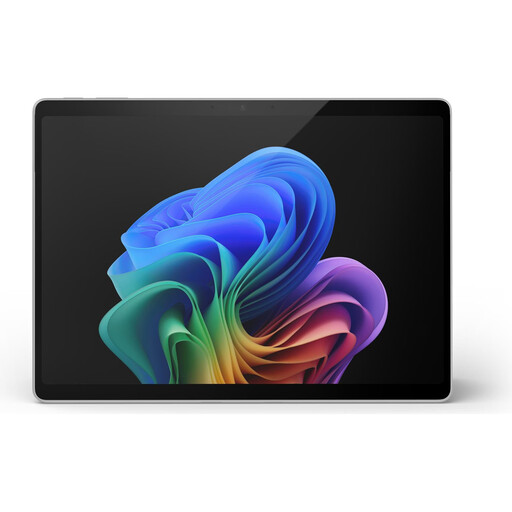
Microsoft Surface Pro 11, 13-inch, Snapdragon X Plus, 16 GB RAM and 512 GB SSD

Microsoft Surface Pro 11 13-inch Snapdragon X Plus

Could suit a mobile Windows workflow if all the programmes and drivers you need are compatible with the processor architecture.

13-inch touchscreen, 16 GB RAM, 512 GB SSD and Windows 11 Pro; stated weight: 0.90 kg.

View at Joybuy

HP ZBook 8 G1i 14, 64 GB RAM and 1 TB SSD

HP ZBook 8 G1i 14 Ultra 9 285H

A Windows configuration with a 14-inch display and large SSD for locally stored project files and documentation.

Intel Core Ultra 9 285H, 64 GB RAM, 1 TB SSD and Windows 11 Pro; stated weight: 1.43 kg.

View at Joybuy

Frequently asked questions

Is a browser enough to read documentation offline?

No. The references you need must first be made available locally. DevDocs describes an offline documentation feature; test the pages you need without a connection.

How can I test my recipe organiser without the internet?

Set up the web app locally and test the app and its data with the network disconnected. According to MDN, service workers can cache files that have been loaded beforehand. This requires a secure context, and localhost is generally considered trustworthy.

How can I back up recipes and project files?

Make separate backups regularly and check that you can restore your files. Germany’s Federal Office for Information Security lists USB sticks and external hard drives, among other options, for individuals.

What are my rights when buying a laptop online in Germany?

Distance contracts with consumers generally include a right to cancel, subject to statutory exceptions; Section 355 of the German Civil Code (BGB) sets a 14-day period. For ordinary movable goods, claims for defects generally become time-barred two years after delivery under Section 438 of the BGB. Statutory rights relating to defects and a voluntary manufacturer’s guarantee are separate claims.

Can I use a Chromebook for this development project?

It could work if the Linux development environment and the tools you need are available on the specific device. Google notes that Linux may be disabled on managed school or work devices; you’ll need internet access for the initial setup.