Students working on large panorama projects
If you’re stitching together lots of images or high-resolution shots, look for enough RAM and free storage space for your project files.


For panoramas made from lots of images or high-resolution shots, you’ll need enough RAM and free SSD space. If colour accuracy matters to you, check the display specifications of the exact model you’re considering, too. A larger screen can be useful if you mainly work at a desk, while a more compact laptop may be more practical if you regularly travel to university. The right specification also depends on the software you use and the scale of your projects.
If you’re stitching together lots of images or high-resolution shots, look for enough RAM and free storage space for your project files.
If you need to assess gradients and colours, the display specifications of the exact laptop model are key.
If you regularly take your laptop with you and only create panoramas occasionally, weigh portability against the size of the built-in screen.
First, decide which software you want to use and how large your projects are likely to be. Then compare RAM, free storage space, display and portability with the way you actually work.
| Buying criterion | What to check | Who it matters most to |
|---|---|---|
| RAM and performance | Check the RAM in the exact model and the requirements of your software. Adobe recommends at least 16 GB RAM for Photoshop 27.x; this is not a general minimum requirement for every panorama programme. Hugin notes that large projects can use up available RAM. | When I’m stitching together lots of images or high-resolution shots, I want to avoid RAM or storage becoming a bottleneck. Around 36% of consumers put processing and memory capacity at the top of their list. |
| Display and colour reproduction | Compare the display specifications for the full product code, not just the model family name. Also consider whether you’ll assess colours on the built-in display or an external monitor you already own. | When I’m checking gradients and colours at my desk, I need a display with specifications that meet my requirements. Around 29% of consumers put the display and colour accuracy first. |
| Overall cost and what’s included | Check the operating system and what’s included with the exact configuration. Hugin is free to use, according to Hugin, but choosing software doesn’t replace checking whether the laptop suits your workflow. | When I need to keep an eye on my student budget, I want to know in advance what’s included and what I’ll need to provide myself. Around 21% of consumers put overall cost first. |
| Taking it to university | Compare the dimensions and weight of your chosen model with your daily routine. Think about how often you’ll edit panoramas on the go and whether you’ll have an external monitor at your usual workspace. | When I regularly take my laptop to university, I’m more willing to compromise on built-in screen space. Around 14% of consumers put everyday portability first. |
For the Lenovo IdeaPad Slim 5 with product code 82XG003MGE, Lenovo lists 16 GB RAM and a 512-GB SSD, but a display with 45% NTSC and no operating system. Features advertised for the model range aren’t necessarily included in this configuration.
Before buying, compare the full product code, display specifications and included operating system. If you need a pre-installed operating system, make sure you have a suitable option.
The XPS-13-DX13260 offers listed by Dell differ in RAM; the offers shown are also marked as not including a power adapter.
Check the exact configuration and confirm whether a suitable power adapter is included or one is already available to you.
When stitching larger Hugin projects, temporary files can take up storage space, in addition to the original shots and finished panoramas.
Allow for free storage space in your workflow and back up your original images separately.
IdeaPad Slim models may be worth considering if you want a larger workspace; the exact product code determines which specifications you get.
The MacBook Air is available in 13.6- and 15-inch versions, offering different options for screen size and portability.
The XPS 13 DX13260 is a compact Windows option if you regularly take your laptop with you.
The Vivobook 16 (M1605) is a larger everyday option; check the display specifications for the exact model you’re considering.
The Galaxy Book5 15 is a Windows option with a larger display.
These models include larger displays for a permanent workspace and more compact laptops for use in your room and around campus.
 No image available
If you mainly work at a desk, the 16-inch format can give you more screen space. Note that the product name indicates that a power adapter isn’t included.
This model is listed with a WQXGA OLED display, Ryzen AI 9 465, 32 GB RAM, 1 TB SSD and Windows 11.
 No image available
If you’re looking for a 14-inch laptop to take between your room and campus, this model may be worth considering for its listed storage and RAM.
The product name lists Ultra 9 285H, 64 GB RAM and 1 TB SSD.
 No image available
If you’re after a compact device for use in your room and on the go, compare this 14-inch 2-in-1 model with your display and specification needs.
It’s listed with a 2.8K OLED touchscreen, Intel Core Ultra 7 258V, 32 GB RAM, 1 TB SSD and Windows 11 Home.
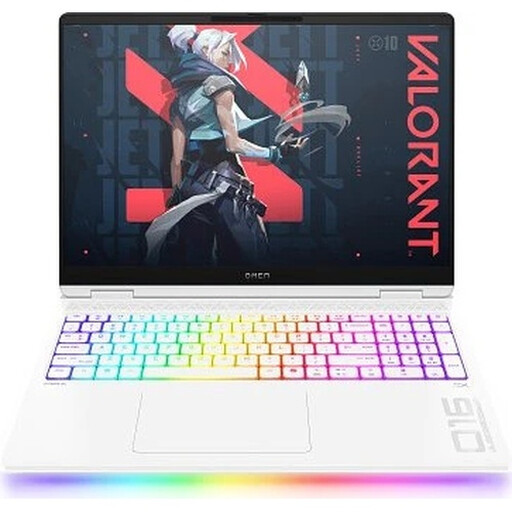 No image available
If you mainly work in one place, weigh the larger format against your storage needs and how often you’ll use it on the move. At 2.68 kg, its listed weight is worth bearing in mind if you’ll be carrying it regularly.
This model is described as having a 16-inch WQXGA OLED display, 240 Hz, Intel Core Ultra 9 275HX, GeForce RTX 5090 24 GB, 64 GB RAM, 2 TB SSD and Windows 11 Home.
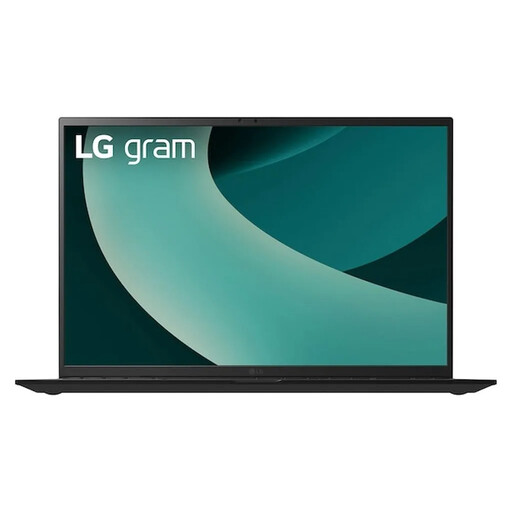 No image available
If you prefer a large screen at your usual workspace, compare this 17-inch model with the space you have available and how you plan to use it on the go.
The product name lists a WQXGA IPS display, Intel Core Ultra 7 256V, Intel Arc Graphics 140V, 16 GB RAM, 1 TB SSD and Windows 11 Home.
No. There isn’t a blanket requirement that applies to every panorama programme. Check the requirements for your software and the features you want to use; Adobe’s Photoshop requirements, for example, vary depending on the operating system and graphics features.
In the Hugin Assistant, load your images, let the software align them, check the preview and then create your panorama. If the alignment isn’t right, adjust the images or settings before exporting.
Temporary files may be created while the images are stitched together, in addition to the original photos and finished file. The Hugin documentation describes an error that occurs when there isn’t enough storage space for a temporary file.
It depends on the software and the number of images you’re working with. Adobe recommends at least 16 GB RAM for Photoshop 27.x; this isn’t a general minimum requirement for other programmes or every panorama. Check the requirements for the software and exact model you plan to use.