What to look for when buying
First, work out which programme you’ll use and the size of your projects. Then compare memory and free storage, the display specification, and finally how well the software and GPU work together.
| Buying consideration |
What to check |
Who it matters most to |
| Memory and headroom |
Check the RAM in the specific configuration and compare it with your software requirements and the other applications you’ll have open at the same time. Adobe recommends at least 16 GB RAM for Photoshop; this isn’t a general minimum requirement for every panorama programme. |
If I edit large batches of images and use other applications at the same time, having extra headroom is my top priority. Around 36% of consumers put memory first. |
| Display for assessing images |
Compare the display version, resolution and stated colour gamut of the specific model. Check the ports too if you plan to use an external monitor. |
If I want to assess colours and subtle transitions on the built-in screen, its exact specification matters to me. Around 29% of consumers put display quality first. |
| Working and backup storage |
Allow space for source images, temporary files and exports. Treat free working space and separate data backups as two distinct requirements. |
If I want to keep original images and finished panoramas organised, I need room to work as well as a backup plan. Around 21% of consumers put file storage first. |
| Software and GPU compatibility |
Start by checking the programme, version, operating system and features you need. Then check that GPU acceleration is supported by your specific software and hardware. |
If a particular stitching programme or its GPU support determines my choice, I check that exact combination. Around 14% of consumers put software compatibility first. |
Joybuy products for home-working panoramas
The following Joybuy models include a display-focused convertible and more powerful laptops for larger or more frequent projects. Check the exact specification against your software and workflow.
 No image available
HP OmniBook Ultra Flip 14-fh0670ng, 14-inch, 2-in-1
This specification could suit a workflow where the display and flexible use matter as much as image editing.
Intel Core Ultra 7 258V, 32 GB RAM, 1 TB SSD, 2.8K OLED touchscreen with 100% DCI-P3 and Windows 11 Home.
Joybuy
 No image available
HP OMEN MAX 16-ah0698ng, 64 GB RAM, 2 TB SSD
The listed specification offers more memory and SSD capacity for anyone considering large projects and multiple applications, but it doesn’t confirm a particular stitching performance.
Intel Core Ultra 9 275HX, GeForce RTX 5090 with 24 GB GDDR7, 16-inch WQXGA OLED display with 100% DCI-P3 and Windows 11 Home.
Joybuy
 No image available
HP OMEN MAX 16-ak0693ng, 32 GB RAM, 1 TB SSD
This Windows configuration could suit a workflow where 32 GB RAM and a dedicated GPU are among the specifications you need to consider.
AMD Ryzen AI 9 HX 375, GeForce RTX 5070 Ti with 12 GB, WQXGA display with 240 Hz and Windows 11 Home.
Joybuy
 No image available
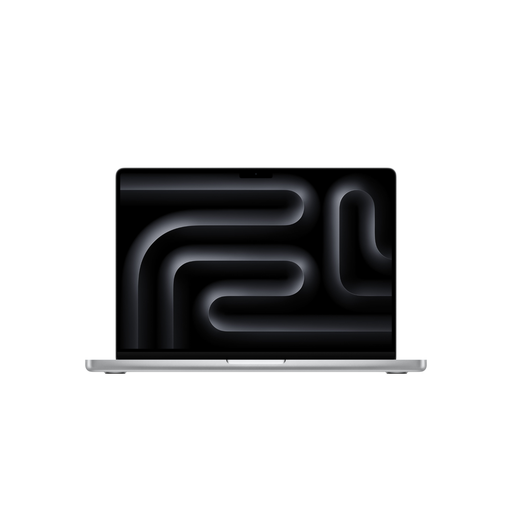
Apple MacBook Pro 14-inch, M5 Pro, 15-core CPU and 16-core GPU
This macOS configuration is an option if you want to compare your panorama workflow with its memory, display and storage specifications.
24 GB memory, 2 TB SSD and 14.2-inch XDR display with 3024 × 1964 pixels. According to the product description, a power adapter isn’t included and must be purchased separately.
Joybuy
 No image available
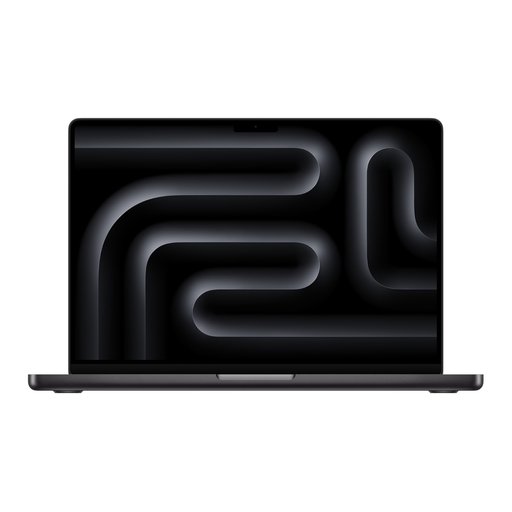
Apple MacBook Pro 14-inch, M5 Pro, 18-core CPU and 20-core GPU
You can distinguish this version from the other MacBook Pro configuration listed by its CPU and GPU specifications; check that it suits your software.
24 GB memory and 2 TB SSD. According to the product description, a power adapter isn’t included and must be purchased separately.
Joybuy
Frequently asked questions
Do I need a dedicated graphics card for every panorama?
No, you can’t determine that from the task alone. PTGui specifically lists GPU-accelerated stitching for supported hardware, so check the requirements of the programme you actually use.
How do I back up a Lightroom Classic project?
As well as allowing space for your photos, plan for a separate backup. Adobe recommends storing catalogue backups on a different drive from the catalogue, where possible; remember to back up your original images too.
What are my rights when buying online in Germany if I change my mind or receive faulty goods?
For online purchases, consumers generally have a 14-day cancellation period from the day they receive the goods. If newly purchased goods are faulty, you can generally assert your statutory consumer rights against the seller within two years; this is separate from any voluntary guarantee. Verbraucherzentrale explains these rights and time limits.
What does the CE mark on a laptop mean?
For products covered by the relevant EU regulations and placed on the market in the European Economic Area, the responsible economic operators must carry out conformity assessments, draw up an EU Declaration of Conformity and apply the CE mark. The CE mark isn’t an independent quality seal and doesn’t show that a laptop is suitable for editing panoramas.
Where can I take an old laptop in Germany?
Don’t put it in your household rubbish. The German Environment Agency lists local recycling centres as one return option; if you return it to a retailer, check the acceptance terms that apply.


