For typed highlights and brief PDF comments, a traditional laptop with a suitable PDF app is all you need – there’s no need for stylus support. If you want to write directly on the document, consider a convertible or a device with a detachable keyboard. Check whether the stylus is compatible with the exact model variant and included in the box. For longer reading sessions in a hotel, also consider the screen finish, weight, power supply and access to your prepared files.
Which option is right for you?
Readers who add text comments
If you highlight passages and type notes into your reading list, start by looking at the PDF app and keyboard rather than assuming you need a stylus. Adobe explains how to highlight and comment in Acrobat Reader, while Apple Support covers annotations in Preview.
Readers who write notes by hand in the margins
If you want to write or sketch directly on pages, check stylus compatibility and what’s included in the box for the exact variant. Lenovo lists the stylus as optional for configuration 83JR000PGE, while Samsung describes S Pen input for the Galaxy Book5 Pro 360.
Travellers with longer reading sessions
If you spend longer working on documents in your hotel or often carry your device in your luggage, compare the screen finish, weight and power supply for the specific variant. ASUS lists the Zenbook 14 OLED UX3405CA-QL205W at 1,28 kg and notes that no power adapter is included.
What should you look for when buying?
Traditional laptop
A good fit if: You highlight parts of PDFs with the keyboard or trackpad and type brief comments. Apple Preview and Adobe Acrobat Reader both offer annotation tools.
The trade-off: Don’t assume you can write by hand directly on the laptop screen. Also check the PDF app and keyboard layout.
Convertible with attached keyboard
A good fit if: You want to switch between longer typed entries and handwritten notes on screen. Lenovo lists a 360° hinge and touchscreen for the Yoga 7 2-in-1 Gen 10.
The trade-off: A touchscreen alone doesn’t mean a compatible stylus is included. Lenovo lists it as optional for the 83JR000PGE, and the OLED screen has a glossy finish.
Device with detachable keyboard
A good fit if: You mostly read in a tablet-like position and only attach a keyboard when you need one. Microsoft describes the Surface Pro 12-inch as having a kickstand and detachable keyboard.
The trade-off: Check accessory compatibility and what’s included. Microsoft sells a dedicated keyboard and Slim Pen bundle for the Surface Pro 12-inch.
| What you need |
What to check before buying |
Who is it important to? |
| Typed comments |
Check that your PDF app is available for the operating system you’ve chosen and that it saves comments in the file format you need. |
If I highlight passages and type brief notes, I don’t want to pay extra for a stylus. Around 36% of consumers put typed PDF comments first. |
| Handwriting on documents |
Check the full model number, which stylus is compatible and whether it’s included with that specific offer. |
If I want to add notes directly in the margins, the stylus needs to be compatible with the device and available. Around 29% of consumers prioritise handwritten annotations. |
| Longer reading sessions |
Compare the screen size, finish and viewing position of the specific variant. |
If I’m working through reading lists for a while, I look for a comfortable display and consider how the lighting affects the screen. Around 21% of consumers prioritise reading comfort during longer sessions. |
| Travel and power |
Check the weight, whether a power adapter is included and the charging power you’ll need. Before travelling, test that you can access your prepared files. |
If I’m taking my device in my luggage and want to carry on working at the hotel, I plan for charging and file access too. Around 14% of consumers prioritise portability and a ready-to-use workspace. |
Common misconceptions
-
A touchscreen means a stylus is included
That’s not always the case: Lenovo lists the stylus as optional for the Yoga 7 2-in-1 Gen 10 83JR000PGE reviewed here. HP lists a Pen as included with the OmniBook Ultra Flip 14-fh0797ng. These details apply only to the configurations named.
For every offer, check the full model number, stylus compatibility and what’s actually in the box.
If your chosen model doesn’t include a compatible stylus, you may need to buy one separately.
-
Comparing only the device weight
Your travel kit may include other accessories too: ASUS lists the Zenbook 14 OLED UX3405CA-QL205W at 1,28 kg, but says no power adapter is included. Microsoft sells a keyboard and Slim Pen for the Surface Pro 12-inch as a separate bundle.
Compare the complete setup you’ll need for your reading list, including the charger and input accessories.
A separate power adapter, compatible stylus or extra keyboard can take up more room in your luggage and may need to be bought separately.
-
Assuming manufacturer battery-life figures reflect time spent annotating
Apple gives separate battery-life figures for video streaming and wireless web browsing on the MacBook Air. Neither test condition directly reflects how long you can edit PDFs in a hotel.
Check the test conditions behind the stated figure and plan a suitable way to charge your device while travelling.
Key brands at a glance
Lenovo
The Yoga 7 2-in-1 Gen 10 is designed for switching between typed and handwritten annotations.
- Lenovo lists a 14-inch touchscreen, a 360° hinge and a glossy OLED screen for model 83JR000PGE.
- Lenovo lists the stylus as optional and sold separately. This doesn’t necessarily apply to other Yoga configurations.
Apple
The 13-inch MacBook Air with M5 is a keyboard-focused option for annotating PDFs in macOS.
- Apple lists a 13,6-inch display and USB-C charging. You can annotate PDFs in Preview.
- Preview’s annotation tools don’t mean you can use a stylus directly on the MacBook screen.
ASUS
The Zenbook 14 OLED UX3405CA-QL205W is a compact 14-inch option for travel and working with text.
- ASUS lists this variant at 1,28 kg and with an OLED touchscreen.
- The product page says no power adapter is included. A touchscreen doesn’t mean a stylus is supplied.
HP
The OmniBook Ultra Flip 14-fh0797ng is a convertible option for which HP specifically lists a Pen as included.
- HP lists a Pen, an HDMI adapter and a 14-inch touchscreen as included with this exact model.
- What’s included and product availability may differ for other HP models, so check the specific offer.
Samsung
The Galaxy Book5 Pro 360 is a 16-inch convertible with stylus support and a larger screen.
- Samsung describes S Pen functionality and a device weight of 1,69 kg for model NP960QHA-KG5DE.
- Check whether the stylus is actually included with the specific offer.
Microsoft
The Surface Pro 12-inch offers a tablet-like reading position, with a keyboard you can attach when needed.
- Microsoft describes a kickstand and detachable keyboard.
- There’s a keyboard and Slim Pen bundle designed specifically for this generation. Check which accessories you need for your workflow.
Joybuy product selection
This selection includes traditional laptops for typed PDF comments and a convertible for handwritten notes. Individual models differ in their priorities, from screen size to travel weight.
 No image available
HP OmniBook Ultra Flip 14-fh0670ng
For handwritten notes on the screen and switching between typing and tablet mode.
14-inch OLED touchscreen; 2.8K; Intel Core Ultra 7 258V; 32 GB RAM; 1 TB SSD; stated weight: 1,34 kg. The product description says the stylus is included.
View at Joybuy
 No image available
Apple MacBook Air 13-inch (M5, 2026), 10-core CPU, 8-core GPU, 16 GB, 512 GB SSD, Sky Blue
For typed PDF comments with a German QWERTZ keyboard and a traditional laptop workflow.
16 GB memory; 512 GB SSD; stated weight: 1,23 kg. A USB-C to MagSafe charging cable is listed as included; the product description says no power adapter is included.
View at Joybuy
 No image available
ASUS Zenbook 14 UX3405CA-QD1303W
A 14-inch laptop option for typed comments and working with text on the go.
WUXGA OLED display; Intel Core Ultra 7 255H; 16 GB RAM; 1 TB SSD; Windows 11 Home; stated weight: 1,22 kg.
View at Joybuy
 No image available
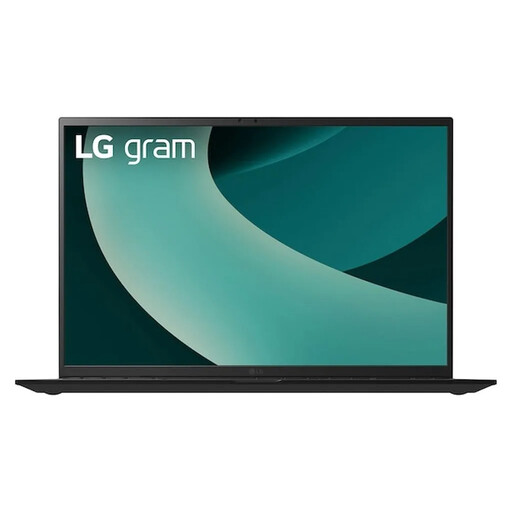
LG gram 17Z90TL-G.AU78G
For longer reading sessions if a larger screen matters more to you than a particularly compact design.
17-inch WQXGA IPS display with anti-glare finish; Intel Core Ultra 7 256V; 16 GB RAM; 1 TB SSD; Windows 11 Home; stated weight: 1,39 kg.
View at Joybuy
 No image available
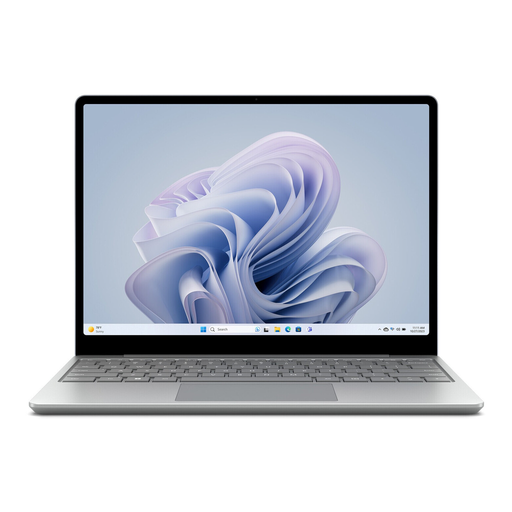
Microsoft Surface Laptop Go 3, 12.45-inch, Core i5, 8 GB RAM, 256 GB SSD
A compact laptop option for typed PDF comments and workspaces with limited room.
12.45-inch touchscreen; Windows 11 Home; stated weight: 1,13 kg. The product description says a 39 W power adapter is included.
View at Joybuy
Frequently asked questions
Do I need a touchscreen to highlight and comment on PDFs?
No, not if you’re adding highlights and text comments with a keyboard or trackpad. Adobe describes these features in Acrobat Reader, and Apple Support covers them in Preview. If you want to write by hand directly on the screen, check the input method and stylus compatibility.
What should I set up before my first work session at the hotel?
Open a prepared reading file in the app you actually use and test whether you can save and find an annotation. Apple Support explains how to save or export in Preview to keep PDF annotations editable. Check how other apps handle this separately.
What extra costs and rights should I be aware of when buying online in Germany?
First, check whether the power adapter and the input accessories you need are included: ASUS says the configuration reviewed here doesn’t include a power adapter, while HP lists a Pen for the Flip configuration reviewed. According to the Verbraucherzentrale, online purchases generally come with a 14-day right to cancel, starting when the goods arrive. If new goods are faulty, consumers can exercise their statutory warranty rights within two years of delivery or receipt. These rights are separate from a voluntary guarantee.


