PDF plan reviewers
If you mainly read and annotate exported plans, look for a display that’s comfortable to use; Adobe Acrobat Reader can display and annotate PDFs. You don’t automatically need CAD hardware for this.


For exported PDF plans, a travel-friendly laptop with an easy-to-read display is often enough; you don’t automatically need a mobile workstation. For native DWG files or local CAD and BIM work, first check the specific application and version you use: according to Autodesk, DWG TrueView 2027 requires 64-bit Windows 11, while AutoCAD and Revit have their own memory and configuration requirements. A larger screen and extra performance headroom can be useful at your hotel-room desk, but they also mean more to carry.
If you mainly read and annotate exported plans, look for a display that’s comfortable to use; Adobe Acrobat Reader can display and annotate PDFs. You don’t automatically need CAD hardware for this.
If you open native drawings or models locally, your operating system and laptop need to be compatible with the application and version you use. Autodesk specifies 64-bit Windows 11 for DWG TrueView 2027.
If you regularly take your laptop with you, weigh screen size against weight, packed dimensions and power requirements. Compare the full device specification and remember to include the power adapter when planning your luggage.
First, work out which files and applications you’ll actually use in your hotel room. Then you can weigh up the display, specification and travel weight sensibly.
| Consideration | What to check before buying | Who should consider this? |
|---|---|---|
| Software compatibility | Autodesk specifies 64-bit Windows 11 for DWG TrueView 2027. For AutoCAD 2026 on Windows, Autodesk specifies at least 8 GB and recommends 32 GB of RAM; Revit 2026 has its own requirements, which depend on the model. | I want to open my specific files locally without having to check the operating system and specification after buying. Around 36% of consumers are likely to consider compatibility their top priority. |
| Plan readability | Compare the screen size, resolution and surface finish of the specific model. If possible, check one of your own plans at the zoom level you normally use. | If I need to read fine annotations at my hotel-room desk or review several views, usable screen space matters to me. Around 29% of consumers are likely to put readability first. |
| Portability and power | Check the weight and dimensions of the laptop and power adapter, as well as the charging port. When looking at battery-life figures, also check the usage conditions they’re based on. | I carry my laptop regularly and want to know how much space and weight the device and power adapter will take up in my luggage. Around 21% of consumers are likely to prioritise portability and power. |
| Purchase and software costs | Decide whether you need to view files, annotate PDFs or work with CAD. Autodesk offers DWG TrueView free of charge; a valid licence is required for AutoCAD. | I only want to pay for the laptop specification and software my actual workflow requires. Around 14% of consumers are likely to consider purchase and software costs their main concern. |
Annotating PDFs and doing local CAD or BIM work are different workflows. A workstation graphics card alone doesn’t prove that your application requires that configuration.
First decide which files, software and version you’ll use; then choose the performance headroom you need based on the specific requirements.
Different display, memory and graphics options may be available within the same product range. The model name alone won’t tell you what’s included in the specific configuration.
Before buying, compare the full details of the display, RAM, graphics and operating system for the model on offer.
Autodesk offers DWG TrueView as a free viewer; according to Autodesk, a valid licence is required for AutoCAD itself. Viewing and editing are therefore separate requirements.
Before buying, decide whether viewing is enough or you need AutoCAD features.
If your workflow requires AutoCAD, remember to budget for the licence as well as the laptop.
ThinkPad models cover mobile office work as well as workstation configurations for more demanding local applications.
Pro Max workstations are worth considering if local applications need more performance headroom than simply viewing plans requires.
EliteBook models are part of HP’s business range, while ZBook models belong to its workstation range. The right choice depends on whether you mainly view plans or edit them locally.
A MacBook Air M5 may be an option for reviewing plans on the go, provided the applications you need are available for macOS.
The ProArt range may appeal if you’re considering creative or 3D applications alongside plan reviews.
These Joybuy laptop options include larger models for viewing plans at your hotel-room desk, as well as a 15-inch Windows model. Before buying, check that the specific configuration suits your application and your luggage.
 No image available
The 16-inch format is an option if you want to view plans at your hotel-room desk.
WUXGA; AMD Ryzen 3 PRO 7335U; 16 GB DDR5; 512 GB SSD; AMD Radeon 660M; Windows 11 Pro Education.
 No image available
This 16-inch laptop is worth considering if you’re weighing up screen space and memory for local workflows at your desk.
AMD Ryzen 5 220; 32 GB RAM; 1 TB SSD NVMe; Windows 11 Pro; Radeon 740M.
 No image available
The anti-glare 16-inch display is an option to consider for viewing drawings at your desk.
WUXGA; AMD Ryzen 7 250; 32 GB RAM; 1 TB SSD NVMe; Windows 11 Pro (64-bit); Radeon 780M.
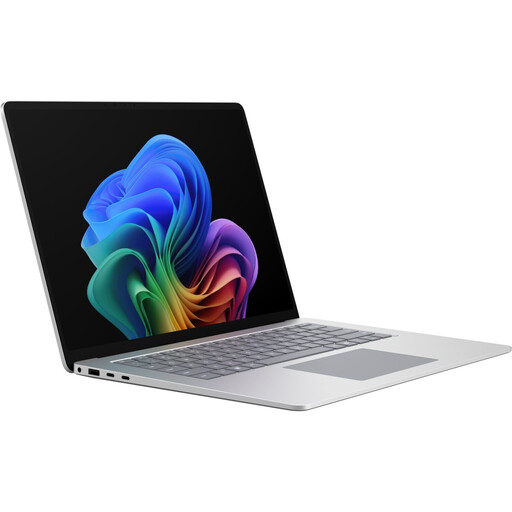 No image available
The 15-inch touchscreen is an option if you’re looking for a Windows laptop for work on the go and at your desk.
Core Ultra X7; 16 GB RAM; 512 GB; Windows 11 Pro; Platinum.
 No image available
The 16-inch format is an option if you prefer a larger display for reviewing plans at your desk.
Intel Core Ultra 5 325; 32 GB DDR5; 512 GB PCIe SSD; Windows 11 Pro.
It depends on the files and features you need: Adobe Acrobat Reader can display and annotate PDFs, while Autodesk offers DWG TrueView for viewing DWG files. Local Revit work has its own requirements, which depend on factors including the model and configuration.
If you want to view DWG files locally, DWG TrueView is one local viewer option; Autodesk also offers an online viewer. Before you travel, check that the files, permissions and any licences you need are available for your workflow.
Autodesk offers DWG TrueView free of charge, but a valid licence is required for AutoCAD itself. So check whether viewing drawings is enough or you need editing features.
For devices covered by the relevant harmonised EU legislation, CE marking is required when they’re placed on the market. It’s the manufacturer’s declaration of conformity, not an independent quality mark, and it doesn’t tell you whether your CAD software will run on the laptop.