What should you look for?
Start by choosing your operating system and tools. Then check the keyboard and testing setup, and finally compare the screen space and ports with your workspace.
| What to consider |
What to check before buying |
Who is it important to? |
| Keyboard and testing setup |
Check the keyboard layout and ports on the specific variant. Test every feature on the website using a keyboard, and make sure the focus is visible. |
If I often test search, filters and forms without a mouse, I need a suitable keyboard and a practical setup. Around 40% of consumers put keyboard testing first. |
| Local development tools |
Check that the operating system works with your tools. For Docker Desktop on Windows, check the requirements for installation and WSL 2. Compare RAM and SSD capacity across specific configurations. |
If my project uses containers or local services alongside my editor and browser, the laptop needs to suit that exact stack. Around 30% of consumers prioritise compatibility and specifications for their local tools. |
| Portability and screen space |
Compare screen size with the ports you need. Consider whether a single display will be enough when you’re out and about, or whether you’ll need more screen space at your workstation. |
If I move between work locations, I want a portable laptop without sacrificing the screen space I need at my workstation. Around 20% of consumers put portability first. |
| Long-term use and service |
Check the specifications of the exact model variant, as well as the service and warranty terms. If something is faulty, distinguish your statutory rights from any voluntary warranty cover. |
If I want to use my laptop for longer, I check the exact storage configuration and who is responsible if something goes wrong. Around 10% of consumers prioritise long-term usability and service. |
Laptops available at Joybuy
This selection includes Windows laptops with larger work areas and a range of ports, as well as a compact macOS model.
 No image available
Acer TravelMate TMP216-41-TCO, 16″
A Windows configuration with a larger display and a range of listed ports, if you plan to connect external devices.
Windows 11 Pro Education, 16 GB RAM and a 512 GB SSD.
16-inch WUXGA IPS display; listed ports include USB4, USB-A, HDMI 2.1 and RJ-45. The stated weight is 1.80 kg.
View at Joybuy
 No image available
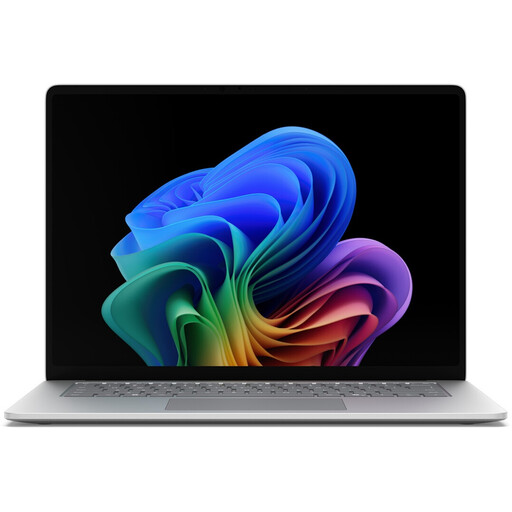
Microsoft Surface for Business, 8th Edition
A Windows configuration with a 15-inch touchscreen, if you want to compare code and browser views on a larger display.
Windows 11 Pro, 16 GB RAM and a 512 GB SSD.
15-inch touchscreen with 3270 × 2180 pixels; two USB 4.0 ports. The stated weight is 1.67 kg.
View at Joybuy
 No image available
HP ProBook 4 G1a, 16″
A Windows configuration with a German keyboard, if you do a lot of typing and plan to use an external testing setup.
Windows 11 Pro, 16 GB RAM and a 512 GB SSD.
The description lists a backlit German keyboard with number pad, as well as USB-A, USB-C, HDMI and RJ-45. The stated weight is 1.75 kg.
View at Joybuy
 No image available
Apple 13-Inch MacBook Air (M5, 2026)
A compact macOS model for your editor and browser, provided your development tools are compatible with macOS.
16 GB of unified memory and a 512 GB SSD; German QWERTZ keyboard.
13.6-inch display, two Thunderbolt 4 ports and support for up to two external displays. The stated weight is 1.23 kg. The product description says that a power adapter is not included.
View at Joybuy
 No image available
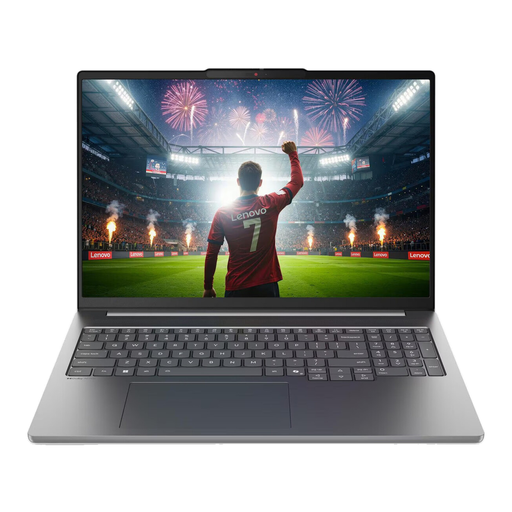
Lenovo IdeaPad Pro 5i 16IPH11
A Windows configuration with a German keyboard and a larger display, if you use several local applications and browser views.
Windows 11 Pro, 32 GB RAM and a 1 TB SSD.
16-inch display with a 2.8K resolution; listed ports include Thunderbolt 4, USB-A and HDMI, plus an SD card reader. The stated weight is 1.82 kg.
View at Joybuy
Frequently asked questions
Will a special laptop keyboard automatically make the pet adoption directory keyboard-accessible?
No. Test the website itself: the W3C’s guidance on WCAG 2.1.1 says that its features must be operable using a keyboard, apart from exceptions for inputs that rely on freehand movement. Visible focus helps sighted keyboard users keep track of where they are.
Does a laptop need special specifications for VS Code or Docker Desktop?
For Visual Studio Code alone, Microsoft recommends a 1.6 GHz or faster processor and 1 GB RAM. That doesn’t set requirements for your entire project stack. If you use Docker Desktop on Windows, also check the documented requirements for Windows, installation and WSL 2.
What should I do if the keyboard or display is faulty after I buy the laptop?
For a consumer purchase in Germany, the seller is generally responsible for statutory claims relating to faults, not the manufacturer. The Verbraucherzentrale distinguishes statutory consumer rights from a voluntary manufacturer’s warranty.
Does the German Accessibility Strengthening Act apply to every pet adoption directory?
You can’t tell just from the name of the directory. The Federal Accessibility Authority lists e-commerce as a covered service from 28 June 2025, with an exemption for certain micro-enterprises providing services: fewer than ten employees and annual turnover of no more than 2 million euros. Whether a specific service is covered depends on the service provided to consumers and who operates it.


