Offline archivists
If you want to sort a large collection while travelling, the originals you need should be available even without reliable train Wi-Fi. Apple Support explains that, with optimised Mac storage, original photos may remain in iCloud.


Choose a laptop that gives you access to the photos you need while travelling, either locally or on a drive you bring with you: a cloud-only photo library depends on an internet connection. Deutsche Bahn points out that Wi-Fi speeds on trains vary depending on the connection and the number of other passengers. Apple Support explains that, with optimised Mac storage, originals may remain in iCloud. Then compare the space available at your seat, the ports you need and battery life under conditions that reflect your photo workflow.
If you want to sort a large collection while travelling, the originals you need should be available even without reliable train Wi-Fi. Apple Support explains that, with optimised Mac storage, original photos may remain in iCloud.
If you often take your laptop with you and work at a train table, its dimensions, weight and charging options are important factors. Deutsche Bahn says tables are available at many seats, but does not guarantee them at every seat.
If you transfer images from a camera, memory card or external drive, make sure the ports you need and the storage location for your originals and backup suit your workflow.
If you often carry your laptop and sort photos at a train table, a compact 13- or 14-inch model can help keep space requirements to a minimum. A larger model may be a better fit if you want to view several images at once and have enough room at your seat. Deutsche Bahn lists power sockets at seats, but says there is generally one socket per pair of seats in second class.
| Buying consideration | What to look for | Who is it important for? |
|---|---|---|
| Offline access | Work out which originals and catalogue need to be stored locally, and check whether your photo software can open the files offline. | If I want to open the originals I need without a stable Wi-Fi connection, I’ll plan my local storage before travelling. Around 25% of consumers prioritise offline access to their photo archive. |
| Power | Compare battery life figures only when the test conditions are relevant, and check the charging port and required power supply for the specific model. | If I can’t count on an available power socket, I want to plan charging around my own workflow. Around 25% of consumers prioritise staying powered up while travelling. |
| Size and portability | Compare the dimensions and weight of the specific model with your bag and the space you expect to have at your seat. | If I often carry my laptop and have limited space at my seat, a compact device matters to me. Around 20% of consumers put portability and usable workspace first. |
| Photo import | Check the card format, cables and drive connections against the full port list for the exact laptop model. | If I want to transfer images from a card, camera or drive while travelling, I want to know in advance whether my import method will work directly. Around 15% of consumers prioritise connecting their photo equipment. |
| Image display and features | Distinguish between organising files and colour-critical editing. Check the display specifications and make sure the features suit your software and workflow. | If I want to assess images more closely while travelling, I pay attention to the display and the features I actually need. Around 15% of consumers prioritise viewing images and choosing a suitable device configuration. |
With optimised Mac storage, smaller versions may be stored locally while the originals remain in iCloud. Your connection can be unreliable on the train.
Before you travel, check that you can open the photos you need offline.
If your internal storage isn’t sufficient, an external drive you bring with you can provide extra space.
Ports vary by model and configuration. Acer explicitly lists no memory card reader for the Swift Go 14 AI SFG14-I71-75DR.
Check that your card format is supported by the port list for the full model configuration.
For direct card imports, you may need a compatible external reader if the laptop doesn’t have a suitable built-in one.
Apple claims up to 18 hours of video streaming for the MacBook Air M5. This figure is not a measured battery life for importing and sorting photos. ASUS also lists no power supply as included with the Zenbook 14 OLED UX3405CA-QL205W.
Check the test conditions behind the battery life claim and confirm the charging requirements and what’s included for the exact model.
If no suitable power supply is included, you’ll need to plan to buy one.
Photos can be lost if your device fails, files are accidentally deleted or it’s stolen, unless you have a separate copy. Germany’s Federal Office for Information Security recommends protecting storage media with encryption in case they’re lost.
Make a separate backup before sorting your photos, and check that you can open a sample of the files from it.
A separate backup may require additional storage space.
A good option if your photo library is already in Apple Photos. Before travelling, check that the originals you need are stored locally.
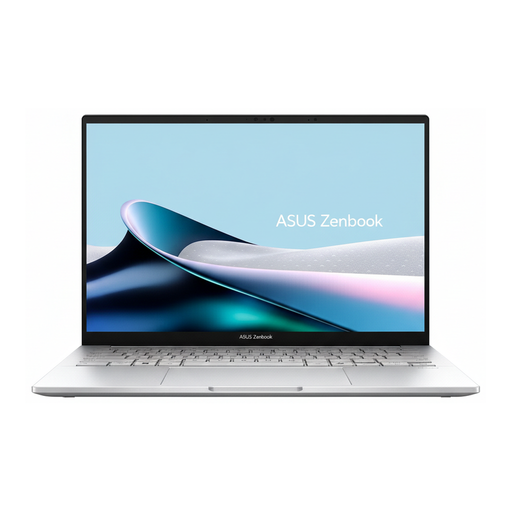
Zenbook 14 OLED models are worth considering if a compact device with an OLED display suits your photo workflow. Compare the full model number and the specific display configuration.
The ThinkPad E14 Gen 7 is worth considering if you want to compare a matt display and configurable storage.
Swift Go 14 AI models are an option if you’re comparing compact devices and want to plan how you’ll import photos in advance.
The OmniBook Ultra Flip 14 is a convertible option if you find touchscreen controls helpful when viewing photos. Compare the exact fh model number.
The laptops below are suitable for storing photos locally, viewing images and connecting compatible photo equipment. For each model, check that the storage, ports and included accessories suit your workflow.
 No image available
The 1-TB SSD provides internal storage for files you want to keep available locally while travelling.
14-inch OLED touchscreen, 32 GB RAM, 1 TB SSD, Intel Core Ultra 7 258V and Windows 11 Home.
The description lists two Thunderbolt 4 ports.
 No image available
Its compact size and SSD make it a practical choice for travelling if you want the photos you need to be available locally.
13.6-inch display, 1.23 kg and two Thunderbolt 4/USB-C ports.
The product description says that a power supply is not included.
 No image available
The 1-TB SSD provides internal storage for a photo archive you want to access locally while travelling.
The product name lists a WUXGA OLED display, Intel Core U7 255H, Intel ARC, 16 GB RAM, a 1-TB SSD and Windows 11.
The product description says that a power supply is not included.
 No image available
The 1-TB SSD provides space for files stored locally. Check the dimensions of the exact model if you plan to work at a train seat.
The product description lists 32 GB RAM, a 1-TB SSD, USB-A, USB-C 4 and HDMI ports.
The specifications list a 16-inch OLED display and a weight of 1.50 kg. The title says that a power supply is not included.
 No image available
The 1-TB SSD and built-in SDXC card slot are useful for a local photo workflow that includes importing from memory cards.
14-inch Liquid Retina XDR display, 24 GB RAM and SDXC card slot.
The product description says that a power supply is not included.
Only if the originals you need have been made available locally beforehand. Apple Support distinguishes between downloading originals to your Mac and using the ‘Optimise Mac Storage’ setting, which may leave originals in iCloud. Check what’s stored locally before you set off.
No. What matters is whether your import method works with the ports on the specific laptop. Acer lists no card reader for the Swift Go 14 AI SFG14-I71-75DR, so you’ll need a compatible external reader to import cards directly with this model.
Make a separate backup rather than relying on your working copy, and check that you can open files from it. Germany’s Federal Office for Information Security points out that data can be lost if a device fails, files are accidentally deleted or it’s stolen, unless you have a copy. Encryption protects portable storage devices if they’re lost.
Your statutory rights for faulty goods are separate from any voluntary manufacturer’s guarantee. In ordinary cases, Section 438 of the German Civil Code (BGB) sets a two-year limitation period from delivery. Under Section 439 BGB, the buyer can generally request that the fault be fixed or the item replaced as a form of supplementary performance.