Designing photo books by a window
If you regularly review photos and create layouts in bright, indirect light, check reflections and readability first. Lenovo and HP list matte or anti-glare displays for specific laptop configurations.


Start by choosing a laptop with a display surface that’s easy to read at your window-side workspace; you don’t automatically need a particularly powerful graphics card to design photo books. Then match the screen size, software, storage and ports to the way you work. Manufacturers’ claims about brightness and anti-glare coatings can’t replace checking how the display performs in the light where you plan to use it.
If you regularly review photos and create layouts in bright, indirect light, check reflections and readability first. Lenovo and HP list matte or anti-glare displays for specific laptop configurations.
If you compare lots of photos, a suitable screen size and a clear view of image quality can help. CEWE explains how its Fotowelt software checks print resolution, while EIZO points out that lighting conditions also affect how you judge colour.
If you only create photo books now and then, first decide which software you want to use and which operating system it needs. CEWE offers design options for different operating systems, as well as online; Apple lists macOS as the operating environment for the documented MacBook Air M5.
First, check whether you can read the screen comfortably by your window. Then decide which software and image-checking features you need, and how much space your layout will take up at your workspace.
| What matters | What to look for when buying | Who it matters most to |
|---|---|---|
| Readability by a window | Check the surface and brightness rating of the specific configuration. Only compare brightness figures when they describe the same type of display brightness. | If I want to review photos and layouts right beside a bright window, reflections shouldn’t make my work unnecessarily difficult. Around 36% of consumers would make screen readability their main concern. |
| Software and photos | Check that the design option and operating system work together. CEWE offers Fotowelt for Windows, Mac and Linux, as well as online design without installation. Also check how you’ll access your photos and project files. | If I want to choose an editor and photo storage that suit the way I work, the software and file workflow matter most. Around 29% of consumers would put this concern first. |
| Image and colour checking | Consider the colour gamut and the lighting at your workspace together. According to CEWE, the quality indicator in Fotowelt checks print resolution; it does not check colour. | If I want to choose photos carefully and judge their colours, I need to check resolution and screen reproduction separately. Around 21% of consumers would prioritise checking images and colour. |
| Workspace and portability | Match the display size to your desk space and the ports you need. Screen size alone tells you nothing about actual portability or battery life with the way you use the laptop. | If I have limited space by the window or move between workspaces, the screen needs to suit both my layout and the space available. Around 14% of consumers would prioritise workspace and moving between locations. |
ASUS distinguishes between 700 nits and a peak HDR brightness of 1,600 nits for the ProArt P16. The peak figure doesn’t simply describe the brightness you’ll get during everyday photo book work.
Compare figures for the same type of brightness, and also check the display surface and reflections at your intended workspace.
A wide colour gamut doesn’t guarantee that colours will look the same in print. CEWE clarifies that the quality indicator in Fotowelt checks print resolution, while EIZO also describes how lighting conditions affect colour assessment.
Treat resolution warnings and colour reproduction as separate considerations. For a more accurate assessment of colour, take the lighting at your workspace into account too.
A voluntary warranty doesn’t replace your statutory rights against the seller if goods are faulty. For the documented HP EliteBook 6 G2i 14 DN6R1EA#ABD, HP says the power adapter is sold separately.
Check what’s included with the exact configuration, and read the warranty terms separately from your statutory rights. If the power adapter is sold separately, check in advance whether you’ll need to buy one.
You may need to budget for an additional power adapter for the documented HP configuration.
The EliteBook 6 G2i 14 DN6R1EA#ABD is a specific configuration worth considering if you’re looking for a Windows laptop with an anti-glare display.
The ThinkPad T16 Gen 3 21MN005WGE is a specific matte 16-inch configuration to consider if you want more room for your layouts.
The MacBook Air M5 may suit you if you prefer macOS and a portable way to design your photo books.
The ProArt P16 H7607BA is worth considering if you work on more demanding creative projects as well as photo books.
This selection includes Windows laptops with different screen sizes and brightness ratings, as well as a MacBook Pro with a larger display. For each model, check that the surface, workspace and operating system suit your window-side setup and design workflow.
 No image available
For designing photo books on Windows, the display being specifically described as anti-glare is worth checking. How easy it is to read by your window will still depend on the light coming in.
Specifications include a 14-inch IPS display with 2,560 × 1,600 pixels, Windows 11 Pro and a weight of 1.43 kg.
 No image available
If you’re looking for a Windows laptop with a more compact screen, compare its size and brightness rating with your window-side workspace. The brightness rating alone doesn’t tell you how much glare to expect.
Specifications include a 13.8-inch 3:2 touchscreen with 2,304 × 1,536 pixels and 600 cd/m², Windows 11 Professional and a 512GB SSD. The listed weight is 1.34 kg.
 No image available
For designing photo books on Windows, compare the specific screen size and brightness rating with the amount of space you have by your window. The specifications don’t indicate that the display is anti-glare.
Specifications include a 13-inch 3:2 touchscreen with 1,920 × 1,280 pixels and 500 cd/m², Windows 11 Professional and a 512GB SSD.
 No image available
This configuration is worth considering if you’re looking for a Windows laptop with a 13-inch display and want to compare its brightness rating with your workspace. It isn’t described as anti-glare.
Specifications include a 3:2 touchscreen with 1,920 × 1,280 pixels and 500 cd/m², Windows 11 Pro and a 1TB SSD.
 No image available
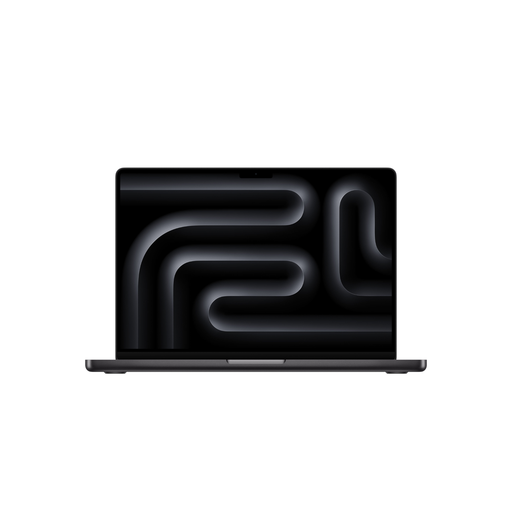
If you use macOS and want more screen space for selecting photos and creating layouts, this configuration is worth considering. The screen size alone won’t tell you how well the laptop handles reflections by your window.
This configuration has a 16.2-inch display with 3,456 × 2,234 pixels, an SDXC card slot and a weight of 2.15 kg. The product description says a power adapter isn’t included.
No, not necessarily. CEWE offers Fotowelt for Windows, Mac and Linux, as well as online design without installation. First decide which design option and features you want to use.
According to CEWE, an indicator in CEWE Fotowelt flags images that don’t have sufficient quality. Check it against the actual image size you’ve chosen in your layout: CEWE clarifies that this assessment relates to print resolution, not colour reproduction.
No. The display’s characteristics and the lighting at your workspace also affect how you judge colour by eye. EIZO points out that unsuitable panel characteristics can’t simply be corrected through calibration; a resolution indicator in photo book software isn’t a colour check either.
For a standard online purchase from a trader, there is generally a 14-day cancellation period from delivery, although exceptions apply. The European Union’s consumer information also states that goods are covered by a statutory guarantee of at least two years from receipt. Check the terms of your order and distinguish these rights from a voluntary warranty.
Check what’s included with the specific configuration. HP says the power adapter is sold separately for the EliteBook 6 G2i 14 DN6R1EA#ABD; the product page for the MacBook Air M5 configuration described here doesn’t list a power adapter as included. This doesn’t mean the same applies to other models.