What should you look for when buying?
Start by comparing the display and the space the laptop will take up. Then check that the software and ports meet your needs, and consider storage and memory card format if you have a large photo archive.
| Buying priority |
What to check |
Who is this especially important for? |
| Assessing images and layouts |
The size, resolution and finish of the display on the specific model; for colour-critical work, also consider the lighting and colour management. |
If I want to see crops and page layouts clearly, I need a view that suits my space and lighting conditions. Around 33% of consumers prioritise images and layouts above all else. |
| Space and putting things away |
Check the dimensions, weight, charging port and position of the connections you need. |
If the desk needs to be clear again after creating a photo book, the space the laptop takes up and how easy it is to put away matter. Around 27% of consumers prioritise saving space and setting up and packing away quickly. |
| Photo archive and editing |
Check your archive size, available SSD storage, memory card format and the system requirements of the image software you use. |
If I sort lots of photos locally or edit them as well, I want to choose storage and a card connection that suit my workflow. Around 20% of consumers prioritise their photo archive and additional image editing. |
| Software and connections |
Check the photo book software, operating system and device architecture; make sure your existing memory cards and peripherals match the specific ports. |
If I want to keep using particular design software or existing devices, the combination needs to be compatible. Around 20% of consumers prioritise software compatibility and avoiding extra purchases. |
Joybuy products for creating photo books
These options include compact Windows laptops, Windows convertibles and MacBook models for creating photo books at a shared desk.
 No image available
MSI Prestige N16 Flip AI+ C1XMT-028Y, 16-inch, 2-in-1, 64 GB DDR5, 1 TB SSD, Windows 11 Pro
A possible choice if you’d like a 2-in-1 device with touch controls and different ways of positioning it.
16 inches; 64 GB DDR5; 1 TB SSD; Windows 11 Pro.
Joybuy
 No image available
Apple 13-inch MacBook Air M5, 10-Core CPU, 8-Core GPU, 16 GB, 512 GB SSD, German QWERTZ keyboard layout
A macOS option if your photo book software is available for it and you prefer a compact model. CEWE offers desktop software for Mac.
13 inches; M5 with 10-Core CPU and 8-Core GPU; 16 GB; 512 GB SSD.
The product description states that a charger isn’t included; you’ll need to buy a compatible charger separately.
Joybuy
 No image available
Apple 14-inch MacBook Pro M5 Pro, 15-Core CPU, 16-Core GPU, 24 GB, 1 TB SSD
A macOS option if you’d like to store lots of photos locally as well as create photo books. CEWE offers desktop software for Mac.
14 inches; M5 Pro with 15-Core CPU and 16-Core GPU; 24 GB; 1 TB SSD.
The product description states that the charger must be purchased separately.
Joybuy
 No image available
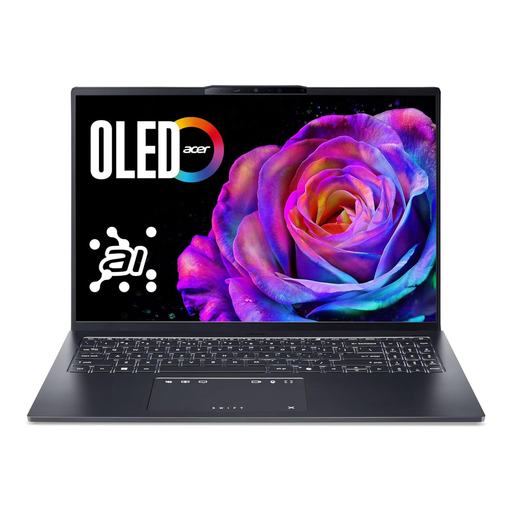
Acer Swift Go 16 OLED SFG16-73-7943, 16-inch, WUXGA+, 120 Hz, 16 GB RAM, 1 TB SSD, Windows 11
A Windows option if you’d like a larger display for choosing photos and creating page layouts.
16-inch WUXGA+ OLED with 120 Hz; Intel Core Ultra 7 255H; 16 GB RAM; 1 TB SSD; microSD card reader; Windows 11.
Joybuy
 No image available
HP ENVY x360 16-ac0473ng, WUXGA IPS display, 16 GB RAM, 512 GB SSD, Windows 11
A Windows convertible if you’d like to use different ways of positioning your laptop to create photo books. CEWE offers desktop software for Windows.
16-inch WUXGA IPS display; Intel Core Ultra 7 155U; 16 GB RAM; 512 GB SSD; Windows 11.
Joybuy
Frequently asked questions
Do I need a Windows laptop to create a CEWE photo book?
No. CEWE offers its Fotowelt desktop software for Windows, Mac and Linux. If you use another photo book service or additional image software, check its system requirements.
Is a wide colour gamut enough to ensure accurate photo book colours in print?
No. A colour gamut specification alone doesn’t guarantee accurate print colours. Lighting, the display profile and settings also affect how you judge colour; if you’re making colour-critical adjustments, keep these conditions as consistent as possible.
How should I set up my screen for image adjustments at a changing workspace?
Keep the lighting and display settings as consistent as possible. Adobe recommends calibration or profiling for its Photoshop print workflow and notes that automatic brightness changes can affect print preparation. This is a workflow recommendation, not a requirement for every photo book.
Will all photo book software work on a Windows on ARM laptop?
You can’t assume that it will. Microsoft describes native and emulated applications for Windows on ARM, but this doesn’t confirm that every individual photo book software package is compatible. Check the specific application version and the peripherals you need before buying.
What should I look for in the CE marking on a new laptop in Germany?
Products covered by the relevant EU harmonisation legislation must carry a CE marking when placed on the market. The German Federal Network Agency and the European Commission explain the relevant requirements; check the marking and the details for the specific product version. The CE mark is not an independent quality label.


