Photo book creators
You choose your pictures, arrange pages and text, and want to assess your layout on screen. Look for a display you can work comfortably on and software that’s compatible with your laptop.


For making photo books in a small student room, the most important things are a screen that’s comfortable to work on, suitable design software and enough desk space. You don’t automatically need a powerful creative laptop just to put a photo book together. If you also edit lots of photos regularly, the specification of the exact model and plenty of storage become more important. For carrying your laptop between your room and campus, you’ll need to balance screen size against weight and ports.
You choose your pictures, arrange pages and text, and want to assess your layout on screen. Look for a display you can work comfortably on and software that’s compatible with your laptop.
You make photo books in your room and take your laptop to university too. The key is whether the screen size, weight, ports and desk space suit your daily routine.
You regularly edit large collections of images before adding them to your layout. Check the exact storage and display specification, as well as the requirements of the image-editing software you actually plan to use.
First, decide whether you’ll mainly be choosing pictures and designing pages, or whether you’ll also regularly carry out more extensive editing. You can then weigh up the display, specification and portability more effectively.
A good fit if: You use the same laptop at a small desk and on the go, and your photo book software runs on Windows.
The trade-off: A smaller screen takes up less desk space, but gives you less room to see your layout. Specifications and displays can vary within the same product range.
A good fit if: You prefer macOS and use compatible photo book software; CEWE offers its Photo World software for Mac.
The trade-off: For the documented 13-inch M5 model, Apple lists two Thunderbolt 4 ports, but no built-in card reader in its list of connections. Check how you’ll import photos from your memory card.
A good fit if: You regularly do extensive photo or video work as well as making photo books, and need the extra screen space or specification.
The trade-off: The tested 16-inch devices in Notebookcheck’s photo and video editing rankings weigh 1.9 and 2.1 kg respectively in the listed configurations. These rankings cover more demanding work, not the minimum requirements for making photo books.
| Buying priority | What to look for | Who will find this important? |
|---|---|---|
| Assessing photos and layouts | Check the screen size, resolution and colour specifications for the exact model. Don’t confuse what you see on screen with the print resolution of the image file. | If you design pages without an external monitor, you’ll want a clear view of your pictures and layout. Around 33% of consumers put assessing photos and pages first. |
| Matching spending to your needs | Decide what you’ll use the laptop and software for first; compare configurations only by their exact specifications. Remember to budget for a power adapter and any adaptors you may need. | If your laptop needs to cover both photo books and studying, you won’t want to pay for features you don’t use. For around 27% of consumers, keeping overall spending in line with their needs is the top priority. |
| Additional photo editing | Check the scale of your work and the software requirements, then compare the RAM, SSD and display for the complete model configuration. | If you regularly edit and store large collections of images locally, you’ll want to pay particular attention to performance and storage capacity. This is the decisive buying factor for around 20% of consumers. |
| Using your laptop in your room and on campus | Balance weight and screen size against the space available; check the exact model for a card reader and the USB ports you need. | If you often carry your laptop around and import photos from a camera, you’ll need the right balance of portability and connectivity. Around 20% of consumers prioritise this exact combination. |
Acer lists different display configurations for the Swift Go 14 range. So a specification for the range as a whole won’t necessarily tell you which panel the model on offer has.
Compare the complete model or product number with the technical details for the exact device.
Notebookcheck’s rankings assess devices for photo and video editing. Choosing and placing pictures in photo book software is a different task and doesn’t mean you need the same level of performance.
First decide whether you’ll mainly be designing or also regularly doing extensive editing, then choose the right class of device.
The image file and its size on the book page affect print resolution. CEWE points out that the quality indicator in its software assesses print resolution, not every aspect of image quality.
Check the original file and pay attention to any warnings for the page size you’ve selected. If possible, use a larger original file or place the image at a smaller size.
Not every model is listed as having a card reader, and the power adapter is sold separately with some devices.
Check your memory cards and connectors against the ports on the exact laptop, and confirm what’s included in the box.
The Swift Go 14 range offers compact Windows options with different display configurations.
The Vivobook S 14 OLED is a compact Windows option for designing layouts and working on the go.
The MacBook Air is worth considering if you want to use macOS and compatible photo book software.
The OmniBook X Flip is a Windows convertible with a folding touchscreen.
This selection includes compact laptops for your room and campus, as well as models with larger screens for layouts and more extensive photo editing.
 No image available
The 16-inch display gives you more room for pictures and page layouts, but takes up more desk space than a compact device.
 No image available
This compact 14-inch model is an option if you want to use photo book software on Windows and take your laptop between your room and campus.
 No image available
This 14-inch touchscreen convertible could suit you if you’d like a folding device for more than just making photo books.
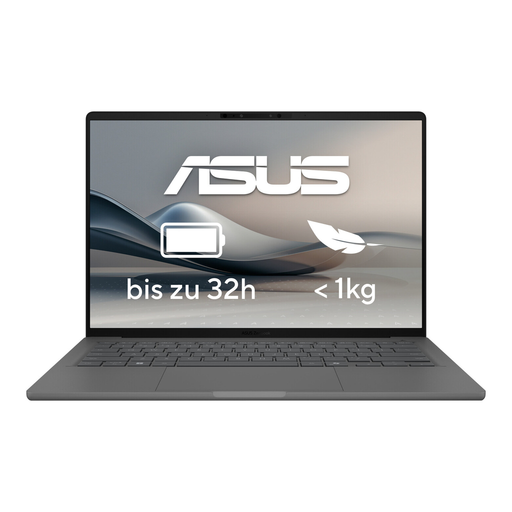 No image available
The 14-inch OLED display gives you a compact workspace for layouts; check that its ports suit the way you import photos.
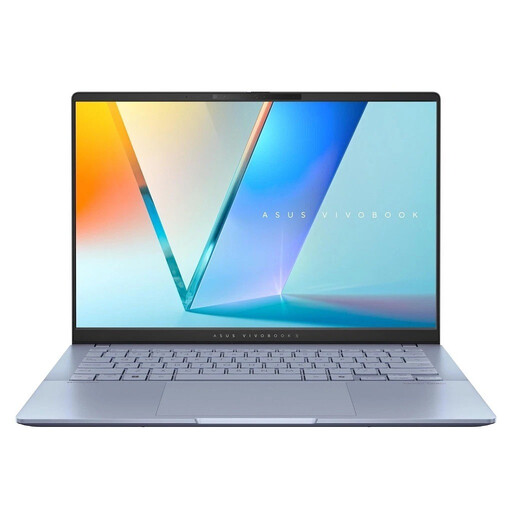 No image available
This 14-inch Windows laptop is a compact option for photo book software and everyday life on campus.
No. In Germany, CEWE offers its Photo World software for Windows, Mac and Linux. If you’re using another photo book service or additional image-editing software, check compatibility separately.
Check the quality indicator in the photo book software and look at the original file if you see a warning for the image size you’ve selected. CEWE points out that its indicator assesses print resolution, not every aspect of image quality.
That depends on your memory cards and the ports on the exact laptop model. The Acer NX.JNBEG.004 is listed with a microSD reader; Apple’s list of connections for the 13-inch M5 MacBook Air doesn’t include a built-in card reader. Check that the ports match your accessories before buying.
The German Federal Government explains that the statutory warranty against the retailer generally lasts for two years. This is separate from a voluntary guarantee; the claims available in any individual case depend on the conditions of the fault and the specific circumstances.
No, this can vary by model and offer. HP lists the power adapter for the D8CH8EA#ABD configuration as sold separately; the product title for the ASUS Zenbook S16 UM5606GA-SS335W says that no power adapter is included. Check what comes with the exact offer.