What to look for when buying
Laptop screen plus one external monitor
A good fit if: you mainly review PDF plans and use the laptop screen as one of your two displays.
The trade-off: A smaller laptop is easier to carry, but gives you less room to view plan details when you’re out and about.
A dock for two external monitors
A good fit if: you need two external screens at your regular workspace to view plans and supporting documents at the same time.
The trade-off: A dock can make it easier to switch between your desk and working on the move, but it also raises compatibility questions.
A mobile workstation for additional BIM work
A good fit if: you regularly work on larger Revit models locally as well as reviewing plans; Autodesk lists different memory requirements for Revit 2026 depending on model size.
The trade-off: Extra performance headroom can mean more weight and a larger footprint; BIM requirements aren’t minimum requirements for reviewing PDF plans alone.
The key is to work out whether your main constraint is the screen setup, plan legibility, software or switching between work locations.
| Buying priority |
What to check |
Who it matters most to |
| Connect two screens |
Check the number of screens, resolution and refresh rate supported by your specific laptop, dock and monitor combination. |
If you want to use two external monitors at the same time, your entire setup must support this. Around 33% of consumers prioritise display connectivity. |
| Read plans clearly |
Check the screen size and resolution of the specific model against a typical plan, and consider how you’ll position it ergonomically. |
If you want to compare drawings, legends and annotations, you’ll need a clear, legible view. Around 27% of consumers say plan legibility is their main priority. |
| Choose the right performance for your software |
Compare the software version and typical project size with the manufacturer’s requirements. |
If you work with large drawing sets or also open BIM models locally, choose performance to suit the specific application. Around 20% of consumers prioritise software performance. |
| Move between locations |
Consider the weight of the specific configuration, including its power supply, and how you’ll connect and disconnect it. |
If you take your laptop to appointments and connect it to monitors at your desk, plan for both ways of working. Around 13% of consumers prioritise portability. |
| Overall setup and service |
Factor in any additional dock and input devices, as well as the relevant service and warranty terms. |
If you want to assess your complete workspace, including accessories and service, consider more than just the laptop. Around 7% of consumers prioritise running costs and service. |
Joybuy laptops for reviewing plans
The Joybuy models below may suit viewing plans on your laptop and working with external screens. Check separately whether a specific configuration supports two external monitors at the same time.
 No image available
Acer TravelMate TMP216-41-TCO, 16-inch WUXGA business laptop
This business model could suit a workspace where you view plans on the laptop and may use an external screen; check the specific monitor setup before buying.
AMD Ryzen 3 PRO 7335U, 16 GB DDR5, 512 GB SSD, AMD Radeon 660M and Windows 11 Pro Education.
View at Joybuy
 No image available
Lenovo ThinkBook 16 G9 AHP 21UT
This 16-inch business model could suit plan work on the laptop with the option of an external screen; check that the specific configuration supports the screen output you want at the same time.
AMD Ryzen 5 220/3.2 GHz, 32 GB RAM, 1 TB SSD NVMe, Radeon 740M and Windows 11 Pro.
View at Joybuy
 No image available
Lenovo ThinkPad E16 Gen 3 21ST
The 16-inch format is a good starting point for viewing plans on your laptop; check the screen setup you want against the specific configuration.
AMD Ryzen 7 250/3.3 GHz, 32 GB RAM, 1 TB SSD TCG Opal Encryption 2, NVMe, Radeon 780M and Windows 11 Pro.
View at Joybuy
 No image available
HP OMEN 16-ap1099ng
The anti-glare 16-inch QHD display is a listed feature for viewing plans; check separately whether the specific variant supports your preferred monitor setup.
AMD Ryzen 9 8940HX, 24 GB RAM, 1 TB SSD, GeForce RTX 5070 and Windows 11 Home.
View at Joybuy
 No image available
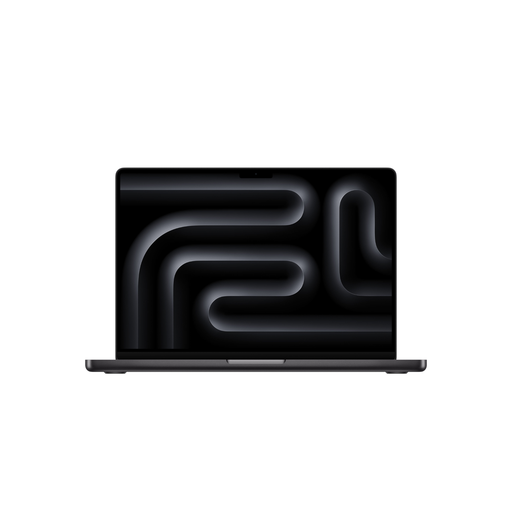
Apple 16-inch MacBook Pro (M5 Pro chip, 2026), Space Black, German QWERTZ keyboard
This model could suit plan work using the laptop display with the option of an external screen; check external display support for the specific configuration.
18-core CPU, 20-core GPU, 24 GB and 1 TB SSD.
The product information states that a power adapter is not included; bear this in mind when planning your workspace.
View at Joybuy
Frequently asked questions
Do the laptop screen and one external monitor count as two screens?
Yes, if that’s the setup you want and your chosen configuration supports the external monitor. For two external monitors, check separately that they can both be used at the same time; you can then arrange recognised displays in Windows.
How should I set up the displays for plans and comments?
Connect your devices, then arrange the recognised screens in Windows display settings to match their actual positions. For longer periods of work, the German Social Accident Insurance (DGUV) also recommends using an external keyboard and mouse and, where possible, an external screen.
Do I need a mobile workstation for PDF plans?
Not necessarily. For PDF plans, check the requirements of the software you use and the size of your drawing sets. Bluebeam Technical Support recommends adequate memory and processor resources for large drawing sets; Revit models that you also edit have separate, model-dependent requirements from Autodesk.
What costs and rights should I consider when buying in Germany?
Allow for any dock and input devices you need, in addition to the laptop. The German consumer advice centre distinguishes statutory liability for defects, which applies to the seller, from a voluntary guarantee; the guarantee terms set out what it covers. Whether you’re buying as a private individual or for business use is also relevant to your specific situation.
Do German rules for screen-based work also apply when reviewing plans on the move?
The Federal Institute for Occupational Safety and Health explains that ASR A6 (as at July 2024) covers screen-based work in workplaces and home-working environments, as well as certain regular mobile use within workplaces. According to its scope, use at a customer’s premises or on public transport, for example, isn’t covered directly; the specific arrangements at work therefore depend on the individual workplace.


