For carefully retouching a single old portrait at a shared desk, choose a laptop whose specific display configuration you can assess properly and whose size suits the space available; you don’t automatically need a high-performance creator laptop. For Photoshop version 27.x, Adobe lists 8 GB RAM as the minimum and recommends at least 16 GB – check this against your version and files. For colour-critical decisions, properly set-up colour management matters more than the OLED label alone. Keep the original scan separate, too, and lock your device when you leave your desk.
Which laptop suits your needs?
Careful portrait restorers
If you want to assess scratches and tonal values in a digitised family portrait, pay attention to the specific display configuration and colour management. Adobe notes that colours can look different on your monitor and on the final output device.
Retouchers short on desk space
If you share your desk and regularly set up and put away your laptop, make sure its size and the ports you need suit the available space and your accessories.
Editors working with large scans
For large files or multiple editing steps, check the memory and available storage against your software. Adobe distinguishes between minimum and recommended requirements for Photoshop.
What should you look for when buying?
| What matters |
What to check before buying |
Who it matters most to |
| Assessing images and colours |
Check the display variant and manufacturer’s colour gamut specifications. For colour-critical work, plan for colour management and profiling. |
When assessing marks, fine details and tonal values, I want to be able to judge the image properly on screen. Around 31% of consumers put assessing colour and detail first. |
| Space at a shared desk |
Check the size and dimensions against the space available, and make sure it has the ports you need for a monitor and input devices. |
When the desk needs to be clear after a session, I want to be able to put the laptop and essential accessories away quickly. Around 25% of consumers put a compact footprint first. |
| Memory and storage |
Compare RAM and available SSD storage with your software version, file size and workload. For Photoshop version 27.x, Adobe lists 8 GB RAM as the minimum and recommends at least 16 GB. |
For large scans or multiple editing steps, I need enough capacity for the job without choosing extra specifications just in case. Around 25% of consumers put memory and storage first. |
| Protecting the original file and access |
Plan to store the original scan and edited version separately, and make sure you have a way to back them up. Lock the device when you leave your desk. |
When working at a shared desk, I want to keep the original scan safe and protect access to my device when I step away. Around 19% of consumers put protecting their image files first. |
Common misconceptions
-
OLED or a wide colour gamut automatically means accurate colours
The display label alone doesn’t tell you whether the colours are set up appropriately for your intended output. Adobe notes that colours may look different on a monitor and an output device.
Check the specific display configuration and set up colour management for colour-critical work.
Allow extra time for profiling and matching the display to your intended output.
-
You always need extensive creator-level specifications to retouch a single portrait
The right specifications depend on your software, files and editing steps. Adobe’s Photoshop requirements distinguish between minimum and recommended RAM.
Check your application and its version against the exact laptop configuration before deciding whether you need additional specifications.
-
The edited version can replace the untouched scan
If you only keep the edited file, you may lose the untouched original. Germany’s Federal Office for Information Security recommends keeping backup copies of important photos.
Keep the original file and edited version separate, and plan to back them up.
Key brands at a glance
The examples below relate to specific product lines or configurations. Before buying, check the specifications of the exact model you’ve selected.
Apple
The MacBook Pro is a macOS option for people who already use this operating system.
- Apple lists a Liquid Retina XDR display with a wide P3 colour gamut for the 16-inch MacBook Pro with M5 Pro.
- These specifications apply to the model configuration mentioned and don’t confirm the colour accuracy of an individual device. Make sure the 16-inch size suits your desk.
ASUS
The ProArt P16 H7606 is a Windows creator range for larger projects and those who need extra ports.
- For the H7606WP-RJ084X configuration, ASUS lists a 16-inch OLED display with 100% DCI-P3, 64 GB RAM, HDMI and a card reader.
- These manufacturer’s specifications apply to the configuration mentioned. You don’t automatically need all these features for occasional retouching of a single image.
HP
The OmniBook Ultra Flip 14-fh0797ng is a more compact Windows option with a touchscreen.
- HP lists a 14-inch display, 32 GB RAM and a 1 TB SSD for the B7WE0EA#ABD configuration.
- These specifications apply to the configuration mentioned and may not apply to other configurations.
Dell
The XPS 14 DA14260 is a configurable 14-inch Windows option for limited desk space.
- Dell describes the range as designed for creative work on the move.
- Dell notes that changes to the configuration can result in different specifications. Check the display and storage of the configuration you choose.
Lenovo
The ThinkPad T1g Gen 8 is a larger Windows option for more demanding tasks.
- Lenovo describes the 16-inch range as featuring Core Ultra processors and GeForce RTX graphics.
- You can’t assume other configurations have the same specifications, so check the exact model.
Laptops available at Joybuy
This Joybuy selection includes compact laptops with details of their displays, memory and storage. Compare the specific display configuration with your software and the space available at your desk.
 No image available
Lenovo Yoga Slim 7i Aura Edition, 14-inch, 2.8K OLED, Core Ultra 7 355, 16 GB RAM, 1 TB SSD
The 14-inch size and stated weight of 1.14 kg could suit you if you regularly put your laptop away.
Display: 2.8K OLED. Memory: 16 GB LPDDR5X. SSD: 1 TB. Adobe recommends at least 16 GB RAM for Photoshop; also check the requirements for your specific software version.
View at Joybuy
 No image available
HP OmniBook Ultra 14-kd0072ngx, 14-inch, 3K OLED, Intel Core Ultra 7 356H, 16 GB RAM, 1 TB SSD
The 14-inch size and stated weight of 1.27 kg are worth considering if you regularly need to clear your desk.
Display: 3K OLED with 100% DCI-P3. Memory: 16 GB. SSD: 1 TB. Check that the specifications suit your software and the workspace you need.
View at Joybuy
 No image available
Dell Pro 14 Essential PV14255, AMD Ryzen AI 7 350, 16 GB RAM, 1 TB SSD
The 14-inch size could suit a limited workspace; this configuration also has an anti-glare display.
Display: 1920 × 1200, IPS, matt and anti-glare, 300 cd/m². Memory: 16 GB. SSD: 1 TB. Port: HDMI 1.4.
View at Joybuy
 No image available
Apple 13-Inch MacBook Air (M5, 2026), 16 GB, 512 GB SSD, Sky Blue, German QWERTZ Keyboard
The 13.6-inch size and stated weight of 1.23 kg could suit a shared workspace that needs to be cleared regularly.
Display: Liquid Retina, 2560 × 1664. Memory: 16 GB. SSD: 512 GB. Two Thunderbolt 4 ports. The product description says a power adapter isn’t included, so check whether you have a suitable USB-C power adapter.
View at Joybuy
 No image available
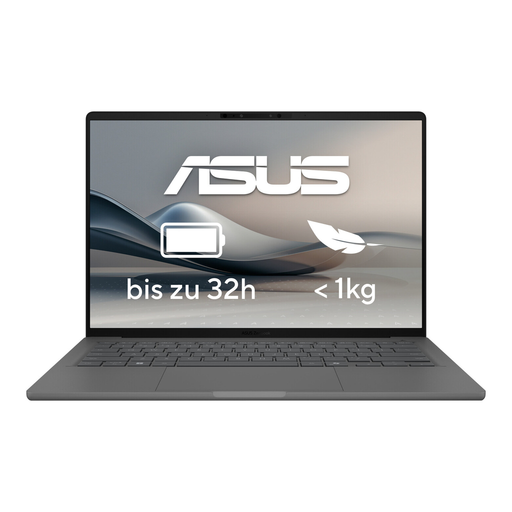
ASUS Zenbook A14 OLED UX3407RA-QD011W
The 14-inch size and stated weight of 1.20 kg are worth considering if you need to clear your desk after work.
Display: OLED, 2,880 × 1,800. Memory: 16 GB. SSD: 512 GB. Ports: Thunderbolt 4 and HDMI 2.1.
View at Joybuy
Frequently asked questions
Do I need a particularly powerful creator laptop to retouch an old paper portrait?
Not just because the photo is old. What matters is the digital scan, your editing software and the amount of work involved. For Photoshop version 27.x, Adobe lists 8 GB RAM as the minimum and recommends at least 16 GB; check the requirements for your specific software version before buying.
How can I start retouching without overwriting the original?
Keep the digitised scan unchanged and work on a separate copy. In its restoration guide, Adobe recommends locking the imported original layer; Germany’s Federal Office for Information Security also recommends keeping backup copies of important photos.
What should I do when I leave a shared desk?
Lock your device, even if you’re only stepping away briefly. Germany’s Federal Office for Information Security recommends this for the workplace.
What rights do I have when buying a laptop online?
For a typical distance sale from a business seller in the EU, you generally have a 14-day right to cancel, subject to exceptions. For faulty goods, the European Union’s Your Europe information page explains the legal guarantee of at least two years from the seller. This is separate from any voluntary manufacturer’s warranty.


