What should you look for when buying?
First, measure the space available for the laptop when it’s open, then check whether the usable screen area is large enough for your layout. For print jobs and large files, also check the relevant colour and software requirements.
| Priority |
What to check before buying |
Who is it most relevant to? |
| Space and usable screen area |
Check the dimensions of the laptop, along with the display size and resolution of the specific variant. Measure the space on your desk for the device and your input devices. |
If you need to fit your laptop and work materials on a small desk, consider the device’s footprint and how much of your poster will remain visible alongside the toolbars. Around 36% of consumers say space requirements are their top buying priority. |
| Print colours |
Compare independent colour-accuracy measurements with the colour gamut, file format and colour profile required by your printer. |
If you’re printing colour-critical posters, you’ll want to assess colours reliably before printing, rather than relying on a colour-gamut rating alone. Around 29% of consumers put assessing print colours first. |
| Performance and storage |
Compare the requirements of your software with the RAM and available storage. Adobe recommends 16 GB RAM or more and 100 GB of available storage for Photoshop 27.x. |
If you work with large image files and several applications open at once, check that the RAM and free storage meet your software’s needs. Around 21% of consumers prioritise working with large project files. |
| Features and total cost |
Decide in advance whether you’ll really use touch and a stylus, and which ports your existing accessories need. |
If you want to avoid paying for features you don’t need, first consider whether pen input or extra ports are genuinely useful for your workflow. Around 14% of consumers prioritise keeping features and total costs in check. |
Laptops to consider at Joybuy
This selection includes compact traditional laptops, 13- and 14-inch devices, and 2-in-1 models. The key is finding the right balance between screen area, footprint and the requirements of your design software.
 No image available
HP OmniBook Ultra 14-kd0072ngx, 14-inch, 3K, Intel Core Ultra 7 356H, 16 GB RAM, 1 TB SSD, Windows 11 Home
A compact laptop for designing when desk space is limited.
14-inch display with 3K resolution.
Intel Core Ultra 7 356H, 16 GB RAM and 1 TB SSD.
View at Joybuy
 No image available
Microsoft Surface Pro 11, 13-inch, Snapdragon X Plus, 16 GB RAM, 512 GB SSD
The 13-inch touchscreen and 2-in-1 design make this a compact option for layout work and flexible use.
Snapdragon X Plus, 16 GB RAM and 512 GB SSD.
Before buying, check that your design software is compatible with this specific configuration.
View at Joybuy
 No image available
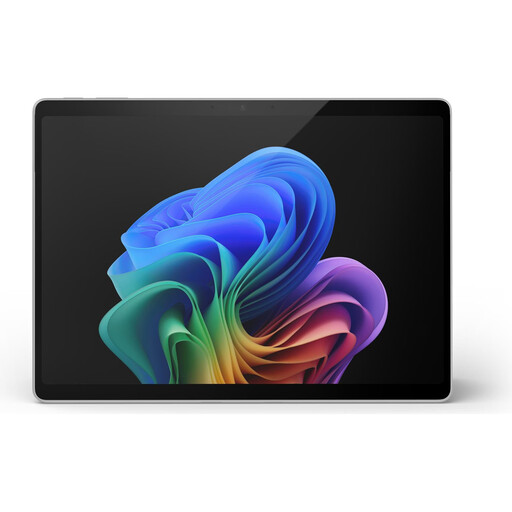
Microsoft Surface Pro 11, 13-inch, Snapdragon X Plus, 16 GB RAM, 512 GB SSD, colour variant
The 13-inch touchscreen and 2-in-1 design offer a compact option for sketching when desk space is limited.
Snapdragon X Plus, 16 GB RAM and 512 GB SSD; the display is rated at 120 Hz and 600 cd/m².
Before buying, check that your design software is compatible with this specific configuration.
View at Joybuy
 No image available
Microsoft Surface Pro 11 for Business, 13-inch, OLED, 2-in-1, Core Ultra 7 266V, 16 GB RAM, 512 GB SSD, Windows 11 Pro
The 13-inch 2-in-1 design is a compact option for layout work and flexible use.
OLED display with a resolution of 2880 × 1920 pixels.
Core Ultra 7 266V, 16 GB RAM and 512 GB SSD; listed with Windows 11 Pro and two Thunderbolt 4 USB-C ports.
View at Joybuy
 No image available
Apple MacBook Air 13-inch (M5, 2026), 10-core CPU, 8-core GPU, 16 GB, 512 GB SSD, Midnight, German QWERTZ layout
A classic compact laptop for layout work with a keyboard and trackpad.
13.6-inch display with a resolution of 2560 × 1664 pixels.
M5 with a 10-core CPU and 8-core GPU, 16 GB unified memory and 512 GB SSD.
View at Joybuy
Frequently asked questions
Is wide DCI-P3 coverage enough for print-critical posters?
No. On its own, it doesn’t prove accurate colours or the Adobe RGB coverage you need. RTINGS.com notes that wide colour-gamut coverage doesn’t guarantee accurate calibration. Also ask your printer about the colour profile and file specifications. Adobe recommends checking pre-press requirements before submitting your files.
Do I always need to convert poster images to CMYK before printing?
No, there’s no one-size-fits-all answer. Adobe describes both RGB files with an embedded profile and converting to CMYK in advance. The right file depends on your printer’s specifications and colour management.
How should I work for long periods with static toolbars on an OLED laptop?
ASUS recommends, among other things, turning off the display after a short period of inactivity and avoiding displaying the same high-contrast image at maximum brightness for a long time. These are the manufacturer’s care guidelines; they don’t mean that a particular device will inevitably be damaged.
What rights do I have when buying a laptop online in Germany?
According to Germany’s Federal Ministry of Justice, consumers generally have a right to cancel distance sales contracts, which usually needs to be exercised within 14 days. Check for exceptions and any return costs on a case-by-case basis. If a product is faulty, statutory rights against the seller are separate from a voluntary warranty. The consumer advice centre explains that newly purchased goods generally come with two years of statutory rights from the date of receipt.
Does a CE mark mean that a display has particularly accurate colours?
No. According to EU information, the CE marking is the manufacturer’s declaration that the product meets the relevant EU product rules. It’s neither a measurement of display colour accuracy nor an approval by a central EU body.


