
Lieferung heute & morgen

Qualitätsgarantie

Willkommens-Angebote freischalten: KOSTENLOSE Lieferung | Bis zu 80 % RABATT | Kostenlose 30-Tage-JoyPlus-Testphase
App herunterladen
Written by: Joybuy Product Recommendation Officer Date: August 28, 2026
A dead laptop battery during an important presentation, on the train, or just before a deadline is more than just an annoyance—it can disrupt your entire workflow. A powerful Laptop Powerbank promises a solution, but the market is flooded with products featuring confusing technical specs and exaggerated marketing claims. Many buyers invest in a device that ultimately fails to deliver the necessary power for their laptop or loses capacity after a short time.
This guide will help you understand the key criteria and avoid common purchasing traps, enabling you to make an informed decision for a reliable mobile power supply.
Before we get to our recommendations, it's important to know the most common pitfalls that often lead to a bad purchase.
To make the right choice, focus on three objective metrics that determine the performance and suitability of your power bank.
Capacity in milliampere-hours (mAh) is only meaningful in conjunction with voltage. The watt-hour (Wh) is the universal unit for energy and allows for a direct comparison.
The output power, measured in watts (W), determines how quickly your device charges and whether laptops are supported at all.
A modern laptop power bank should be able to do more than just charge one device.
Here are some models that are suitable for specific user groups in the UK, based on objective technical data.
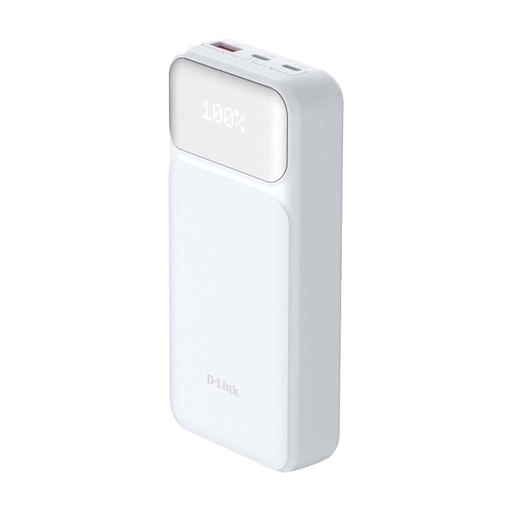
Why it's a good fit: With 65W Power Delivery, it provides the necessary power to reliably charge most university and work laptops without breaking the bank. The 20,000 mAh capacity is a solid compromise for daily use in the library or on the train.
This model delivers a clearly specified charging power of 65W via USB-C PD 3.0. This bypasses the vague "fast-charging" promise and ensures that laptops are actually charged efficiently.
Focuses on the essentials: reliable laptop charging with certified standards (PD 3.0 & QC 3.0) and three ports for simultaneous charging.
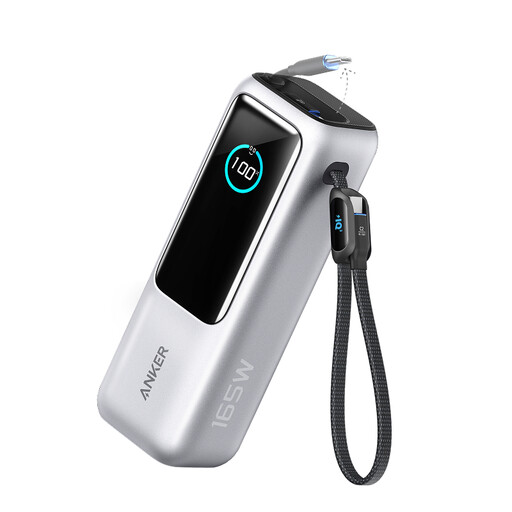
Why it's a good fit: Perfect for professionals who are always on the go. The integrated and retractable USB-C cables mean you'll never forget a charging cable again. The high total capacity and the ability to charge four devices at once ensure maximum productivity.
The 25,000 mAh capacity is large but remains within airline guidelines (approx. 92.5 Wh). It avoids the trap of oversized, non-compliant batteries while offering maximum practical capacity.
Two integrated USB-C cables (one of which is retractable) offer outstanding convenience and reduce cable clutter in your bag. High charging power of up to 100W per port.
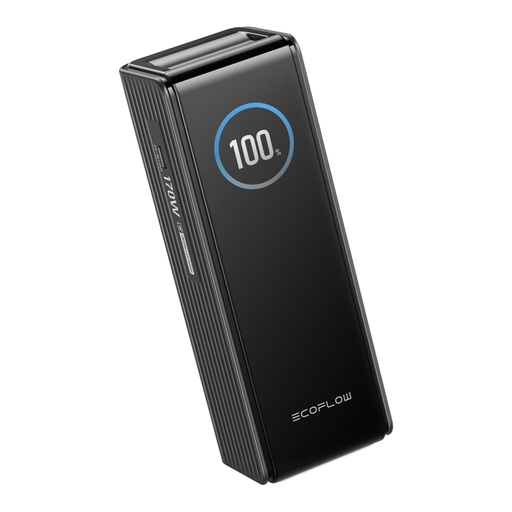
Why it's a good fit: For power users who need maximum performance and control. With two 140W USB-C ports, even the most demanding laptops can be charged at full speed. The smart display provides full transparency on all charging processes.
The intelligent TFT display shows the actual input and output power per port, as well as the battery status. This exposes the trap of misleading capacity claims, as you can always see the real performance data.
Extremely high total output of up to 170W and 140W per port (PD 3.1), combined with an informative display for complete control. Airline-compliant at 90 Wh.
We've compiled a complete, up-to-date list of products that fully meet these strict selection criteria and safety regulations.
That depends on your laptop model. For most modern ultrabooks (e.g., MacBook Air, Dell XPS 13), 65 watts is a good benchmark to charge the device while in use. For more powerful laptops (e.g., 16-inch MacBook Pro, gaming laptops), 100 watts or more is recommended to achieve full charging speed. Check the wattage rating on your laptop's original power adapter.
Yes, in most cases. A typical 20,000 mAh (20 Ah) power bank with a cell voltage of 3.7V has a capacity of 74 Wh. This is well below the internationally accepted limit of 100 Wh for batteries in carry-on luggage. Power banks must always be transported in carry-on luggage, not in checked bags.
Cell capacity (e.g., 20,000 mAh) describes the sum of the capacities of the individual battery cells inside. Rated capacity is the actual usable capacity that is delivered to your device. It is always lower because energy is lost during the voltage conversion from the internal 3.7V to the 5V, 9V, or 20V of the USB output. Pay attention to the rated capacity for a realistic estimate of how many times you can charge your device.