Who is this type of use suited to?

Learners with an unreliable connection

If you only have a short window between appointments, you’ll want to be able to access questions even where a reliable connection isn’t available. What matters is whether your specific platform works online or offline.

People carrying their laptop between appointments

If you take your laptop with you several times a day, you’ll need to weigh its weight and size against having a keyboard and screen that are comfortable to use.

Learners without reliable access to a power socket

If you want to get through several study breaks without recharging, compare battery-life claims alongside the test conditions and check how you can charge the device.

What should you look for when buying a laptop?

Windows laptop with an Intel or AMD processor

A good fit if: Your exam software is a Windows application, or compatibility with other systems hasn’t been confirmed.

The trade-off: Models vary in weight, features and support. Compare the specific configuration rather than choosing based on the device category alone.

Lightweight Windows on Arm laptop

A good fit if: Your platform runs in a browser, or the application and any devices and drivers you need are compatible with Windows on Arm.

The trade-off: Microsoft notes that any required kernel drivers need a native Arm64 version. So a low weight doesn’t confirm that your exam software will be compatible.

MacBook

A good fit if: Your learning platform supports macOS or is confirmed to work in the browser you use.

The trade-off: Manufacturers’ battery-life claims are based on specific test conditions and don’t guarantee the same runtime when answering online practice questions.

Chromebook

A good fit if: The questions you need are available in a compatible browser or supported ChromeOS apps.

The trade-off: Google supports offline access to certain files, but notes that some apps won’t work without a connection.

What matters What to look for Who it matters most to
Platform and connection Check the operating system, browser, any required exam browser and offline functionality directly with your platform. Try completing and saving a practice question. If I want to open questions even when my connection drops and submit answers reliably, my specific platform needs to work on the device. Around 28% of consumers put platform and connection first.
Portability Compare the weight, dimensions and keyboard of the specific version on offer, not just its screen size. If I take my laptop with me several times a day, how much there is to carry matters as much as having a keyboard that’s comfortable to use. Around 22% of consumers prioritise portability.
Battery and charging Consider battery-life claims in light of their test conditions, and check the charging port, required charging power and whether a power adapter is included. If I can’t count on finding a power socket between appointments, I want to consider battery life and charging options together. This is a priority for around 22% of consumers.
Screen readability and input Pay attention to the screen finish and size; check whether the specific version has a touchscreen. If I want to read and answer questions comfortably during short breaks, the screen and input options matter. Around 17% of consumers focus on these features.
Purchase and running costs Check whether a required power adapter is included, and distinguish voluntary support promises from your statutory rights against the seller. If I’m looking for a suitable device without unnecessary extra purchases, I want to consider what’s included and what I’ll actually need. Around 11% of consumers prioritise the overall cost.

Common misconceptions when buying a laptop

  • Maximum battery life is the same as your own online study time

    Manufacturers’ figures are based on set tests; answering questions online may involve different conditions.

    Compare the test conditions and allow some extra battery life for your daily routine.

  • Any software you need will work on an ultra-light Arm device

    Windows 11 on Arm can emulate many x86 and x64 applications. However, as Microsoft explains, any required kernel drivers need a native Arm64 version.

    Before letting weight tip the balance, confirm that the required app, exam browser and any devices you need are compatible.

  • Offline files mean the exam platform works offline

    Google supports offline access to certain Drive files, but notes that some apps won’t work without a connection.

    Test your actual platform to see whether you can open questions, submit answers and sync them later.

  • The device price and manufacturer’s warranty tell you the total cost

    If an accessory isn’t included, you may need to buy it separately. A voluntary manufacturer’s warranty is also separate from your statutory rights against the seller.

    Check what’s included with the specific version and consider support promises separately from your statutory rights.

    For the MacBook Air version described, Joybuy doesn’t list a power adapter as included, so you may need to buy one separately.

Relevant brands and model ranges

Lenovo

ThinkPad models offer a range of options for office and business use; the features of the specific version are what matter.

  • Notebookcheck lists the ThinkPad L14 G5 21L50014GE as a matt 14-inch office laptop weighing 1.6 kg.
  • For the ThinkPad X1 Carbon Gen 13 Aura Edition 21NX008PGE, Lenovo lists a matt 14-inch screen, a German keyboard and three years of service. These details apply to this specific version, not all ThinkPads.

ASUS

The Zenbook A14 UX3407 is one option to consider when comparing lightweight Windows on Arm devices.

  • ASUS lists a weight of 980 g and a battery capacity of 70 Wh for the UX3407QA-QD313W configuration.
  • Check the specific configuration for compatibility with specialist exam applications and any required drivers.

Apple

The 13-inch MacBook Air with M5 is a macOS option if your learning platform supports this system.

  • For the 13-inch model, Apple lists 16 GB of base memory and up to 18 hours of battery life under the stated test conditions.
  • The maximum figure doesn’t indicate how long the battery will last with your specific learning platform; check its macOS compatibility separately.

Acer

The Chromebook Plus 514 CB514-6H/CB514-6HT is a ChromeOS option for browser-based tasks.

  • Acer describes this range as having an anti-glare 14-inch WUXGA screen.
  • According to Acer, a touchscreen is optional. Google confirms offline access to certain files and apps, but not that an exam platform will necessarily work offline.

HP

EliteBook ranges are worth considering as a business option if you take form factor and service into account when choosing.

  • HP describes a range of form factors across its EliteBook models, including convertibles and clamshell laptops.
  • Features vary by version; the range alone doesn’t make a device especially suited to answering practice questions.

Joybuy laptops for practice questions on the go

The devices below cover different operating systems and form factors for answering practice questions between client appointments. Before buying, check that your specific learning platform and any software you need work with the version you’re considering.

Acer TravelMate TMP216-41-TCO laptop

Acer TravelMate TMP216-41-TCO, 16 inches

A Windows configuration for practice platforms that require Windows.

16-inch WUXGA IPS screen, 16 GB DDR5, 512 GB SSD, AMD Ryzen 3 PRO 7335U, AMD Radeon 660M and Windows 11 Pro Education.

This configuration is listed at 1.80 kg and also features Wi-Fi 6E.

View at Joybuy

Apple MacBook Neo with A18 Pro, 8 GB RAM and 256 GB SSD, Indigo Blue, English QWERTY keyboard

Apple MacBook Neo (A18 Pro, 2026), 8 GB RAM, 256 GB SSD, Indigo Blue, English QWERTY keyboard

A macOS option if your practice platform works with this system.

13-inch screen, 8 GB RAM, 256 GB SSD, macOS and Wi-Fi 6E. Listed weight: 1.23 kg.

Wireless web browsing is listed at up to 11 hours. The product description says that a power adapter isn’t included.

View at Joybuy
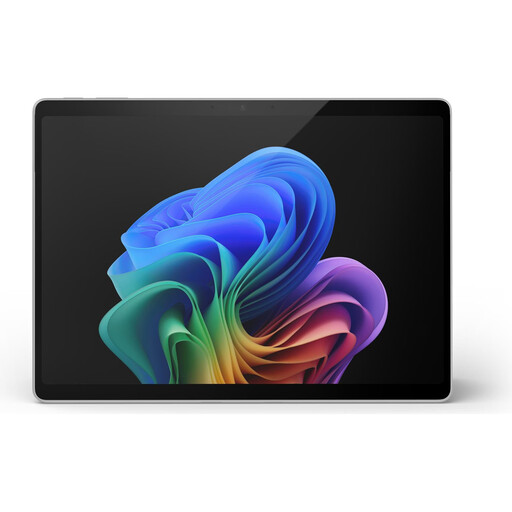
Microsoft Surface Pro 11 with 13-inch touchscreen and Snapdragon X Plus

Microsoft Surface Pro 11, 13 inches, Snapdragon X Plus, 16 GB RAM, 512 GB SSD

A lightweight Windows on Arm 2-in-1 if the software you need is compatible with the platform.

13-inch touchscreen, 16 GB RAM, 512 GB SSD, Windows 11 Pro and Wi-Fi 7. Listed weight: 0.90 kg.

Any required kernel drivers need a native Arm64 version. Battery life is listed at up to 14 hours.

View at Joybuy

11.6-inch YOGA laptop with 360-degree touchscreen, Intel Pentium Gold 6500Y

11.6-inch YOGA laptop with 360° touchscreen, Intel Pentium Gold 6500Y, 8 GB RAM, 256 GB SSD

A compact Windows laptop with touchscreen controls for short study breaks, provided your platform works with this configuration.

11.6-inch touchscreen, Windows 11 Pro, 8 GB RAM, 256 GB SSD and dual-band Wi-Fi.

The screen rotates through 360°; laptop, tent, stand and tablet modes are listed.

View at Joybuy

HP OmniBook Ultra Flip 14-fh0670ng with 14-inch OLED touchscreen

HP OmniBook Ultra Flip 14-fh0670ng, Intel Core Ultra 7 258V, 32 GB RAM, 1 TB SSD

A Windows 2-in-1 if you’d like a convertible touchscreen as well as a device for answering practice questions.

14-inch 2.8K OLED touchscreen, Windows 11 Home, 32 GB RAM, 1 TB SSD, Intel Core Ultra 7 258V and Wi-Fi 7.

This configuration is listed at 1.34 kg, with a 64 Wh battery.

View at Joybuy

Frequently asked questions

Is a Chromebook enough for my practice exam questions?

A Chromebook is enough if your specific platform works on ChromeOS in a supported browser. For offline study, it’s not enough for certain Google Drive files to be available offline: Google notes that some apps won’t work without a connection.

How can I prepare my laptop for study breaks without reliable Wi-Fi?

Use your actual exam platform to test whether you can load questions in advance and sync your answers later. On a Chromebook, you can mark supported Drive files for offline use in advance; this doesn’t replace testing the exam website offline.

What should I bear in mind when using my laptop on the go?

Turn on automatic system and software updates where available. Germany’s Federal Office for Information Security recommends avoiding access to confidential data over public Wi-Fi networks where possible and, if you have to use one, using a VPN. This is general security advice, not a claim that private practice questions contain customer data.

Do new laptops bought in Germany have to charge via USB-C?

The European Commission gives 28 April 2026 as the date from which EU common-charger rules begin to apply to laptops covered by the regulation. Check the charging port, required charging power and what’s included with the specific device: a USB-C port alone doesn’t confirm that your existing power adapter is suitable.

What are my rights in Germany if a laptop bought online is faulty?

For a consumer purchase, the seller is generally responsible for ensuring the goods were free from defects when handed over for two years; the Verbraucherzentrale distinguishes this right from a voluntary manufacturer’s warranty. Online purchases generally come with a 14-day right to cancel, subject to statutory exceptions.