People using a shared monitor
If you regularly connect your laptop to a shared screen and peripherals, check the ports on the specific model and make sure they’re compatible with the equipment at your workstation.


Choose a laptop based first on the presentation software you need, then on the connections available at your shared desk. If you use the PowerPoint desktop app, both Windows laptops and Macs are options; on a Chromebook, you can use PowerPoint on the web. A larger display makes it easier to work without an external monitor, but takes up more desk space. Presenter View also requires a supported second screen.
If you regularly connect your laptop to a shared screen and peripherals, check the ports on the specific model and make sure they’re compatible with the equipment at your workstation.
If you usually create and review slides on the built-in display, you’ll need to weigh the available screen space against the limited room on a shared desk.
If you share presentation files with others, check before choosing whether the web version will do or whether you need the desktop app.
For this use case, match each buyer to the concern that matters most when choosing a laptop.
| Priority | What to check before buying | Who is it most relevant to? |
|---|---|---|
| Connecting to the workstation | Check that the laptop ports match the monitor input and dock, and support the multi-screen setup you want. | If I want to connect my laptop to a shared monitor and existing peripherals, the specific ports available are important. Around 36% of consumers put workstation connectivity first. |
| Software and files | Check any required apps, account or licence, and test the laptop with the presentation files you use. | If my team needs a particular app or features for existing files, I want to check they’ll work before buying. Around 29% of consumers prioritise software and file compatibility. |
| Display space | Compare the display size and resolution of the specific model with the desk space available. | If there’s no external monitor, I want to be able to edit slides and supporting materials on the laptop display. For around 21% of consumers, the built-in display’s workspace is the main priority. |
| Portability and power | Check the weight, included power adapter and charging power required by the specific model. | If I move between workstations, I want to know which device and power adapter I can take with me or use at the desk. Around 14% of consumers put portability and power first. |
A good fit if: you want to use the PowerPoint desktop app and connect to a shared monitor. HDMI and USB-C ports are listed for specific Lenovo and HP models, but check the details for the device on offer.
The trade-off: Ports, display and specifications vary by model variant. The model name alone doesn’t confirm that it will work with your existing dock.
A good fit if: you prefer macOS and PowerPoint for Mac suits your workflow. The 13-inch MacBook Air with M5 supports external displays via Thunderbolt 4 and USB-C with DisplayPort support.
The trade-off: HDMI isn’t listed among Apple’s stated ports, so check that you have a suitable way to connect an HDMI monitor.
A good fit if: you mainly edit slides in a browser or with Google Slides, and this workflow meets your team’s requirements.
The trade-off: Microsoft says the Windows and Mac desktop versions of Microsoft 365 can’t be installed on a Chromebook. Test important files and features in advance.
The capabilities of the specific port and power supply determine whether you can connect external displays and charge your laptop.
Before buying, compare the ports and charging requirements of the exact laptop model with the dock, monitor and power adapter at your shared workstation.
Microsoft explains that you can access PowerPoint on the web, but says the Windows and Mac desktop versions can’t be installed on Chromebooks.
Before deciding, edit a representative file using the account and workflow you plan to use.
If your workflow requires a Microsoft 365 licence, factor this into your software choice.
They are based on different terms and involve different points of contact.
Keep your proof of purchase and the product description, and check the warranty terms separately from your statutory rights against the seller.
The ThinkPad E14 Gen 7 is a Windows business laptop option for a shared workstation with an external monitor.
The ProBook 4 G1a 14 is a Windows option if you need different types of connection at a shared workstation.
The 13-inch MacBook Air with M5 is an option if you prefer macOS and connecting external displays via USB-C.
The Dell Pro 14 PC14250 is a configurable range of Windows business laptops to consider for a shared desk setup.
This selection includes Windows laptops and a MacBook for working on slides using the built-in display or an external monitor. Before buying, check the software, ports and space requirements for your specific workstation.
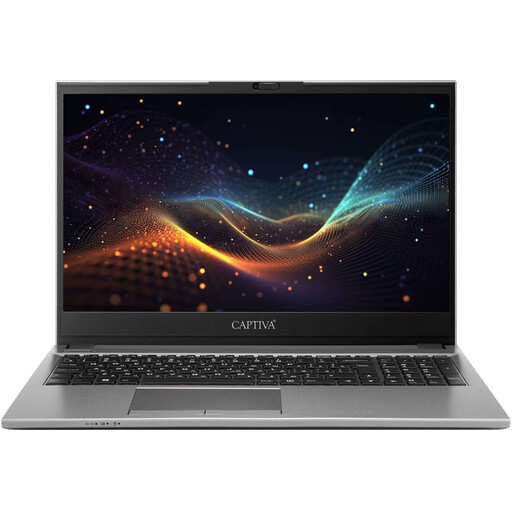 No image available
For working on slides in Windows and connecting to an HDMI monitor; check the ports available at your shared workstation.
15.6-inch Full HD anti-glare display; 16 GB RAM; 500 GB SSD; weight: 1.75 kg.
 No image available
For working on slides in Windows using the built-in touchscreen or an external display; a USB-C to HDMI adapter is listed.
14-inch OLED touchscreen with 2880 × 1800 pixels; 32 GB RAM; 1 TB SSD; Thunderbolt 4.
 No image available
For a Windows workflow with an external display; check that the USB-C connection works with your existing dock.
13-inch OLED display with 2880 × 1920 pixels; Windows 11 Pro; two Thunderbolt 4 USB-C ports; adjustable stand; weight: 0.872 kg.
 No image available
For working on slides in Windows using the built-in display and connecting to an HDMI monitor; check that the ports suit your workstation.
16-inch WUXGA IPS anti-glare display; HDMI 2.1 and two USB-C ports; 16 GB RAM; 512 GB SSD; weight: 1.75 kg.
 No image available
For working on slides in macOS and connecting to an HDMI monitor; check what’s included if you need a power adapter.
14.2-inch Liquid Retina XDR display; 24 GB RAM; 1 TB SSD; HDMI and Thunderbolt 5 with DisplayPort support. A power adapter is not included.
No. Microsoft offers PowerPoint for Windows and Mac. On a Chromebook, you can use PowerPoint on the web, but you can’t install the Windows or Mac desktop app. Check which features your files need, and make sure you have the right licence or sign-in.
Connect a second screen supported by your laptop, set up the displays and turn on Presenter View in PowerPoint. Microsoft describes how to show your notes on the laptop and slides on the external screen separately. Check the connection before your presentation.
Yes, if you set up offline access while online and make the files you need available offline. Google lists Chrome or Edge, the offline extension and enough free storage among the requirements.
Check whether a suitable power adapter or monitor adapter is included, and which software licence you need. For consumer purchases in Germany, statutory rights against the seller are separate from a voluntary manufacturer’s warranty. Verbraucherzentrale outlines the general two-year statutory warranty period.
According to the European Commission, the requirements for a common USB-C charging port have also applied to laptops since 28 April 2026. The rules depend on when a product is placed on the market and the conditions set out in the legislation; devices already on the EU market before then can continue to be sold. USB-C alone doesn’t confirm that an existing power adapter will provide the charging power you need.