What to look for when buying
First, work out which presentation features and connections your office actually requires. Then weigh up comfort and portability based on the places where you usually work.
Windows laptop
A good fit if: you use the Windows version of PowerPoint or rely on specific Windows workflows, and often connect to office displays. Microsoft Support describes Presenter View for presentations using a supported second display.
What to consider: HDMI, USB-C video output and docking support depend on the specific model and configuration.
MacBook with macOS
A good fit if: the PowerPoint features you need are available on Mac and your office IT allows macOS.
What to consider: Microsoft Support notes that PowerPoint features vary between platforms. Also check that the laptop can connect to your existing meeting-room display.
Chromebook
A good fit if: you create most of your slides online and the features you need, as well as your presentation, work in a browser. Microsoft Support explains how to access Microsoft 365 on a Chromebook through the web.
What to consider: Check that the features you need and the connection to your office display work with your specific setup, rather than assuming the web version is equivalent to the desktop version.
| Priority |
What to check when buying |
Who is this important to? |
| Presentation software and display connection |
Check that the PowerPoint features you need, the display input, the video output on the exact laptop configuration and extended-display support all work together. |
If I want to show slides with private notes on a meeting-room display, the software and display connection need to work together. Around 36% of consumers put presentation software and display connections first. |
| Working without distractions in a shared office |
Look for independent noise tests for the exact model; consider screen positioning and workplace rules for confidential content. |
When working alongside other people, I want to consider potential distractions and whether others can see my screen. Around 29% of consumers prioritise a workspace with as few distractions as possible. |
| Screen and input devices |
Assess the display size, resolution and finish, along with the keyboard and, if applicable, an existing external monitor. |
For long sessions editing slides, I need a clear workspace and comfortable input devices. Around 21% of consumers prioritise screen comfort and input devices. |
| Portability and workspace setup |
Check weight and battery life under comparable conditions, as well as the software you need, what’s included and any connection accessories. |
When moving between my desk and meeting rooms, portability and the right power and connection setup matter to me. Around 14% of consumers prioritise portability and the setup they need for work. |
Joybuy products for presentations
This selection includes laptops with a range of display sizes and connection options for working on slides and connecting external displays. Check the specific configuration and the right connection method for your office in each case.
 No image available
Acer TravelMate TMP216-41-TCO 16-inch
For working on slides with Windows 11 Pro Education and HDMI 2.1 listed as a video output.
16-inch WUXGA IPS display, AMD Ryzen 3 PRO 7335U, 16 GB DDR5, 512 GB SSD and AMD Radeon 660M. The stated weight is 1.80 kg; USB4 and USB 3.2 are also listed.
View on Joybuy
 No image available
HP ZBook 8 G1i 14, Ultra 9 285H
For Windows workflows and an external display, if the stated weight of 1.43 kg suits the way you move between workspaces.
14-inch WQXGA IPS display with a matte, anti-glare finish, 64 GB RAM and 1 TB SSD. Windows 11 Pro, HDMI 2.1 and Thunderbolt 4 are listed.
View on Joybuy
 No image available
HP ZBook X G1i 16, Ultra 7 255H
For working on slides on a larger display, with an HDMI connection; bear in mind the stated weight of 2.04 kg if you’ll be carrying it regularly.
Matte, anti-glare 16-inch WUXGA IPS display, 32 GB RAM and 1 TB SSD. Windows 11 Pro and HDMI are listed.
View on Joybuy
 No image available
Microsoft Surface Laptop 7 Snapdragon X Plus, 16 GB, 512 GB, Black
For Windows workflows and working in different locations, if the stated weight of 1.34 kg and 13.8-inch display suit your needs.
Touchscreen with a resolution of 2,304 × 1,536 pixels and Windows 11 Pro. Thunderbolt 4 is listed as a video output.
View on Joybuy
 No image available
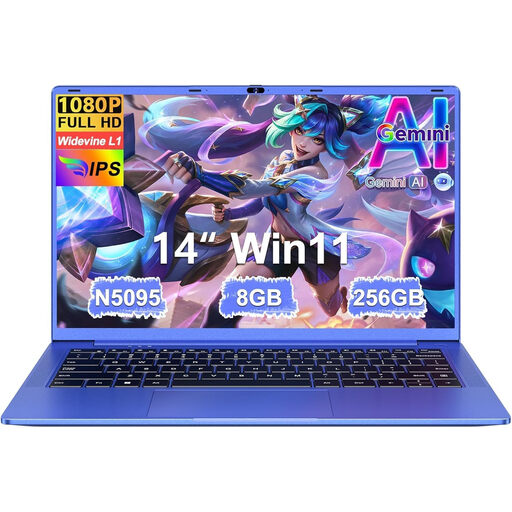
Ruzava 14-inch laptop, N5095, 8 GB RAM, 256 GB SSD
Mini HDMI is listed for connecting an external display; the stated weight is 1.39 kg.
14-inch FHD IPS display, 8 GB RAM and 256 GB SSD. USB-C is described as supporting data transfer, not video output.
View on Joybuy
Frequently asked questions
How can I keep my speaker notes private while presenting?
As Microsoft Support explains, PowerPoint’s Presenter View can show notes on your laptop and slides on a second display. Check that your device supports a second display, connect it and set up the separate screens.
Can I use PowerPoint on a Chromebook?
Yes. Microsoft explains that you can access PowerPoint and other Microsoft 365 apps on a Chromebook through the web. Before choosing, check that the web version supports the features you need for your presentation workflow.
Are PowerPoint or the adapters I need automatically included?
You can’t tell from the laptop category alone. Microsoft sells PowerPoint and Office for PC and Mac as separate products. Check the software, licence, package contents and connection you need for the meeting-room display in the specific offer.
What rights apply to a personal online purchase in Germany?
When you buy goods as a consumer from a business seller, you generally have 14 days from delivery to withdraw from the purchase, although exceptions may apply. Your Europe, the European Union’s consumer information service, also states that faulty goods are generally covered by a minimum legal guarantee of two years. These details shouldn’t be assumed to apply to a purchase made on behalf of a business.
Does German workplace law require a particular laptop model?
The requirements of the Workplace Ordinance described here concern the design of display-screen workstations and don’t specify a particular laptop model. The Federal Ministry of Justice and the Federal Office of Justice list requirements for display-screen workstations and portable display-screen devices. If your employer provides your workstation, the specific requirements for the working environment should be assessed separately.


