Photo- and layout-focused designers
If you edit lots of photos and facing pages, a larger display can make it easier to work directly on your laptop. Affinity Help Center distinguishes between screen and print output when working with PDF files.


For a printed wedding booklet, first choose your operating system and the specific layout software you plan to use. Then choose a working area that suits your monitor. A larger display gives you more room for pages and photos on the laptop itself, while a more compact device may be suitable if you already have a monitor. For InDesign version 21.3 and later on Windows, Adobe lists 8 GB of RAM as the minimum and 16 GB as the recommended amount. Your printer will provide the requirements for the PDF and bleed.
If you edit lots of photos and facing pages, a larger display can make it easier to work directly on your laptop. Affinity Help Center distinguishes between screen and print output when working with PDF files.
If you plan to use InDesign or Affinity, check the operating system and the requirements for the specific version before buying. Adobe and Affinity Help Center each publish their own system requirements.
If you already have a monitor or transfer photos from other devices, make sure the ports are compatible with your existing setup. Apple lists two Thunderbolt 4 ports on the MacBook Air model reviewed.
First choose your layout software, then decide whether you’ll mainly work on the laptop display or use an external monitor. Finally, check the memory, storage and ports against the way you plan to work.
| Buying priority | What to look for | Who it matters most to |
|---|---|---|
| Room for pages and photos | Check the display size, resolution and reflections at your desk. If you use an external monitor, also check the port on the specific configuration. | If I want to edit pages and photos side by side, having enough screen space is my main priority. Around 31% of consumers prioritise screen space when buying. |
| Software and print handover | Check that the operating system meets the requirements of the version of the software you’ll use; ask your printer about the PDF format and bleed. | If I use particular layout software and want to have the file printed, the software and the printer’s requirements need to be compatible. Around 31% of consumers put software and print handover first. |
| Memory and file storage | Compare the RAM and SSD in the exact configuration with your software’s requirements and the size of your project files. | If I use a layout programme and image files at the same time, having the right specifications matters more to me than a particular display type. Around 23% of consumers prioritise smooth performance. |
| Ports and existing devices | Check that your monitor, camera and storage devices are compatible with the listed ports; also check what’s included with the specific version. | If I want to keep using my existing peripherals, I need to know whether I can connect them directly and what’s included in the box. Around 15% of consumers prioritise ports and how well the laptop fits into their home office setup. |
A display specification doesn’t prove that an exported PDF meets your printer’s requirements. What you see on screen and the print file need to be assessed separately.
Ask your printer for their requirements and check the exported PDF before sending the booklet for printing.
Display and specifications can vary within the same laptop range. You can’t automatically apply the details of one configuration to a similarly named model.
Check the full model number, display, processor, memory and what’s included on the specific product page.
What’s included and which ports are available can vary by configuration. This matters if you want to connect your existing devices directly.
Before buying, check the listed contents and make sure the ports match your existing equipment.
A compact macOS option if the layout software you plan to use and your existing devices suit this workflow.
The Yoga Slim 7i is a compact Windows option. Check the specifications for the specific generation and configuration.
The OmniBook X Flip is a Windows option if you want more screen space or touchscreen control on the laptop itself.
The XPS 13 is another compact Windows option, provided the configuration and ports suit your workspace.
These Joybuy models include compact and larger Windows laptops, as well as a MacBook Air model for designing a wedding booklet at home.
 No image available
The 16-inch display gives you plenty of room to work directly on the laptop if you want to edit layouts and photos without an additional monitor.
The product title lists a 16-inch WQXGA OLED display, Ryzen AI 9 465, 32 GB of RAM, a 1 TB SSD and Windows 11. It also states that a power adapter isn’t included.
 No image available
The 14-inch configuration is a good fit if you’re looking for a more compact device for layout work and connecting your existing peripherals.
Listed specifications include a 2.8K OLED display with 2880 × 1800 pixels, Core Ultra 7 355, 16 GB of RAM, a 1 TB SSD and Windows 11 Evo. The description also mentions an SD card reader.
 No image available
This compact convertible is worth considering if you’d like to incorporate touch or stylus input into your design workflow.
Listed specifications include a 14-inch 2.8K OLED touchscreen, Intel Core Ultra 7 258V, 32 GB of RAM, a 1 TB SSD and Windows 11 Home. The description mentions an included stylus and two Thunderbolt 4 ports.
 No image available
This compact macOS model is a good fit if your layout software and workflow are compatible with macOS.
Listed specifications include a 13.6-inch display, M5 with a 10-core CPU and 10-core GPU, 16 GB of RAM and a 1 TB SSD. This version has a German QWERTZ keyboard; according to the product description, a power adapter isn’t included.
 No image available
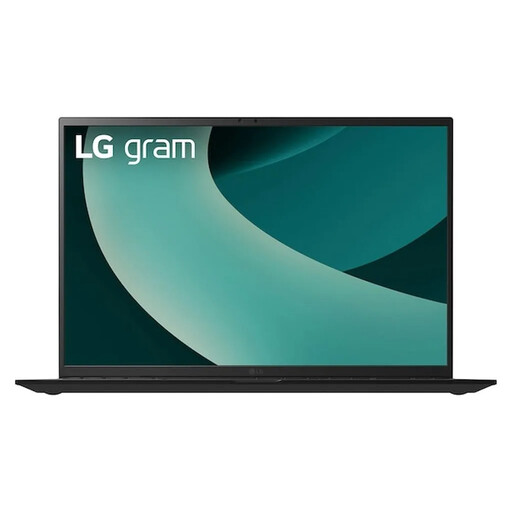
The 17-inch display gives you plenty of room on the laptop itself if you want to view pages and photos without an external monitor.
Listed specifications include a 17-inch WQXGA IPS display with an anti-glare finish, Intel Core Ultra 7 256V, Intel Arc Graphics 140V, 16 GB of RAM, a 1 TB SSD and Windows 11 Home. The description also mentions an SD card reader, Thunderbolt 4, USB-A and HDMI 2.1.
No, an OLED display isn’t essential. You’ll also need enough workspace and a PDF export that meets your printer’s requirements. Display specifications alone don’t guarantee a particular print result.
First ask your printer for their requirements, then export the file in a suitable format. InDesign offers PDF/X presets for print, while Affinity Help Center explains, among other things, how to work with bleed. Don’t assume a particular bleed value is a universal requirement without checking first.
Not in every case. For InDesign version 21.3 and later on Windows, Adobe lists 8 GB as the minimum and 16 GB as the recommended amount; Affinity Help Center recommends 8 GB. Base your choice on the operating system and version of the application you’ll actually use.
For a qualifying consumer distance contract, you generally have the right to cancel. Under section 355 of the German Civil Code (BGB), the statutory cancellation period is 14 days and you must notify the seller that you wish to cancel. For defects in the goods, claims arising from an ordinary purchase of a new movable item generally become time-barred two years after delivery (section 438 BGB). Statutory rights relating to defects are not the same as a voluntary retailer’s guarantee; the circumstances of the contract and any exceptions should be considered separately. Source for the statutory time limits: Gesetze im Internet, Federal Ministry of Justice.