What should you look for when buying?
Start by assessing your typical workload, then check that the specific configuration suits your tools, workspace and budget.
The following figures refer to consumers choosing a laptop for local script profiling at home.
| Priority |
What to check before buying |
Who it matters most to |
| CPU and profiling |
Processor in the exact configuration; your own test workload under comparable conditions |
If I want to investigate how long individual parts of a script take, I need a suitable profiling method rather than a general performance claim. Around 25% of consumers focus on the CPU and runtime analysis. |
| Memory |
Installed capacity and whether the specific model can be upgraded |
If my script, development environment and containers are running at the same time, I need enough memory in reserve. Around 19% of consumers prioritise memory for parallel workloads. |
| Tool compatibility |
Operating system, processor architecture and requirements of the tools you use |
If my workflow depends on specific libraries or containers, I need to check their platform requirements before buying. Around 19% of consumers prioritise compatibility with their tools. |
| Workspace and ports |
Display on the specific model, plus suitable monitor, USB and docking ports |
If I use code, profiling output and documentation at a dedicated desk, workspace and connections to my existing peripherals matter to me. Around 12% of consumers focus on this. |
| Configuration and total cost |
Specification of the model you choose, power adapter and any accessories you need |
If I don’t want to pay for capacity I won’t use or accessories I’ll need later, I compare the complete specification. Around 25% of consumers prioritise the cost of the configuration they actually need. |
Joybuy products for profiling and development
These Windows laptops are worth considering for local script profiling and development at a dedicated desk; their specific configurations vary.
 No image available
HP OMEN 16-ap1099ng, Ryzen 9 8940HX, 24 GB RAM, 1 TB SSD
This Windows 11 Home configuration is an option if you work locally on Windows and need 24 GB RAM.
AMD Ryzen 9 8940HX; 24 GB RAM; 1 TB SSD; 16-inch QHD display; GeForce RTX 5070; Windows 11 Home.
View at Joybuy
 No image available
HP OMEN 16-ap1071ng, Ryzen 7 8745HX, 16 GB RAM, 1 TB SSD
This Windows 11 Home configuration is worth considering if 16 GB RAM and a 1 TB SSD suit your development setup.
AMD Ryzen 7 8745HX; 16 GB RAM; 1 TB SSD; 17.3-inch display; GeForce RTX 5060; HDMI 2.1.
View at Joybuy
 No image available
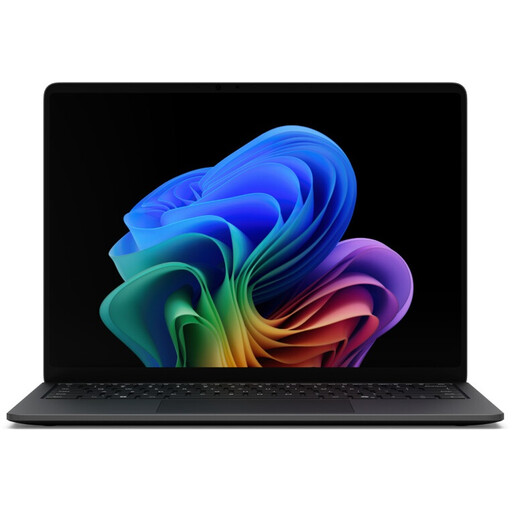
Microsoft Surface Laptop 8, Core Ultra 5, 16 GB RAM, 512 GB, Black
This Windows 11 Professional configuration is an option for a Windows-based development setup with 16 GB RAM.
Intel Core Ultra 5; 16 GB RAM; 512 GB SSD; 13.8-inch touchscreen; USB 4.0 and Thunderbolt 4.
View at Joybuy
 No image available
Microsoft Surface Laptop 8, Core Ultra 5, 24 GB RAM, 512 GB, Platinum
This Windows 11 Professional model is worth considering if you’re planning to run several tools at once and need 24 GB RAM.
Intel Core Ultra 5; 24 GB RAM; 512 GB SSD; 13-inch touchscreen.
View at Joybuy
 No image available
Microsoft Surface Laptop 8, Core Ultra 5, 24 GB RAM, 1 TB, Platinum
This Windows 11 Pro configuration is an option if you’re planning to use several development tools and work with larger project files.
Intel Core Ultra 5; 24 GB RAM; 1 TB SSD; 13-inch touchscreen; Wi-Fi 7.
View at Joybuy
Frequently asked questions
Will a faster laptop automatically make a slow script run faster?
Not necessarily. First, use a suitable profiler to find out where time is being spent; because of possible overhead, its measurements aren’t automatically benchmark results. The Python Software Foundation recommends profiling for execution analysis, not benchmarking. Then compare changes using the same workload and an appropriate timing method.
What should I check if I want to use Docker at home?
If you use Docker Desktop, check the installation requirements for your operating system and processor architecture. Docker’s documentation distinguishes between Apple silicon and Intel Macs, and lists different backends for Windows, including WSL 2. This doesn’t mean there’s one memory requirement that applies to every laptop.
What should I check for working at a desk?
Check that the monitor and USB ports match your existing peripherals, and confirm what’s included with the specific configuration. Dell states that the described Pro 14 configuration doesn’t include a power adapter.
What are my rights when buying a new laptop online in Germany?
When you buy from a business seller, you’re generally covered by statutory consumer rights. The Verbraucherzentrale states that, for new goods, these rights apply for two years from delivery. For a standard online distance sale, you generally have a 14-day right to cancel from the date of delivery, subject to the relevant legal requirements. A voluntary guarantee is separate from these rights.


