PDF plan reviewers
If you mainly read approved PDF plans and make notes while travelling, clear viewing and a practical way to work at your seat are important. Adobe Acrobat Reader supports comments and notes.


A compact laptop may be enough if you mainly work with approved PDF plans. If you need to open native DWG files or use a CAD application, the operating system, software version and specific device configuration must all be compatible. Also check that the screen and input method work at your seat, and that you can work without relying on a power socket: depending on the ICE train and your seat, Deutsche Bahn says sockets may be shared or individual.
If you mainly read approved PDF plans and make notes while travelling, clear viewing and a practical way to work at your seat are important. Adobe Acrobat Reader supports comments and notes.
If you need to open native DWG files rather than exported PDFs, check compatibility with the specific software you use. Autodesk lists Windows 10 or 11 (64-bit) as the requirement for DWG TrueView 2026.
If you regularly add handwritten marks or comments, check the input method, software and specification of the exact laptop variant together. A touchscreen alone doesn’t tell you whether a stylus is included or whether your chosen app supports the input you need.
A good fit if: you mainly read and annotate prepared PDF drawings, and have limited space at your seat.
The trade-off: You may need to zoom in more often to see details on a smaller screen. For DWG files, compatibility with your specific software is key.
A good fit if: handwritten annotations are important for your reviews.
The trade-off: Check the stylus, app and working mode for the specific variant. Touch input alone doesn’t guarantee that your annotation workflow will work as needed.
A good fit if: you need to review native DWG files or run a specific Windows CAD application locally.
The trade-off: Workstation-level specifications aren’t automatically necessary for adding comments to PDFs alone. Check your software’s requirements against the exact configuration.
| Buying priority | What should you look for? | Who should pay particular attention? |
|---|---|---|
| Seeing details clearly | Check the screen size, resolution and finish using one of your own plans at your usual zoom level; don’t treat the manufacturer’s brightness figures as a substitute for trying it out. | If I need to read fine labels and compare several sections of a plan, clear viewing at my seat matters. Around 28% of consumers put this first. |
| Portability and power | Consider the dimensions and weight, including the power adapter, alongside your bag and seat space; check charging needs and the conditions behind the quoted battery life. Deutsche Bahn says sockets on ICE trains may be shared or individual, depending on the train. | If I change trains frequently or work at a small folding table, portability and realistic power planning are essential. Around 22% of consumers prioritise portability and battery life. |
| Files and software | Check the file format, features you need, operating system and software version. Autodesk lists Windows 10 or 11 (64-bit) for DWG TrueView 2026; the requirements for AutoCAD 2026 depend on the workload. | If I need to open specific DWG or CAD files in the application I already use, confirmed software compatibility matters more than a general device label. Around 22% of consumers put this first. |
| Offline access and confidentiality | Before travelling, check whether local copies are allowed and whether your specific app works offline; if you use train Wi-Fi, follow your organisation’s rules on how to connect. Deutsche Bahn describes Wi-Fi on ICE and Intercity trains as a public network and recommends using a VPN. | If I need my drawings when the connection drops and must follow project rules, I plan my offline access and connection method before setting off. Around 17% of consumers prioritise offline access and confidentiality. |
| Handwritten notes | Test PDF commenting features and a compatible stylus, and check what’s included, using a sample file; Adobe describes comments and notes as features that can be used without a stylus. | If I’d rather write notes on a plan by hand than use a keyboard, I check the touchscreen, stylus and app together. Around 11% of consumers put handwritten annotations first. |
A PDF reader, a DWG viewer and a CAD application do different jobs and may have different system requirements.
Before choosing a device, make a note of the file formats, editing features you need and exact software version. Depending on your workflow, you may need additional software or a different device configuration.
A quoted battery life doesn’t necessarily reflect how long the laptop will last with your plans, software and display settings. Sockets on ICE trains may also be shared.
Compare your charging needs with your planned working time, and check the test conditions behind the battery-life figure. Also make sure the power adapter is included with the specific variant.
A touchscreen alone doesn’t confirm that a stylus is included or that your PDF or CAD app supports the annotations you want to make.
Check the exact variant, what’s included and how it handles a typical annotation. HP lists a stylus as included with the specifically documented OmniBook Ultra Flip 14-fh0797ng; check the specification of the device actually being offered.
The ThinkPad P14s range includes 14-inch Windows workstation configurations; the exact specification is key when comparing models.
The ZBook Firefly and OmniBook Ultra Flip represent different ways of working: a Windows workstation configuration, and touchscreen and stylus input respectively.
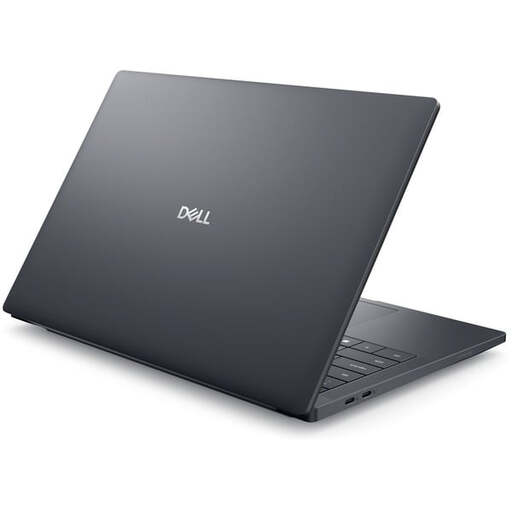
The Dell Pro 14 Premium PA14250 is available with different display and memory configurations.
The 13-inch MacBook Air M5 may suit a mobile PDF workflow or drawing software confirmed to be compatible with macOS.
This selection includes Windows laptops with a range of screen sizes and specifications for viewing plans on the go. Before buying, check that the operating system and exact configuration are compatible with your drawing software.
 No image available
The larger stated screen area may be useful for viewing plans; consider the space it takes up and how easy it is to carry at your seat.
16-inch, WUXGA, AMD Ryzen 3 PRO 7335U, 16 GB DDR5, 512 GB SSD, AMD Radeon 660M and Windows 11 Pro Education.
 No image available
The 14-inch screen may be a good option for travelling; check how clearly your sample plan appears on the specific display.
14-inch, FHD display, Intel N5095, 8 GB RAM and 256 GB SSD.
 No image available
The stated screen size gives you a larger view of plans than smaller formats; consider how much space you have at your seat.
16-inch, FHD, Intel Core i5-8210Y, 16 GB RAM, 512 GB SSD and Windows 11 Pro.
 No image available
The stated screen size may matter when viewing plans; compare it with the space available on your folding table.
15.6-inch, FHD, AMD 3250C, 8 GB DDR4 and 512 GB SSD.
 No image available
This Windows workstation configuration may suit a specific Windows workflow. Check that the software version you use and its requirements match the device.
14-inch, FHD+, Intel Core Ultra 7 265H, 32 GB RAM, 1 TB SSD, RTX PRO 2000 and Windows 11 Pro. Autodesk lists Windows 10 or 11 (64-bit) for DWG TrueView 2026.
For approved PDF plans, a PDF reader’s viewing and commenting features may be enough. If you need to view native DWG files, Autodesk lists DWG TrueView as a viewer. For editing or other project features, check which application and version you need.
First, check whether you’re allowed to save project files locally, then open the files you need in your application before setting off. Autodesk confirms that DWG TrueView can display files on Windows without an internet connection or sign-in. For essential transfers over public train Wi-Fi, Deutsche Bahn recommends using a VPN or HTTPS; your organisation’s rules take priority.
For covered online purchases made by consumers, the EU generally provides a 14-day withdrawal period from delivery. Exceptions and possible return costs apply, and purchases from private individuals aren’t covered by this right. The statutory guarantee you have against the seller is separate from a voluntary warranty. Also check what’s included with the specific configuration.
The Bundesnetzagentur lists CE marking, traceability, manufacturer details, required German-language information and a declaration of conformity among the checks it makes when monitoring the market. This doesn’t automatically confirm that a specific offer complies; especially for imported products, check the exact device version and its documentation.