What should you look for when buying?
First, check that your writing and submission workflow works with the operating system. Then compare the specific keyboard, the space available for documents and sources, the weight and the charging options.
| What matters when buying |
What to look for |
Who will find this most important? |
| Typing comfort and screen space |
Check the keyboard layout and typing feel, as well as the screen size, resolution and whether the specific configuration has a matt or glossy finish. |
If I’m writing longer passages and checking sources, I want a comfortable keyboard and a clear view of my documents. Around 33% of consumers put typing comfort and screen space first. |
| Portability and power |
Consider the weight, including the power adapter, the charging port and the test conditions behind any quoted battery-life figure. |
If I regularly take my laptop with me and might not have access to a power socket at the library, I want a portable device with a suitable charging option. Around 27% of consumers prioritise portability and working without a power socket. |
| Upfront cost |
Only compare configurations that support your software, submission format and required connections. |
If my proposal is mainly text and sources, I don’t want to pay for features I won’t use, but I also don’t want to overlook essential software or connectivity. Around 20% of consumers put upfront cost first. |
| Software and file versions |
Check which software is required and what file format you need; test offline editing and syncing with a file from your own workflow. |
If my submission requires specific software or a reliable file version, a workflow that works takes priority over the type of device. Around 20% of consumers prioritise software, submission formats and file versions. |
Joybuy products for writing on the go
The Joybuy products below are selected for writing on the go and working with documents in the library. Before buying, check that the specific configuration suits your writing and submission workflow.
 No image available
HP OmniBook Ultra Flip 14-fh0670ng
A Windows laptop configuration for writing on the go, with a 14-inch display.
14-inch 16:10 OLED touchscreen with 2.8K resolution; Intel Core Ultra 7 258V, 32 GB RAM and 1 TB SSD.
Windows 11 Home; listed weight of 1.34 kg and USB-C charging.
View at Joybuy
 No image available
HONOR Magicbook X16 AMD 2025, German keyboard
A configuration with a German keyboard layout for writing longer texts, and a 16-inch display for documents and sources.
AMD R5 6600H, 16 GB RAM and 512 GB SSD.
View at Joybuy
 No image available
Apple 13-inch MacBook Air M5, 16 GB, 1 TB SSD
A compact macOS configuration with a German QWERTZ keyboard, for a compatible writing and file-format workflow.
13.6-inch display, 16 GB of memory and 1 TB SSD; listed weight of 1.23 kg.
The product information says that a power adapter isn’t included, so you’ll need to buy one separately.
View at Joybuy
 No image available
Apple 13-inch MacBook Neo A18 Pro, 8 GB, 256 GB SSD
A compact macOS configuration with a German QWERTZ keyboard. Check first that it supports the software you need and your submission format.
8 GB of memory and 256 GB SSD; listed weight of 1.23 kg. This configuration is listed without Touch ID.
The product information says that a power adapter isn’t included; you’ll need a suitable USB-C power source to charge it.
View at Joybuy
 No image available
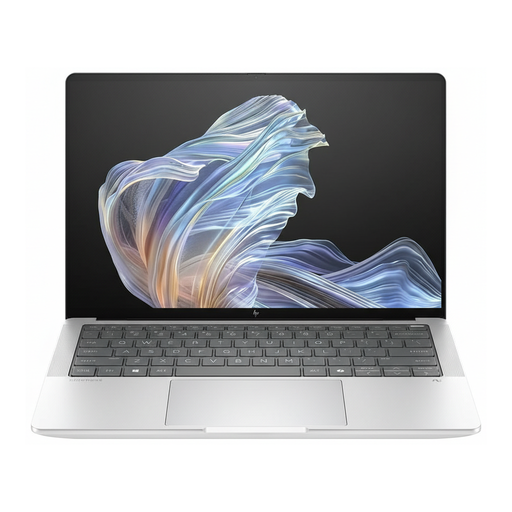
HP EliteBook Ultra G1a 14, B66PTES
A Windows 11 Pro configuration for writing and submitting work on this operating system.
14-inch display with 2.2K resolution, Snapdragon X Elite, 16 GB RAM and 512 GB SSD.
The product title lists USB-C Power Delivery.
View at Joybuy
Frequently asked questions
Do I need to buy a specific operating system for my project proposal?
Not just because you’ll be writing in the library. First, check which software you’re required to use and the submission format. Google lists OneDrive as a requirement for editing Microsoft 365 files on Chromebooks. This doesn’t mean you must use Windows, macOS or ChromeOS in general.
What should I set up before my first visit to the library?
Open a test file in the application you plan to use, then check that you can edit it offline and sync it afterwards. Google explains how to set up offline access for selected Chromebook files. Microsoft’s AutoSave feature depends on the specified storage locations in OneDrive or SharePoint Online and the relevant requirements.
Will I need to spend extra on ports or software?
That depends on the specific configuration and the devices you already own. Compare the laptop’s ports with the devices you need to connect, and check which software you’ll need before buying. If the laptop doesn’t have the right ports, you may need to budget for an adapter.
What are my rights when buying online in Germany?
For online purchases by consumers, the Verbraucherzentrale states in its information dated 13 August 2026 that there is generally a 14-day right to cancel. You must notify the seller, and some exceptions apply. If an item is faulty, statutory consumer rights against the seller are separate from a voluntary guarantee; the Verbraucherzentrale explains this in its guidance dated 28 September 2026.
How should I use the library’s public Wi-Fi?
Treat it as an untrusted network and don’t use it to access confidential information. The Federal Office for Information Security gives this advice for using public Wi-Fi.


