For your first Python exercises, you don’t need a gaming laptop just because you’re coding. Choose a device that runs your learning software, then decide based on screen space, monitor ports and portability. For longer sessions at a height-adjustable desk, it’s particularly important to position the screen and input devices comfortably. Bear in mind, though, that external devices need space and the right ports.
Which laptop is right for you?
Python beginners with a dedicated desk
If you do most of your learning at a height-adjustable desk, you should be able to position the screen and input devices comfortably for longer sessions. The German Federal Institute for Occupational Safety and Health describes alternating between sitting and standing as sit-stand activity. The DGUV recommends using an external keyboard and mouse for longer laptop sessions, along with an external monitor where possible.
Learners who move between locations
If you regularly take your laptop with you and use a monitor at your usual study space, its ports matter just as much as its weight. Microsoft notes that you need to install a Python interpreter separately when getting started with Visual Studio Code.
Learners without an external monitor
If you need to fit your editor and learning materials on the built-in display, weigh screen space against the room available on your desk. For longer sessions, it’s also worth remembering that a laptop’s screen and keyboard are connected.
What should you look for when buying?
Start with your study space. Decide whether you’ll use an external monitor and separate input devices, then check the software, ports and portability of the specific model.
| What matters |
What to check before buying |
Who is this important to? |
| Screen and input devices at a sit-stand desk |
Allow for desk space and screen position; check that the ports work with your monitor, keyboard and mouse. |
If I’m learning at a height-adjustable desk for long periods, I want to position my screen and input devices comfortably. Around 33% of consumers prioritise ergonomics at their regular study space. |
| Built-in screen space |
Compare the screen size of the specific model with your desk space and how you’ll use it without an external monitor. |
Without an external monitor, I need enough room on my laptop screen for my editor and learning materials. Around 27% of consumers prioritise built-in screen space. |
| Getting started with Python and the right specifications |
Check the operating system and course requirements, as well as the memory and storage of the specific model. |
If I’m starting out with Python files, a browser and an editor, I want to set up the learning environment I need without buying specifications for unspecified tasks. Around 20% of consumers prioritise an easy start. |
| Portability and connecting at your study space |
Check the weight, the ports actually listed and the cables or adapters you’ll need to connect to your monitor. |
If I take my laptop between locations, I want to be able to connect it to my monitor at my regular study space. Around 20% of consumers prioritise portability and easy reconnection. |
Common buying mistakes to avoid
-
Assuming a high ranking means it’s right for learning Python
A general laptop ranking won’t necessarily tell you which device suits your first Python exercises or a sit-stand desk. CHIP’s published laptop list ranks devices by their test results, not for this particular learning scenario.
Base your choice on your course software, screen and workspace. Use general rankings only as an extra reference when comparing specific models.
-
Assuming every model in a laptop range has the same ports
Some ports vary between models in Lenovo’s ThinkPad E14 Gen 7 range. You’ll also need a suitable connection for your monitor.
Before buying, compare the full model number and its ports with the inputs on your display.
Depending on the ports available, you may need an additional compatible cable or adapter.
-
Relying on the laptop alone as a complete workstation for long sessions
For longer laptop sessions, the DGUV recommends using external input devices and, where possible, an external monitor.
Make sure you have space for them on your desk and the right connection options.
Extra input devices or an external monitor need space and must be connectable to your laptop.
Brands to consider
Lenovo
The ThinkPad E14 range is one option for a dedicated study space with an existing monitor.
- Lenovo lists HDMI and USB ports for the range.
- Lenovo states that some ports vary by model, so don’t assume every E14 configuration has the same specifications.
Apple
The M5 MacBook Air is a macOS option if you want a compact laptop to use away from your desk too.
- Apple lists two Thunderbolt 4/USB-C ports with DisplayPort support on the 13-inch model.
- Check how it will connect to your monitor. Apple’s published battery life figures relate to the tests specified, not Python usage.
HP
The OmniBook 5 Flip is a Windows option if you’d also like to use a convertible design alongside programming.
- HP lists 16 GB RAM, a 512 GB SSD and a 14-inch touchscreen for the 14-fp0765ng model.
- A touchscreen and hinge aren’t in themselves a proven advantage for Python exercises, and specifications vary across the range.
ASUS
The Zenbook S 16 is an option if you’d prefer a larger built-in display to a particularly compact device.
- ASUS lists a 16-inch OLED display for the UM5606 range.
- Check the ports and specifications of the specific model sold in Germany. Details on the global range page won’t necessarily apply to every configuration.
Samsung
The Galaxy Book6 Pro is a Windows option with a large display.
- Samsung lists a 16-inch display, 32 GB RAM and 1 TB storage for the German model NP960XJG-KG6DE.
- These specifications describe one particular model, not a minimum requirement for your first Python exercises. Samsung’s claims about productivity and battery life are manufacturer figures, not the result of a comparative Python test.
Joybuy products for Python at a sit-stand desk
This selection includes models with larger built-in displays, as well as devices that can connect to an external monitor at your regular study space using the ports listed.
 No image available
HP ZBook X G1i 16 Ultra 7 255H, 32 GB RAM, 1 TB
For a dedicated study space where you want to use the built-in display or connect an external monitor.
16-inch display, 32 GB RAM, 1 TB SSD, Windows 11 Pro and HDMI.
View at Joybuy
 No image available
Microsoft Surface Laptop 7 Snapdragon X Plus, 16 GB, 512 GB, Black
For learners who take their laptop with them and want to use an external monitor at their regular study space.
13.8-inch touchscreen, 16 GB RAM, 512 GB SSD, Windows 11 Pro and Thunderbolt 4; stated weight: 1.34 kg.
View at Joybuy
 No image available
HP OmniBook Ultra Flip 14-fh0670ng, 32 GB RAM, 1 TB SSD
For a mobile study setup if you want a touchscreen and the option to connect an external monitor.
14-inch OLED touchscreen, 32 GB RAM, 1 TB SSD, Windows 11 Home, Thunderbolt 4; stated weight: 1.34 kg.
View at Joybuy
 No image available
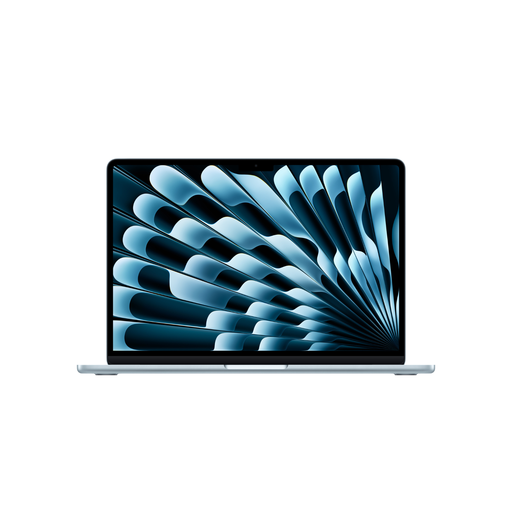
Apple 15-inch MacBook Air (M5, 2026), 16 GB, 512 GB SSD, Sky Blue
For learners who want to work with code and learning materials on a larger built-in display.
15.3-inch display, 16 GB memory, 512 GB SSD, macOS and two Thunderbolt 4 ports.
View at Joybuy
 No image available
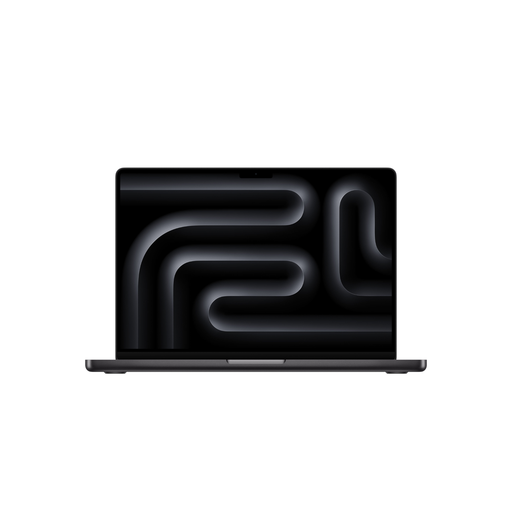
Apple 16-inch MacBook Pro (M5 Max, 2026), 48 GB, 2 TB SSD, Space Black
For a dedicated study space where you want to use a large built-in display or an external monitor.
16.2-inch display, 48 GB memory, 2 TB SSD, macOS, HDMI and Thunderbolt 5. The product description says that no power adapter is included, so one must be purchased separately.
View at Joybuy
Frequently asked questions
Do I need a dedicated graphics card for my first Python exercises?
A dedicated graphics card isn’t listed as a requirement for getting started with Python and Visual Studio Code. If your course requires additional tools, check their specific system requirements.
How should I set up for longer study sessions at a height-adjustable desk?
For longer laptop sessions, the DGUV recommends using an external keyboard and mouse, along with an external monitor where possible. The German Federal Institute for Occupational Safety and Health describes alternating between sitting and standing; this doesn’t mean it recommends standing all the time.
Are a manufacturer’s warranty and your statutory rights for faulty goods the same thing?
No. A warranty is a voluntary service subject to its terms and conditions; statutory rights for faulty goods are generally claims against the seller. For the usual purchase of a new movable item, section 438 of the German Civil Code (BGB) generally provides for a two-year period from delivery.
Can I cancel an online laptop purchase in Germany?
Consumers generally have a right to cancel an online purchase, with a usual deadline of 14 days from receiving the goods. Check the terms of your specific purchase and any applicable statutory exceptions.
Where should I take my old laptop?
Take electrical waste to an authorised collection point, such as a local authority recycling centre or a retailer required by law to take it back. Whether a particular retailer has to accept it depends, among other things, on the statutory conditions.


