Joybuy picks for reading and writing
This selection includes Windows laptops, from a compact 14-inch model to a larger 16-inch convertible, as well as a MacBook Air. The key is to find a screen size, software and level of portability that suit the way you work at a café table.
 No image available
HP OmniBook Ultra 14-kd0072ngx
For working on a chapter and summary on a Windows laptop, this 14-inch configuration is a compact option. Check whether the screen is large enough to view both side by side.
3K OLED touchscreen, Intel Core Ultra 7 356H, 16 GB RAM, 1 TB SSD and Windows 11 Home.
View at Joybuy
 No image available
HP ENVY x360 16-ac0473ng
If you like to view a chapter and summary side by side on a larger screen, the 16-inch format could suit you. Remember to consider how much space it’ll take up on a café table.
WUXGA IPS touchscreen, Intel Core Ultra 7 155U, 16 GB RAM, 512 GB SSD, Windows 11 and USB-C Power Delivery.
View at Joybuy
 No image available
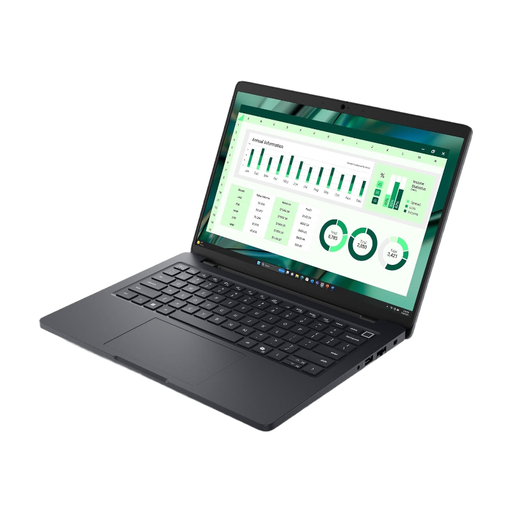
Dell Pro Max 14 MC14250 U7-265H
If you frequently work in different locations, bear in mind the listed weight of 2.94 kg; this could make a difference when carrying it around every day.
Intel U7-265H and 16 GB RAM.
View at Joybuy
 No image available
Microsoft Surface Laptop 8 Core Ultra 5
If you want to work on chapters directly on the display, the listed touchscreen and pen support could be useful. Check before buying whether the pen you need is included.
24 GB RAM, 1 TB SSD, Platinum.
View at Joybuy
 No image available
Apple MacBook Air 13-inch M5, 16 GB, 512 GB SSD
If the apps you need run on macOS and you’re often on the move, this lightweight configuration is an option. Apple lists a weight of 1.23 kg for the 13-inch MacBook Air with M5.
10-core CPU, 8-core GPU and German QWERTZ keyboard.
The product description states that a power supply isn’t included; check which charger you’ll need.
View at Joybuy
Frequently asked questions
Can I work on a chapter on a Chromebook without the café’s Wi-Fi?
Yes, as long as the files and applications you need work offline and you’ve set them up in advance. Google Chromebook Help explains how certain Drive files can be made available offline beforehand and lists PDFs as a supported file type. Test your specific chapter file and writing app before you go to the café.
Do I need a laptop with AI features to write a summary?
No. If you’re reading and writing the summary yourself, you simply need access to the chapter and a suitable writing app. Microsoft describes automatic file summaries with Copilot in OneDrive; check separately whether the service and file are suitable for the way you plan to use them.
What should I check when charging my laptop?
Compare the charging requirements of the specific configuration with the power supply you want to use, and check whether a suitable one is included. A USB-C port alone doesn’t tell you whether an existing charger supplies enough power.
What are my rights when buying online in Germany?
For online purchases by consumers, you generally have a 14-day right to cancel, starting from the day you receive the goods; exceptions and the details of the contract should also be taken into account. The Verbraucherzentrale also distinguishes between your statutory rights against the seller and a voluntary guarantee.
How can I rely less on public Wi-Fi when working in a café?
Download your chapters and notes in advance, then test whether you can open and edit them without an internet connection. If you have no choice but to transfer sensitive data over an unfamiliar Wi-Fi network, the Federal Office for Information Security recommends using a VPN connection where possible.


