If you want to compare recipe pages and photos side by side on your laptop, a larger display makes sense. If you often work on the go, a more compact device paired with an external monitor at your usual workspace may suit your workflow better. Extra performance headroom is a separate consideration mainly if you also regularly edit large numbers of images alongside your layout work. For InDesign 21.3 and later, Adobe specifies a minimum of 8 GB RAM and recommends 16 GB on Windows. For print, you should also check your printer’s PDF and colour specifications, as Adobe lists image compression and bleed as separate export options.
Who designs recipe books?
Designers working at a desk
If you’re putting together lots of recipe pages with photos, you’ll want to work comfortably with text, images and page previews side by side. Screen space and the option to connect an external monitor are important things to consider.
Recipe book designers on the go
If you work on your book both at home and on the go, you’ll need to weigh up the built-in workspace against the size of the device and the connections you need at your main workstation.
Designers who edit lots of photos
If you regularly work with large photo libraries as well as layouts, check that the memory and storage suit your software and file workflow.
What should you look for when buying?
A larger laptop for a fixed workspace
A good fit if: You often want to compare pages and images side by side on the built-in display.
The trade-off: A larger screen means a bigger chassis. A high resolution or OLED display alone does not guarantee that a laptop is suited to a print workflow.
A compact laptop with an external monitor
A good fit if: You also use your laptop away from home and want a larger screen at your desk. Apple Germany lists Thunderbolt 4 and support for external displays on the MacBook Air M5.
The trade-off: There’s less workspace on the built-in display when you’re out and about. At your desk, you may need a monitor and, depending on the connection, an adapter.
A laptop for additional image editing
A good fit if: You regularly do extensive photo or video editing alongside your recipe book.
The trade-off: If your layout work is mostly text-based, a top-spec configuration designed for photo and video work may not be necessary.
| Priority |
What to check before buying |
Who it matters most to |
| Room for layouts and reviewing images |
Screen size and resolution for the specific configuration; whether it can connect to a monitor you already own. |
If I want to arrange pages and photos on one screen, the built-in workspace is my main consideration. Around 36% of consumers would name it as their top buying priority. |
| Photos, files and multiple programmes |
Software version and operating system; RAM and free SSD space for project files. |
If I edit lots of images or large files alongside layouts, I pay particular attention to having enough headroom and storage. This workflow comes first for around 29% of consumers. |
| Working in different places |
Device size, the connections you need and the manufacturer’s stated battery life, including the conditions under which it was tested. |
If I use the same laptop at home and on the go, I want to weigh up portability against workspace. Around 21% of consumers put this first. |
| Software and print workflow |
Requirements for your chosen layout software, along with your printer’s PDF, bleed and colour specifications. |
If I need to hand over a print-ready file, I want to choose suitable software and check the export specifications early. This workflow is the main buying priority for around 14% of consumers. |
Common buying mistakes
-
Assuming photo and video rankings are essential for book layouts
A device that ranks highly in a photo or video test hasn’t necessarily been assessed for the demands of recipe book layout work.
First, consider whether you regularly edit demanding photos or videos as well as working on your layout. Only then is it worth comparing such devices for the applications you use.
-
Assuming every model in a range has the same specifications
Display, RAM, SSD and connections can vary between configurations in the same range.
Before buying, check the exact model number and the specifications listed for the configuration you’ve chosen.
-
Confusing a vibrant display with print-ready approval
Adobe treats image compression, bleed and colour output as separate settings in the export and print workflow.
Get your printer’s PDF and colour specifications, then check your exported file against them.
Any discrepancies may mean extra corrections are needed before you send the file to your printer.
Brands to consider
The details below apply to the product ranges and configurations mentioned. They don’t indicate that every configuration is suitable or available.
Apple
The MacBook Air M5 is a compact macOS option if you also want to use your laptop on the go and connect it to an external display at your desk.
- Apple Germany lists 16, 24 or 32 GB of unified memory, depending on the configuration, as well as Thunderbolt 4.
- Check the screen size, storage and connections for the specific configuration; the manufacturer’s specifications don’t demonstrate suitability for a particular print job.
Lenovo
The Yoga Slim 7 range includes compact Windows configurations with a choice of display options.
- Lenovo lists up to 32 GB of soldered memory and OLED options up to 2.8K for the Yoga Slim 7 14ILL10, depending on the model.
- These specifications don’t apply automatically to every configuration; soldered memory shouldn’t be assumed to be upgradeable.
HP
The OmniBook 5 range includes 16-inch configurations for working on a larger built-in display.
- HP Germany lists display options up to 3K OLED, as well as HDMI and USB-C, for the range.
- These range-wide specifications don’t confirm what’s included with each individual configuration.
Acer
The Swift Edge 16 is a Windows option with a large display; specific technical details are listed for the NX.KTDEG.003 configuration.
- Acer lists a 16-inch OLED display with 3200 × 2000 pixels, 32 GB RAM and a 1 TB SSD for the NX.KTDEG.003.
- These specifications apply to this exact model number and shouldn’t be assumed to apply to other variants without checking.
ASUS
The Zenbook 14 OLED UX3405 is a compact Windows range with high-resolution display options.
- ASUS lists 14-inch OLED options for the UX3405, among others.
- The specifications cover various processor and operating system options; don’t assume every German configuration has the same specifications.
Suitable laptops on Joybuy
This selection includes larger laptops for layout work at a fixed workspace, as well as configurations with extra headroom for more extensive image editing.
 No product image available
ASUS Zenbook S16 UM5606GA-SS335W
For viewing recipe pages and photos on a large built-in screen.
16-inch WQXGA OLED display with 2880 × 1800 pixels; Ryzen AI 9 465; 32 GB RAM; 1 TB SSD; HDMI 2.1.
The product title states that no power adapter is included.
View on Joybuy
 No product image available
Lenovo ThinkBook 16 G9 AHP 21UT
An option if you want to work on recipe pages on a 16-inch display.
WUXGA IPS display with 1920 × 1200 pixels; AMD Ryzen 5 220; 32 GB RAM; 1 TB SSD; Windows 11 Pro; USB4-C and HDMI 2.1.
View on Joybuy
 No product image available
MSI Prestige N16 Flip AI+ C1XMT-027Y
A configuration for layout work with extra headroom if you edit lots of image files.
16-inch UHD+ OLED display; 2-in-1 design; 128 GB RAM; 2 TB SSD; Windows 11 Pro; HDMI and DisplayPort.
View on Joybuy
 No product image available
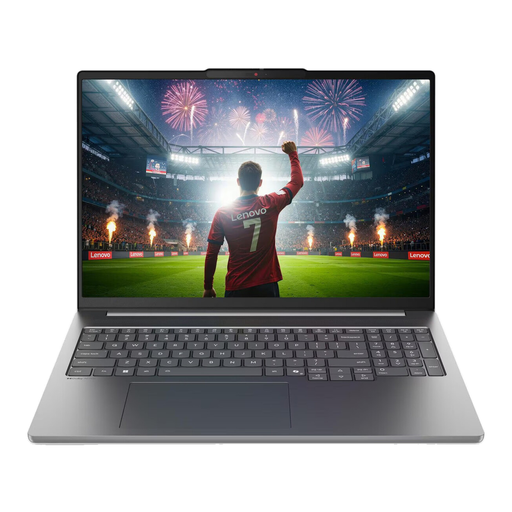
Lenovo IdeaPad Pro 5i 16IPH11
For layout work and additional photo editing if you need a dedicated graphics card.
16-inch 2.8K OLED display; Intel Core Ultra 9 386H; 32 GB RAM; 1 TB SSD; RTX 5060; Windows 11 Pro; Thunderbolt 4 and HDMI.
View on Joybuy
 No product image available
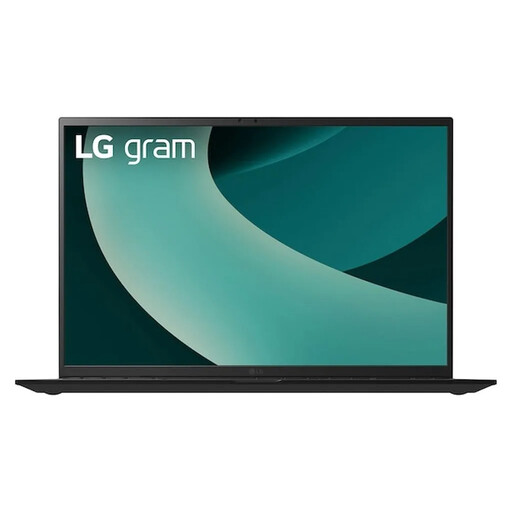
LG Gram 17Z90TL-G.AU78G
For recipe pages and images if you prefer an especially large built-in workspace.
17-inch WQXGA IPS display with 2560 × 1600 pixels; Intel Core Ultra 7 256V; 16 GB RAM; 1 TB SSD; HDMI 2.1 and Thunderbolt 4.
View on Joybuy
Frequently asked questions
How much RAM does a laptop need for InDesign?
For InDesign 21.3 and later, Adobe specifies a minimum of 8 GB RAM and recommends 16 GB on Windows. This is a software requirement, not a general recommendation for every layout application; check the requirements for the version and operating system you plan to use.
Is an OLED display enough to show recipe photos accurately for print?
The OLED label alone doesn’t guarantee colour accuracy for print. Adobe describes colour profiles for printing, along with colour conversion and PDF export settings. Match the output to your printer’s specifications.
What should I check before using an external monitor?
Compare your monitor’s input with the outputs on the exact laptop configuration, and check whether you’ll need a cable or adapter. Apple Germany lists Thunderbolt 4 on the MacBook Air M5, while HP lists HDMI and USB-C, among other connections, for the OmniBook 5 range.
What are the rules for buying a laptop online in Germany?
When you buy from a business seller by distance selling, you generally have a 14-day right to cancel from the date of delivery; the European Union’s consumer information lists some exceptions. Goods bought in the EU are also covered by a legal guarantee of at least two years from receipt. Any additional manufacturer’s warranty offered is separate from this.


