What should you look for when buying?
First, check that the recipe software, keyboard and display suit the way you work. Then make sure the connections are compatible with the shared desk and its devices.
| Buying priority |
What should you look for? |
Who is this most important to? |
| Entering and finding recipes |
Try the keyboard and check how easy the display is to read; check the operating system and features required by your chosen recipe software. |
If I regularly type in recipes, a comfortable keyboard and a clear display matter to me. Consumers whose main priorities are typing and finding recipes are likely to account for around 25%. |
| Connecting devices at a shared desk |
Check the connections on the exact configuration against your monitor, input devices and existing docking station. |
If I share a desk with others, I want to connect the monitor and input devices without having to keep swapping cables around. Consumers who prioritise connections at a shared workspace are likely to account for around 25%. |
| Protecting recipe data |
Decide where files will be stored, how they’ll be backed up regularly and how they can be restored if needed; check whether the computer will also be shared. |
If my collection contains lots of text and images I’ve created myself, I want to back it up and keep access separate when sharing a computer. Consumers whose main priorities are preserving their data and separating access are likely to account for around 20%. |
| Adding paper recipes |
Try the import and correction process with one of your own typical recipes; check the options for tagging and exporting. |
If I want to digitise lots of cards or photos, I want to see in advance how easy it is to check and correct the imports. Consumers whose main priority is importing paper recipes and photos are likely to account for around 15%. |
| Keeping costs reasonable |
Consider the whole set-up you need: laptop, any necessary connections or accessories, recipe software and backup. |
If I mainly work with text and categories, I don’t want to pay for features I don’t need. Consumers whose main priority is keeping the overall cost reasonable are likely to account for around 15%. |
Joybuy laptop selection
The models below are compact, traditional laptop options for entering and organising recipes at a shared desk.
 No image available
Lenovo Yoga Slim 7i Aura Edition 14"
Considered a compact option for managing recipes in the office; check that the keyboard and recipe software suit your workspace.
Listed in the product name: 2.8K OLED, Core Ultra 7 355, 16 GB/1 TB SSD and Win11 Evo.
View at Joybuy
 No image available
HP OmniBook Ultra 14-kd0072ngx
A compact option for text-based recipe work; before buying, check that the exact configuration and recipe software suit the way you work.
Listed in the product name: 14", 3K, Core Ultra 7 356H, 16 GB/1 TB SSD and Windows 11 Home.
View at Joybuy
 No image available
Microsoft Surface Laptop 8 Core Ultra 5, Platinum
Considered a compact option for organising recipes; when choosing, think about how much screen space you need for your templates and index.
Listed in the product name: 24 GB RAM and 1 TB SSD.
View at Joybuy
 No image available
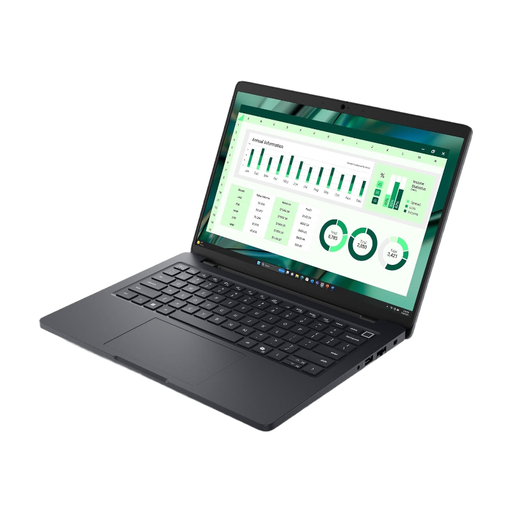
Dell Pro Max 14 MC14250 U7-265H, 16 GB
A 14-inch option for a text-based recipe index; compare the exact specification with the connections and devices at your shared desk.
Listed in the product name: U7-265H and 16 GB.
View at Joybuy
Frequently asked questions
Do I need a particularly powerful laptop for a recipe index?
For typing, categorising and searching, start by making sure you have the right software and a comfortable user experience. Any extra performance you need will depend on what other programmes you use.
How can I set up for longer writing sessions at a shared desk?
Check whether you can position a monitor and separate input devices comfortably, and connect them to your laptop. The BAuA covers screen work in ASR A6 within its expressly regulated scope for workplaces and teleworking; sharing a private desk doesn’t automatically mean the rules apply to you.
How do I back up my finished recipe collection?
Regularly back up text and images you’ve created yourself somewhere other than your laptop, and check that you can restore them. Cloud services and external storage are possible options; the Federal Office for Information Security recommends regular data backups. If several people use the computer, the BSI recommends giving each person their own password-protected account.
What ongoing costs and rights should I consider when buying in Germany?
Allow for any input devices you need, adapters or a dock if required, backup storage and your chosen recipe software. Tudorspan Limited notes that some additional devices for Recipe Keeper may need to be purchased separately. For covered consumer purchases in the EU, Your Europe describes a minimum statutory period of two years from receipt; this statutory guarantee is different from a voluntary warranty.
Does a laptop in Germany have to support USB-C charging?
The European Commission states that the common charging requirements have applied to covered laptops since 28 April 2026. When looking at a specific offer, check whether the device falls within scope and whether a suitable power supply is included. Older stock isn’t automatically non-compliant just because of when it was bought.


