Joybuy laptops for screen reader development
These Joybuy picks are suited to development and testing workflows on Windows, including working with NVDA. The models vary in size and specification.
 No image available
HP ZBook 8 G1i 14 Ultra 9 285H, 64 GB, 1 TB
Worth considering if you’re planning a Windows workflow with NVDA. Check that the operating system on the exact configuration works with your tools.
Specifications listed in the product name: Ultra 9 285H, 64 GB and 1 TB.
View at Joybuy
 No image available
HP ZBook X G1i 16 Ultra 7 255H, 32 GB, 1 TB
A larger 16-inch option for development and testing. Check that it meets your Windows and screen reader requirements.
Specifications listed in the product name: Ultra 7 255H, 32 GB and 1 TB.
View at Joybuy
 No image available
HP ZBook 8 G1i 16 Ultra 7 265H, 64 GB, 2 TB
A 16-inch configuration for more demanding development and testing workflows. Check that its size and specification suit your workspace.
Specifications listed in the product name: Ultra 7 265H, 64 GB and 2 TB.
View at Joybuy
 No image available
Microsoft Surface Laptop 7 Snapdragon X Plus, 16 GB, 512 GB, Black
A more compact Windows option if you often work in different places. Check that the specific configuration is compatible with your development tools and chosen screen reader.
Specifications listed in the product name: Snapdragon X Plus, 16 GB, 512 GB and Black.
View at Joybuy
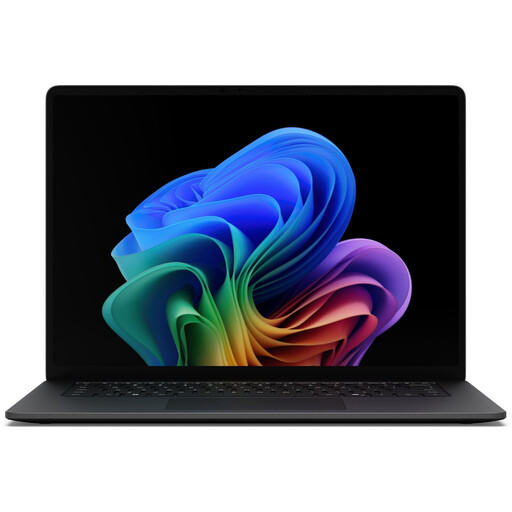 No image available
Microsoft Surface Laptop 8 Core Ultra 7, 16 GB, 512 GB, Black
A Windows option for development and browser-based work. Before buying, check that the ports and size suit your accessories and workspace.
Specifications listed in the product name: Core Ultra 7, 16 GB, 512 GB and Black.
View at Joybuy
Frequently asked questions
Is a screen reader test enough for repair bookings?
No. Test the entire process using a keyboard and screen reader, including form instructions, error messages and confirmation after submission. The W3C Web Accessibility Initiative recommends informing users about successful actions and errors, and providing guidance on how to correct them.
Do I need to install VoiceOver separately on a Mac?
No. Apple describes VoiceOver as the Mac’s built-in screen reader and says you can switch it on with Command-F5. To test with NVDA, you’ll also need access to a suitable Windows environment.
What ongoing costs or service cover should I check?
For the specific configuration, check the warranty and repair terms, and whether you’ll need adapters or additional test devices. Lenovo lists one year of service with a depot or send-in option for the ThinkPad E14 Gen 7, product number 21SX000RGE. This does not automatically apply to other models.
Does the BFSG automatically apply to every German repair booking website?
No, not simply because the website offers appointment bookings. The German Federal Accessibility Centre describes e-commerce as a service provided in response to an individual consumer request in relation to a consumer contract. Guidance from the Federal Ministry of Labour and Social Affairs gives bookable appointments as an example and explains exemptions, particularly for certain micro-enterprises providing services. Whether a particular repair booking service is covered depends on the business model and provider. The BFSG has applied to the products and services it covers since 28 June 2025; it is not a general laptop requirement.


